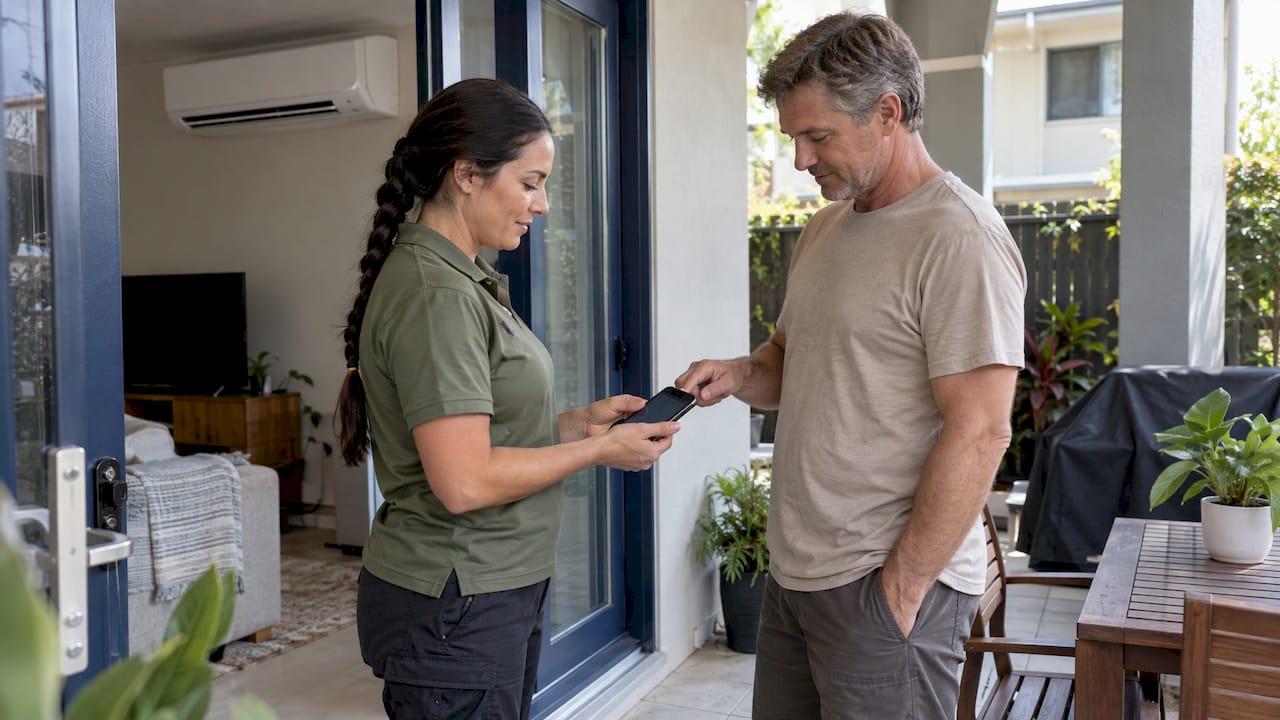
An air-con cleaner can accept payment on site by running a card payment from a phone at the end of the job, linked to the quote, the invoice and the booking. This keeps payment inside one workflow instead of a separate terminal, a bank transfer chased days later or a handful of cash. MyAirCare's mobile app supports on-site payments, and card payments are processed securely through Stripe.
TL;DR
- On-site payment methods for a mobile trade include cards, cash and bank transfer. Cards are the most practical for a job that ends at a customer's door.
- Card payments linked to the job record mean the quote, invoice and receipt stay together and the booking status updates automatically.
- A reliable mobile connection is required. Signal should be checked before attending remote or regional sites.
- Since 1 October 2026, surcharging on eftpos, Mastercard and Visa debit and credit cards is no longer permitted in Australia, so processing costs belong in the service price.
- Basic device security protects both the business and the customer's card data.
Table of Contents
- Payment methods available at a customer's property
- Why payment should sit inside the booking workflow
- Setting up on-site payments, step by step
- Connectivity at the job site
- Card surcharges: the rule since 1 October 2026
- Security when handling payments at customers' properties
- Quotes, deposits and reminders: making payment predictable
- What this means for new operators
- Starting with MyAirCare
- Our perspective
- FAQ
- Sources
Payment methods available at a customer's property
The Australian Government's business.gov.au lists the payment methods a small business can offer: cards through a physical EFTPOS terminal, direct debit, cash, cheques, money orders, buy now pay later and digital currency. Digital currency does not have to be accepted, because it is not legal tender. The same page notes that most in-store card transactions are contactless tap and go.
For an air-con cleaner working at homes, offices and strata properties, the list narrows quickly in practice.
| Method | Fit for on-site air-con cleaning | Main practical issue |
|---|---|---|
| Card payment from a phone | High. Customer taps or pays by link at the end of the job | Needs mobile signal |
| Payment link by SMS or email | High. Suits customers who are not home or prefer to pay later the same day | Depends on the customer completing it |
| Cash | Low to moderate. Some customers still prefer it | Needs a tracking method, regular banking and change |
| Bank transfer | Moderate. No card cost | Payment can be delayed and needs matching to the invoice |
| Cheque and money order | Low | Cheques take around three business days to clear, according to business.gov.au |
Business.gov.au advises that a business taking cash needs a way to track it and should bank it regularly. That is a real administrative load for a sole trader doing several jobs a day. The comparison between transfers and cards in this trade is covered in more depth in bank transfer versus card payments for air-con cleaners.
Why payment should sit inside the booking workflow
Taking a payment is a single moment, but it connects to several records. A customer books a split-system clean online. The business confirms the time, sends a reminder, attends the job, documents the work and issues an invoice. If payment is handled outside this chain, someone has to match a transfer to an invoice, update the job status and follow up unpaid accounts.
MyAirCare combines these steps. Online booking, scheduling, quotes, invoices, payments and customer communication run across web and mobile. On site, the mobile app handles job tracking, rescheduling, on-site payments and before and after service documentation. The operator therefore finishes the clean, records the photos and collects payment in the same place.
Three outcomes follow from that design:
- Faster payment. Payment is requested while the customer is still at the property and the work is fresh.
- Fewer admin hours. No separate data entry for receipts, and no manual matching of transfers.
- A clearer record. The quote, the service photos and the payment are connected to the same customer and job.
The related guide on integrating payments with bookings covers how this reduces no-shows for Australian trades.
Setting up on-site payments, step by step
Step 1: Confirm the business basics
Card processing needs a business identity. An Australian Business Number (ABN) and business details are the usual starting point for any payments account. A sole trader operating under their own brand can register as an individual. Anyone starting out should confirm that the ABN, business name and bank account all match, since identity checks are part of onboarding with any payment provider.
Where it goes wrong: mismatched names or an unfinished ABN registration delay approval, which can hold up the first booking.
Step 2: Choose a payment setup that connects to the job
There are two broad ways to take cards in the field. One is a standalone terminal that works independently of any booking system. The other is payment built into the job management software. The standalone route requires a separate device, a separate settlement report and manual reconciliation against each invoice.
MyAirCare's route is the second: payments are part of the software, and Stripe processes them securely. The free plan costs $0 per month and is supported by booking fees. MyAirCare Pro costs $199 per month and unlocks premium features. Current plan details are on the MyAirCare pricing page.
Step 3: Set up the services, quotes and booking page
Payment works best when the amount is clear before the technician arrives. Service terms and pricing can be customised on a branded booking page, so a customer books a particular service and sees the terms up front. Quotes and invoices are generated in the same system, so the amount collected on site matches what was agreed.
Where it goes wrong: verbal quotes. A figure given over the phone and a different figure on the day is the most common source of payment friction. A written quote tied to the booking removes the discussion at the door.
Step 4: Decide when the money is collected
There are three common points: a deposit at booking, payment on completion, or a card kept on file for later charges. Deposits suit larger jobs such as ducted systems, because they commit the customer to the time slot. Payment on completion suits standard split-system cleans. The guide to taking deposits online for service businesses and the guide to card on file payments set out each option.
Step 5: Test the whole flow before the first customer
Stripe's mobile payments guide recommends testing the complete sequence before going live: charge a card, collect the payment, send a receipt and confirm the transaction appears in the dashboard. A test run at home takes a few minutes and avoids discovering a setting problem in a customer's driveway.
Step 6: Take payment at the end of the job
After the clean and the before and after documentation, the operator opens the job in the app and requests payment. The customer pays by card, and the job record updates. A receipt goes to the customer, and the invoice shows as paid without a second entry.
For operators who prefer a contactless tap on the phone itself, the guide to Tap to Pay on iPhone for tradies explains how phone-based contactless payment works in Australia.
Connectivity at the job site
Card payments are processed in real time, so a connection is needed at the moment of payment. Stripe's mobile guide says LTE or 5G suits work in the field, while Wi-Fi suits fixed setups. It also recommends carrying a backup battery and testing signal in advance at remote sites.
This matters for air-con cleaners because many jobs are in places with poor reception: basement car parks, plant rooms, apartment buildings and rural properties. CommBank's small business guidance notes that some regional areas of Australia may not yet have 5G and recommends checking for dead spots inside buildings.
Practical habits that reduce the risk:
- Check signal at the property during the booking stage for unfamiliar or remote sites.
- Carry a power bank so the phone stays charged through a full day of jobs.
- Keep a second option available. A payment link sent by SMS can be completed by the customer on their own device if the technician's signal is weak.
- Move to a spot with better reception, such as outside or near a window, before requesting payment.
Card surcharges: the rule since 1 October 2026
The Reserve Bank of Australia's March 2026 review concluded that surcharging on eftpos, Mastercard and Visa debit and credit cards ends from 1 October 2026. The RBA found that surcharging no longer works as intended and is often poorly disclosed. The review also covers lower interchange caps and requirements for fee publication.
For on-site payment, the practical effect is that the cost of card processing cannot be added as a line at the door. It belongs in the service price. A simple worked example shows the scale. A hypothetical processing fee of 1.5% on a $220 clean is $3.30. Across a week of ten jobs of that size, the cost is $33, which is easily absorbed by a well-set price list. The figure is illustrative only. Actual rates depend on the provider and plan.
Operators who previously added a card fee should update their price list and booking page so the quoted price is the price paid. The full rules are explained in credit card surcharges in Australia from 1 October 2026, and the cost structure of the payment processor is explained in Stripe fees in Australia.

Security when handling payments at customers' properties
Taking payments in the field puts a phone or card device in public and semi-public places. Stripe's guidance for mobile payment devices sets out the main habits, and they apply equally to a phone running a job app:
- Keep the app and device software updated, ideally with automatic updates.
- Avoid public Wi-Fi for payments and use a mobile or private network.
- Lock the phone with a passcode or biometrics.
- Keep the device physically secure and check it for signs of tampering.
- Never write down card numbers or store full payment details.
The Commonwealth Bank's merchant agreement sets out similar requirements for terminals, including that terminals are never left unattended and PIN entry is shielded. In an air-con job that means keeping the phone with the technician rather than leaving it on a bench or in a vehicle while the clean is underway.
When the payment goes through a platform that uses Stripe for processing, card details are handled by the payment processor and are not written on paper or stored in notes. The related guide on GST and security checks when choosing booking software lists what to confirm before committing to any system.
Quotes, deposits and reminders: making payment predictable
Payment on the day is easier when the earlier steps are in place. A few settings make a measurable difference:
- Online booking at any hour. Customers book when it suits them, and the schedule applies service areas, travel time and daily capacity rules. That limits double bookings and unnecessary travel.
- Automated reminders. Reminders before the appointment reduce missed jobs, and reminders after service encourage repeat business, which matters for a trade with a seasonal cycle.
- Branded booking pages. The customer sees the operator's own brand and service terms, not a generic marketplace.
- QR codes. A printed or on-screen code can open the payment or booking page at the property. See QR code payments for service businesses.
For operators comparing tools, the overview of field service apps for small and mid-sized businesses sets out the features that matter for a trade business.
What this means for new operators
For someone starting an air-con cleaning business, payment is one of the first systems to settle, along with equipment, training and a booking process. A new operator who sets up payment inside the same software as scheduling and invoices avoids building a patchwork of separate tools. MyAirCare also offers structured air-conditioning hygiene training and a Business in a Box package that combines equipment, training, software, business setup and launch support, for operators who want the whole business built under their own brand without franchise royalties.
For established cleaners or those expanding from general cleaning, the same payment workflow applies to every job, whether a single split system or a larger commercial service.
Starting with MyAirCare
MyAirCare brings online booking, scheduling, quotes, invoices, Stripe-secured payments and customer reminders into one platform with a mobile app for the field. The Free plan is $0 per month and is supported by booking fees. MyAirCare Pro is $199 per month and unlocks premium features. An AI phone agent is available at $29 per month. Operators starting from scratch can also review the Business in a Box package at $24,990 one-off and MyAirCare Training at $2,990 one-off. Plans are listed on the MyAirCare pricing page.

The platform was built from experience running an air-con cleaning business, so the workflow follows how jobs actually run: book, remind, attend, document, get paid.
Our perspective
Payment is the last step of a job, but it should be planned at the first step. Most payment problems in this trade start earlier: an unclear quote, a booking with no deposit, or a customer who was never reminded.
We built MyAirCare around that sequence. The booking page states the service and terms, the reminder confirms the time, the app records the work with before and after photos, and payment is taken in the same place. Nothing needs to be re-entered at the end of the day.
The surcharge change from 1 October 2026 makes this planning more important. With card fees no longer addable at the door, a clear price list and a consistent process protect the operator's margin better than a line added to the invoice.
Our view is that a cleaner building a business under their own brand should spend evenings with family or planning growth, not matching bank transfers to invoices.
Lewis
FAQ
Can an air-con cleaner accept card payments without a separate terminal?
Yes. A phone running a payment-enabled app can take card payments at the property. Stripe's mobile guidance says newer iPhones and Android devices can accept contactless payments without extra hardware. MyAirCare's mobile app supports on-site payments, with Stripe processing them securely.
Is cash still worth accepting on site?
Some customers prefer to pay in cash, and it remains a legal method. Business.gov.au notes that cash needs a tracking method and regular banking. Recording each cash payment against the job keeps the invoice status accurate.
Can a surcharge be added for card payments?
Not on eftpos, Mastercard or Visa debit and credit cards. The Reserve Bank of Australia ended surcharging on these cards from 1 October 2026. Processing costs should be built into the quoted service price.
What happens if there is no signal at the property?
Card payments need a connection, so signal is worth checking before attending remote sites. A payment link sent by SMS or email lets the customer pay from their own device once connected, and moving outside or near a window often restores reception.
Does a new operator need a separate payments account before using the software?
Online and on-site card payments in MyAirCare are processed through Stripe, and the operator needs their business details ready, including an ABN. Plan details for the Free and Pro options are on the pricing page.
Sources
- Choose payment methods, business.gov.au
- Review of Merchant Card Payment Costs and Surcharging, Reserve Bank of Australia
- How to set up a payment on the go, Stripe (Australia)
- How to set up a payment on the go, Stripe (LTE, 5G and backup battery guidance)
- Mobile credit card terminals: a guide for businesses, Stripe
- How to choose the right EFTPOS terminal for your small business, CommBank
- Merchant Agreement Terms and Conditions, January 2026, Commonwealth Bank