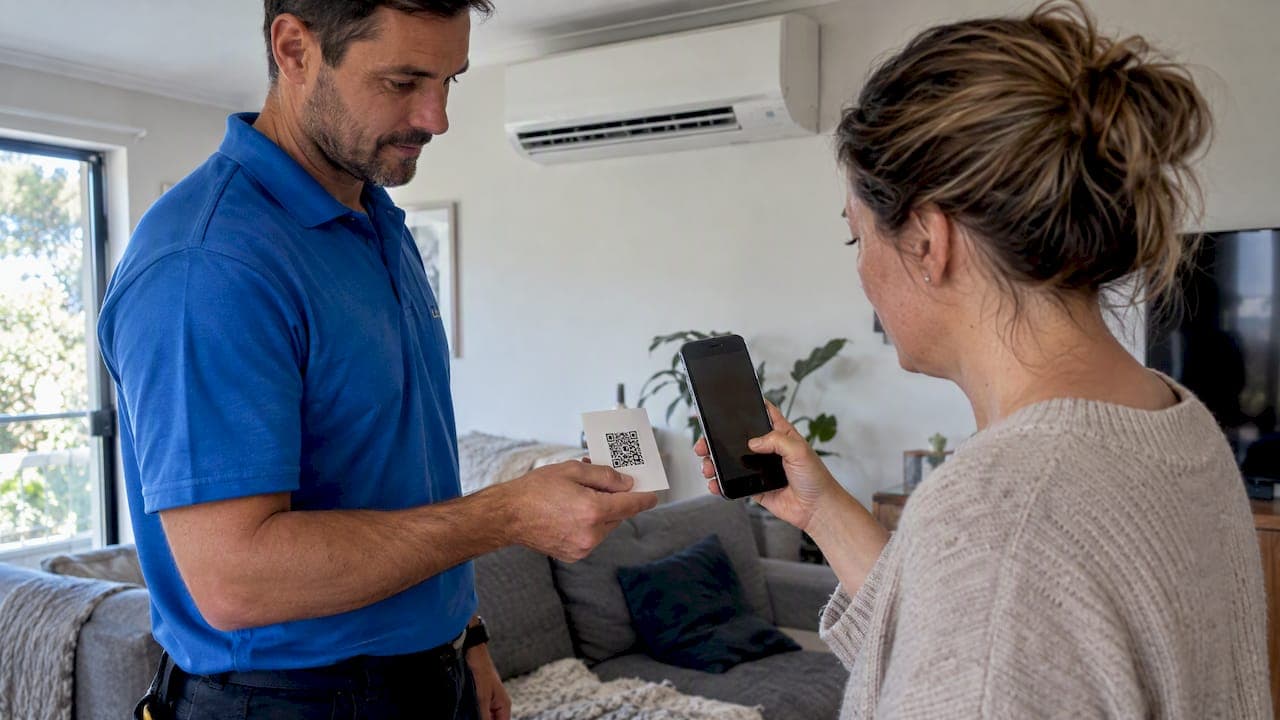
A QR code payment is a scannable square that points a customer's phone to a payment page or payment identifier. The customer scans it with the camera, confirms the amount in a banking app, wallet or browser, and the money moves. The code itself does not process anything. The security, fees and reconciliation depend on the provider behind it. For mobile trades such as air-con cleaning, the safest and most practical setup is a code generated for one specific job and shown on a device the operator controls.
This guide covers how QR code payments work in Australia, the main types, the scam risks, and how a cleaning business can use them without creating admin or security problems.
TL;DR
- A QR code is only a pointer to a payment page or identifier. The payment provider behind it determines security, fees and records. Stripe's explainer describes the same distinction.
- Dynamic codes, which carry a set amount and invoice reference, suit trade work better than static codes because they reduce keying errors and make reconciliation easier.
- A printed static code left in a public place can be covered by a fraudulent sticker. Showing the code on a phone, tablet or invoice is safer for mobile businesses.
- The ACCC advises scanning codes only from trusted, official material and reporting suspected scams to Scamwatch.
- Payments linked to the booking or invoice, with deposits and reminders, address no-shows and late payment more reliably than a loose QR code alone.
Table of Contents
- How QR code payments work
- Static and dynamic QR codes
- QR payments in the Australian context
- Scam risks and what the ACCC advises
- Safer ways to use QR codes in a mobile trade
- Where QR codes fit alongside other payment methods
- Costs to check before choosing a method
- Our perspective on QR code payments
- Taking payment through MyAirCare
- Choosing a setup: a short checklist
- FAQ
- Sources
How QR code payments work
A QR code stores a small amount of data. In payments, that data is usually a web address or a payment identifier. When a phone scans it, one of three things happens:
- A browser opens a hosted checkout page, where the customer pays by card or wallet.
- A banking app opens with the payee details filled in, for example for a bank transfer.
- A wallet or payment app opens with a request for a specific amount.
In each case the QR code is a shortcut that replaces typing. The funds are handled by the card network, the bank or the wallet provider. Stripe's guide to QR code payments in Australia describes how businesses use them as an alternative to traditional payment methods, including cafés and retail stores.
This matters for a small service business because the choice of provider decides the fee, the payout timing and what record is created. A QR graphic from a free generator that points to a bank account number gives none of the records a booking and invoicing system produces.
Static and dynamic QR codes
The two main types behave differently on a job site.
| Feature | Static code | Dynamic code |
|---|---|---|
| What it holds | A fixed destination, such as a general payment page | A destination with an amount and a unique reference |
| Customer enters amount | Usually yes | No, it is pre-filled |
| Matching payment to job | Manual | Can be automatic against the invoice |
| Can be reused | Yes, printed once | Generated per job or invoice |
| Tampering risk | Higher if printed and left in public | Lower, as it is shown for one transaction |
According to Stripe's Australian guidance, dynamic codes can encode the transaction amount and a unique invoice ID. That removes manual entry errors and allows the payment to be reconciled against the correct invoice. For an air-con cleaner who completes several jobs a day at different addresses, this means each payment can be tied to a customer, a service and a date without later searching bank statements.
Static codes still have uses. A single code on a business card or van that opens a booking page, rather than a payment page, carries little financial risk, because the customer chooses a service and pays through a checkout flow with defined amounts.
QR payments in the Australian context
Australia has several payment paths that a QR code can sit in front of:
- Card payments through a hosted checkout. The code opens a secure page where the customer pays by card, Apple Pay or Google Pay.
- PayID and bank transfer. Tradies and market stallholders commonly share PayID details so customers can pay from their banking app. Payment arrives through the New Payments Platform, usually within seconds, as one Australian QR generator site notes. Transfers carry no invoice reference unless the customer types one.
- Retail QR schemes. Large retailers and payment bodies have been developing shared standards for QR-based checkout in stores.
The industry is moving toward consistency. The 2025 AP+ Roadmap from Australian Payments Plus states a goal of enabling initiation of in-store payments from any smart device, initially via QR, and of integrating other experiences at the point of sale. Per the same roadmap, PayID, PayTo and digital wallets form part of the wider effort. These initiatives are aimed at retail and in-store settings first. Mobile trades benefit more from what already works: hosted checkout pages tied to invoices.
On growth, Checkout.com's overview cites a projected global QR payment market increase of 48% between 2025 and 2029. This is a global forecast, not an Australian figure, and it reflects the rising number of customers who are familiar with scanning.
Scam risks and what the ACCC advises
QR codes are hard to read by eye. A fraudulent code looks identical to a genuine one. This is the core of what is called quishing, where a code leads to a fake site designed to collect payment details or login credentials.
The ACCC's Little Book of Scams advises acting quickly if a scam has occurred: contact the bank or card provider first if banking information has been given or money taken, and contact IDCARE on 1800 595 160. Suspected scams can be reported to Scamwatch. Consumer guidance from the ACCC also warns that scammers may place their own codes over legitimate ones, which means people should scan only codes found on official, trusted material.
CHOICE's report on QR code scams gives Australian examples, including emails impersonating government agencies that direct people to fake sites through a code. It also reports that Scamwatch received 28 reports of scams involving QR codes in 2020, with over $100,000 lost. These are older figures, but they show the pattern.
For a service business, two practical points follow:
- Customers need to trust the setting. A code displayed by a technician in the customer's own home, on the technician's device, is a controlled setting. A sticker on a public sign or a letterbox flyer is not.
- Consistent payment channels reduce scam exposure. Scams succeed when people are pressured to act quickly without verifying. Sending payment requests only through branded invoices, booking confirmations or a dedicated payment page lets customers recognise what is genuine.
Safer ways to use QR codes in a mobile trade
For an air-con cleaning business, where work happens at customers' homes and the technician arrives with a phone or tablet, the following practices keep the convenience while limiting risk.
- Show the code on a device the operator controls. A phone or tablet screen cannot be overlaid with a sticker. Stripe's Australian guidance makes the same point about printed codes in unmonitored public places.
- Generate one code per job. A dynamic code tied to the invoice means the amount cannot be mistyped and the payment is matched automatically.
- Print the code on the invoice or quote. A PDF or printed invoice carrying a code to the payment page gives the customer a record and a way to pay later.
- Use a branded destination. The page behind the code should show the business name, the service and the amount, so the customer can confirm it before paying.
- Do not attach a code to a public sign for payment. If a printed code is used for marketing, it should lead to a booking page, not directly to a payment form.
- Tell customers how they will be asked to pay. A line in the booking confirmation such as "payment is taken on completion through the link in your invoice" makes any other request look suspect.
Where QR codes fit alongside other payment methods
QR codes are one of several ways to take money. A cleaning business rarely relies on a single method.
- Payment links and invoices. A link sent by SMS or email serves customers who are not present at completion. MyAirCare's article on payment links versus invoices compares the two for small services.
- Tap to pay on a phone. A technician can take a card tap on an iPhone without a separate terminal, covered in the guide to Tap to Pay on iPhone in Australia.
- Card on file. Storing a card with consent suits repeat services such as annual or six-monthly cleans. See the guide to card on file payments.
- Deposits at booking. Collecting part of the fee online at the time of booking reduces no-shows. The article on taking deposits online explains the options.
A QR code is most useful when the customer is standing with the technician and prefers to pay from their own phone. It is not a replacement for a payment system that records the job.
Costs to check before choosing a method
A QR code is usually free to generate. The cost sits in the payment method behind it:
- Card-based hosted checkouts charge processing fees per transaction. MyAirCare's guide to Stripe fees in Australia sets out what a business pays.
- Bank transfers and PayID typically carry no per-transaction fee to the payee from most banks, but generate no automatic invoice match and offer no card-based dispute process. Terms vary by bank.
- Free QR generators that link to a personal payment page may not meet the needs of a GST-registered business. Invoices for taxable sales need the right details, and quote-to-invoice timing matters. The article on converting quotes to invoices and the 28-day GST rule covers this for cleaners.
Before adopting any provider, the checks in four GST and security checks for choosing booking software apply equally to payment tools.
Our perspective on QR code payments
We built MyAirCare from first-hand experience of how air-con cleaning businesses run. The recurring problems are missed calls, double bookings, customers who do not turn up, and payments chased days after the job. A QR code does not solve any of these on its own.
We see QR codes as a delivery method, not a system. What matters is what the customer lands on after scanning: a branded page, a defined amount, a secure processor and a record attached to the job. When those are in place, whether the customer reaches the page by QR code, SMS link, email or a tap on the technician's phone is a matter of preference.

For that reason, we favour payment flows that start at booking. A customer who books online, receives an automated reminder and has payment connected to the job is less likely to cancel late and less likely to need chasing. Payments run through Stripe, and the mobile app lets operators take payment on site and keep before and after documentation with the same job. We would advise operators to avoid permanent printed payment codes in public places and to keep every payment request traceable to an invoice.
The trade also has local requirements. ABN and GST details, service areas and honest pricing are part of how a business is seen by customers. Tools made for generic retail or built for another country often miss them.
— Lewis
Taking payment through MyAirCare
MyAirCare is booking and management software for Australian air-con cleaners. It includes online scheduling, branded booking pages, automated reminders, quote and invoice generation, Stripe payments, and a mobile app for on-site payment and job records. The Free plan costs $0 per month and is supported by booking fees. MyAirCare Pro costs $199 per month and unlocks premium features. Plans have no lock-in contract. Details, including the booking fee and AI phone agent add-on, are on the pricing page, and the platform overview is at myaircare.com.au.
Operators who also want to understand how payments tie to bookings can read the guide on integrating payments with bookings to stop no-shows.
Choosing a setup: a short checklist
Before adding QR code payments to a cleaning business, the following questions help narrow the choice:
- Does the code lead to a page showing the business name, service and amount?
- Is the amount fixed per job, or typed by the customer?
- Is each payment matched to an invoice without manual work?
- Does the provider support card, Apple Pay and Google Pay, as well as bank options?
- Is the code shown on a controlled device or document, not on a public sign?
- Are GST and ABN details correct on the resulting invoice?
- Can deposits, reminders and repeat bookings run from the same system?
- Are there any lock-in contracts or unpublished fees?
A setup that answers yes to most of these suits a sole trader and scales to a team. Operators comparing wider options can also review the list of best field service apps for small and mid-sized businesses.
FAQ
Can a business create a QR code for payment?
Yes. Most payment providers can produce a code that links to a hosted payment page, and many free generators can encode a payment link or PayID details. A code generated per invoice, with the amount included, is safer and easier to reconcile than a generic code. The provider behind the code determines fees and security.
Are QR code payments safe?
The technology is sound, but a code can be replaced or imitated. The ACCC advises scanning only codes from official, trusted materials and reporting suspected scams to Scamwatch. Anyone who believes a payment was compromised should contact their bank or card provider first. For businesses, showing codes on a controlled device or invoice reduces the risk.
Is a QR code the same as a payment processor?
No. A QR code is a pointer to a web address or payment identifier. The processor, bank or wallet behind it handles the money. For this reason, the choice of provider matters more than the code's appearance.
Should a mobile tradie print a QR payment sign?
A permanent printed sign in a public place carries a tampering risk, because another code can be stuck over it. For a mobile business, showing a code on a phone or tablet, or printing it on a job-specific invoice, is the safer approach. A printed code that opens a booking page, rather than a payment form, carries less risk.
Do QR code payments work with GST invoices?
They can, when the code leads to a payment page connected to an invoice that carries the business's ABN and GST details. A code that only points to a bank account does not produce an invoice. The business must still issue a compliant invoice for taxable sales.
Sources
- QR Codes Explained: How They're Used for Payments, Stripe
- QR code payments in Australia explained, Stripe
- 2025 AP+ Roadmap, Australian Payments Plus
- A guide to QR code payments, Checkout.com
- The Little Book of Scams, ACCC
- How impersonation scammers are using QR codes, CHOICE
- Free QR Code Generator Australia, Easy Free QR