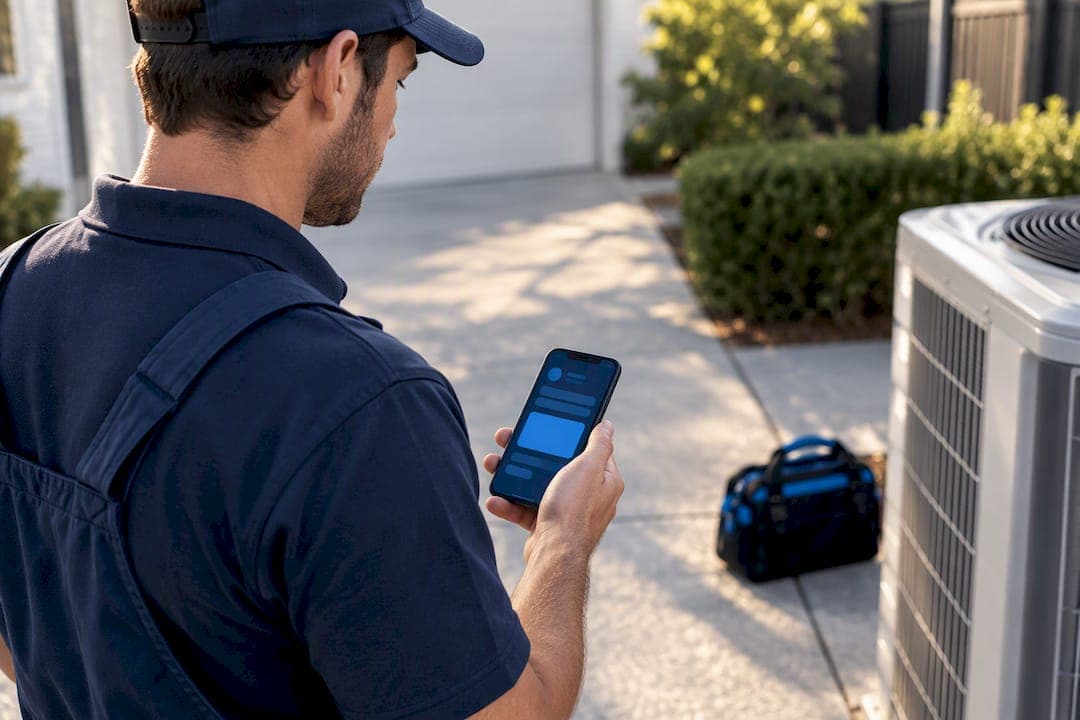
The right choice is a platform that handles Australian invoicing and GST correctly, supports mobile job management for staff working in the field, and can show clear answers on data security. For air conditioning cleaning businesses, MyAirCare is built around these exact needs. Before comparing features, check three things on any shortlist: Australian-dollar pricing with GST handling, ABN and tax-invoice support, and mobile access for staff on the road.
TL;DR:
- Software should support Australian GST procedures, including clear ABN display and automatic GST calculation on invoices.
- Per-staff pricing models can become costly for growing teams, while flat-rate plans often provide better value for larger operations.
- Mobile job management and seamless integration with accounting and payment systems significantly reduce administrative workload.
- Conduct thorough trial tests using real bookings, and involve an accountant to verify GST compliance and export formats before committing.
- Choosing industry-specific, compliance-focused platforms like MyAirCare avoids pitfalls associated with generic scheduling tools and ensures regulatory adherence.
Table of Contents
- Categories of booking software and which businesses they suit
- How to choose: a decision framework for Australian businesses
- Billing models and what they actually cost Australian businesses
- Australian tax and invoicing features you must verify
- Security and privacy obligations Australian businesses should expect from vendors
- Integrations, migration and setup timelines for small teams
- MyAirCare: a tested setup built for air-con cleaning teams
- What small businesses get wrong when choosing booking software
- How MyAirCare matches the checklist for air-con cleaning businesses
- Sources
- FAQ
Categories of booking software and which businesses they suit
Booking software in Australia falls into a small number of categories, and matching the right category to a business model narrows the shortlist quickly.
Meeting schedulers, such as tools built for booking one-on-one appointments or consultations, suit service providers with predictable calendar slots and no physical job site, like consultants or advisors. Pricing is usually a flat monthly fee per user, and most lack invoicing or payment collection built for trades.
General appointment systems cover a wider range of bookings, from single appointments to recurring services, and suit retail-adjacent businesses such as personal trainers or tutors. These typically charge per staff member or per location, and many are priced in US dollars, which complicates GST reporting.
Salon and clinic platforms are built for businesses with multiple practitioners working from a fixed location, such as hairdressers or physiotherapists. They usually include point-of-sale integration and staff rostering, with pricing scaled to the number of active staff logins.
Field-service and dispatch apps are designed for businesses that send staff to customer locations, including plumbers, electricians and cleaners. These platforms prioritise mobile access, route information and job status tracking over calendar aesthetics.
Vertical all-in-one operations platforms are built for a single trade or industry, bundling scheduling, invoicing, payments and customer communication into one system tailored to that trade's compliance and workflow needs. MyAirCare falls into this category, built specifically for Australian air conditioning cleaning businesses rather than trades in general.
Three quick checks help decide whether a category is worth trialling:
- Does the platform's core workflow match how the business actually takes jobs, in the field or at a fixed location?
- Is pricing quoted in Australian dollars with GST clearly handled, or will conversion and tax workarounds be needed?
- Does the vendor mention the specific trade or industry, or is it a generic tool with no local or vertical focus?
A business that answers "no" to any of these on a given platform should move on rather than spend trial time on a poor fit.
How to choose: a decision framework for Australian businesses
Choosing booking software works best as a structured process rather than a feature-by-feature scroll through vendor websites. The first step is building a must-have and nice-to-have list tied to business outcomes, not features for their own sake. Business Victoria recommends categorising requirements this way before comparing vendors, specifically to avoid paying for functionality the business will never use.
Must-haves should map directly to outcomes: reducing admin time, accepting payments on the spot, and producing records that support BAS preparation. Nice-to-haves might include a customer loyalty module or advanced reporting dashboards—features that are pleasant but not the reason the software exists in the business.
Once the list is built, apply pass/fail gates before scoring anything else. A platform that fails a gate is removed from the shortlist regardless of how attractive its other features look.
- Does it produce GST-compliant invoices with ABN details, matching what ATO guidance on record-keeping software expects from small business systems?
- Can it export data in a format an accountant can use for BAS preparation, without manual re-entry?
- Does it offer multi-factor authentication and clear data-handling assurances for customer information?
- Does it integrate with the accounting software, payment processor and calendar tools the business already relies on?
A platform that passes all four gates moves into scored comparison. A simple weighted scoring model works well for small teams: assign each must-have a weight out of 10 based on its importance to daily operations, score each finalist against that weight, and total the results. A cleaning business might weight mobile job management at 9, GST-ready invoicing at 10, and calendar sync at 6, giving a clearer picture than a plain feature checklist.
Pro Tip: Run the same three test bookings through every finalist during the trial, including one with a discount applied, so the comparison reflects real conditions rather than a vendor's demo environment.
Trial two or three finalists rather than one. A single trial makes it easy to mistake unfamiliarity with the software for the software itself being difficult. Running the same checklist across two or three platforms exposes real differences in setup time, support responsiveness and invoice accuracy. Comparative analysis of Australian booking platforms shows that billing model and integration depth tend to matter more for total cost and admin time than small differences in interface design, which makes the scoring step more valuable than a feature scan.
Bring an accountant into the process before signing anything longer than a month. A ten-minute review of export formats and invoice templates can prevent a BAS headache three months into using a new system.
Billing models and what they actually cost Australian businesses
Booking software is priced in several different shapes, and the shape matters more than the sticker price once a business has more than one staff member.
- Per-bookable-staff pricing charges a fee for every staff member who can take bookings, which scales cost directly with team size and can become expensive for salons or clinics with several practitioners.
- Per-login pricing charges for every user account, regardless of whether that person takes bookings, which penalises businesses with admin staff or bookkeepers who need system access.
- Per-location or flat pricing charges a single fee regardless of staff count, which suits growing teams but can feel expensive for a solo operator.
- Module or add-on pricing charges a base fee plus extra for features like SMS reminders or advanced reporting, which keeps the entry price low but can add up once every needed feature is switched on.
- Transaction fees apply a percentage or fixed charge to each payment processed through the platform, separate from the subscription cost.
Comparisons of Australian booking software show that per-staff charging can make a solution considerably more expensive as a team grows, even when the base monthly fee looks competitive.
Two worked examples illustrate the difference. A solo tradie running an air conditioning cleaning business alone needs one active user and a small volume of monthly jobs. Under a per-staff model charging, say, $49 per staff member, the monthly cost stays low because there is only one staff member to charge for. Under a flat platform fee of $199 per month, that same solo operator pays more than needed for capacity they are not using. MyAirCare's Pro plan is listed at $199 per month, with a Free plan available at $0 per month for businesses that want to start with core booking functionality before upgrading.
A six-person salon tells a different story. Under a per-staff model at $49 per staff member, six active staff would multiply that fee six times, quickly exceeding a flat-rate alternative. Under a flat or per-location model, the six-person team pays the same fee as a two-person team, making flat pricing considerably better value as staff numbers grow. In both examples, GST applies to the subscription fee itself if the vendor is registered for GST in Australia, and the invoice received from the vendor should show that GST component clearly for the business's own BAS records.

Foreign-currency billing is a hidden cost worth checking before signing up. A platform priced in US dollars can shift in cost from month to month with exchange rate movements, and currency conversion fees from the business's bank or card provider add another layer of expense. Setup fees, data migration charges and premium support tiers are also common extras that do not always appear on the main pricing page, so it pays to ask directly what is included before committing.
Australian tax and invoicing features you must verify
Booking software that handles payments or generates invoices needs to meet Australian tax requirements from day one, not as an afterthought once the accountant asks questions.
ATO guidance on choosing record-keeping software points small businesses toward systems that support digital reporting and BAS preparation, including accurate GST calculation. A platform that cannot calculate GST correctly on every invoice creates manual rework at tax time, which defeats the purpose of automating bookings in the first place.
The essentials to check during a trial:
- ABN display on tax invoices, since a valid tax invoice in Australia must show the seller's ABN alongside the GST amount charged.
- Automatic GST calculation, applied consistently across every invoice rather than requiring manual entry for each job.
- BAS-ready exports, meaning the platform can produce a report or file an accountant can use directly for quarterly BAS preparation.
- Peppol or eInvoicing support, relevant for businesses that deal with larger commercial clients who expect structured electronic invoices rather than PDF attachments.
Testing these features during a trial is straightforward. Create a test booking, apply GST, generate the invoice and check every required field is present and correctly formatted, including what must appear on an Australian tax invoice. Export a sample report and open it in the accounting software the business already uses, checking that figures match and nothing needs to be re-entered by hand.
Before signing a contract, it is worth passing a short checklist to an accountant for sign-off: confirmation that GST is calculated correctly on every invoice, that the export format matches what they need for BAS lodgement, and that ABN details display correctly on every customer-facing document. A five-minute review at this stage can prevent hours of reconciliation work later.
Security and privacy obligations Australian businesses should expect from vendors
Booking software holds customer names, contact details, addresses and often payment information, which puts it squarely inside a small business's privacy obligations.
ACSC guidance on securing customer personal data lists a set of controls that small businesses should expect from any system holding customer information: multi-factor authentication, encryption of stored data, regular backups, access logging and a clear incident response process. These are not optional extras for a booking platform, they are baseline expectations.
A short vendor checklist covers the ground that matters most:
- Ask where customer data is stored and whether it stays within Australia or moves offshore.
- Confirm the platform uses multi-factor authentication for staff logins, not just customer-facing password protection.
- Ask how often backups run and how quickly data could be restored after an outage or error.
- Request the vendor's breach notification process and how quickly they would inform the business if customer data were exposed.
- Check the contract for a clause outlining who is responsible for a breach caused by vendor-side failure versus business-side misuse.
Pro Tip: Ask the vendor directly how they would notify the business of a data breach and how quickly. A vendor that cannot answer this clearly is a warning sign regardless of how polished the interface looks.
Beyond vendor selection, there are simple actions a business can take on its own side. Building a short data register listing what customer information is collected, where it is stored and who can access it makes privacy obligations concrete rather than abstract. Limiting the data collected to what is actually needed for the job reduces exposure if something does go wrong, and OAIC guidance on handling personal information sets out the broader framework for what the Privacy Act expects from organisations handling that data, including arrangements with third-party providers. Diarising an annual privacy review, even a short one, keeps these practices from quietly lapsing as the business grows.

Integrations, migration and setup timelines for small teams
The integrations a booking platform supports often matter more to daily admin time than any single scheduling feature.
Accounting software sync, particularly with Xero, removes the need to manually re-enter invoice data at the end of each week. Bank feed integration matches payments to invoices automatically, cutting reconciliation time considerably compared with checking bank statements by hand. Stripe integration for payments means customers can pay on the spot, whether online or on-site, without a separate card terminal or manual bank transfer chase-up. Calendar sync with Google Calendar keeps a single source of truth for job times, which matters for businesses running a small Google Calendar-based booking workflow before moving to a dedicated platform. SMS gateways for reminders reduce no-shows and missed jobs, a workflow covered in more detail in guidance on service reminder automation for trade businesses.
Migration from an old system, whether that is a paper diary, a spreadsheet or another platform, typically follows a similar pattern regardless of vendor. Data is exported from the old system in a CSV or spreadsheet format, customer records and past job history are imported into the new platform, and staff calendars are set up before the first live booking is taken. For a small field team of two to five people, this process usually takes a few days from first login to full daily use, assuming customer data is reasonably clean to begin with.
During onboarding, a vendor should provide test data or a sandbox environment so staff can practise before real bookings go through the system, along with clear documentation or a support contact for questions that come up in the first week. A vendor that offers neither is asking the business to learn on live customer bookings, which is a poor way to start.
- Prioritise integrations that save reconciliation time over ones that add convenience features.
- Request a sample export from the vendor before committing, and open it in the accounting software already in use.
- Ask what onboarding support is included and whether it is Australian-based or offshore.
MyAirCare: a tested setup built for air-con cleaning teams
MyAirCare's booking setup is designed to take between 15 and 30 minutes from first login to a live booking page, based on the platform's own tested onboarding process. That speed matters for small teams who cannot afford several days of setup before taking their first booking through the new system.
The platform's feature set is built around what air conditioning cleaning businesses actually need rather than a generic trade toolkit:
- Payments are processed online or on-site without a separate card terminal.
- Invoices include ABN and GST details, generated automatically for every completed job.
- Job reminders, reducing missed appointments and last-minute cancellations.
- Mobile job management, letting technicians reschedule, take payment and log before-and-after photos from the field.
- Branded booking pages, giving businesses a customer-facing booking flow without building a website from scratch.
These features address the specific pain points air conditioning cleaners deal with daily: missed calls that turn into lost bookings, double bookings from juggling a paper diary and a phone, and the admin backlog that builds up when invoicing happens manually after hours. MyAirCare's design draws on first-hand operational experience in the air-con cleaning trade rather than being adapted from a generic booking template.
What small businesses get wrong when choosing booking software
The single biggest mistake small businesses make is choosing software based on which one has the flashiest feature list, rather than checking whether its billing model and integrations actually fit how the business operates day to day. A platform with ten extra features is worthless if it charges per staff member and the business is about to hire three more people, or if it cannot talk to the accounting software already in use.
Compliance and mobile usability should outrank minor interface preferences every time. A slightly less polished booking page that produces correct GST invoices and works reliably in the field beats a beautiful interface that creates manual work at tax time. Before signing anything, run a trial with the numbers an accountant would want to see, and get their sign-off on the export format before committing to a year of billing.
— Lewis
How MyAirCare matches the checklist for air-con cleaning businesses
MyAirCare covers the must-have checklist this guide has walked through: online scheduling, Stripe payments, GST-ready invoicing with ABN details, and mobile job management for staff working in customers' homes. It is built specifically for Australian air conditioning cleaning businesses rather than adapted from a general trades template, with pricing and features that reflect that focus.

MyAirCare offers a Free plan at $0 per month for businesses that want to test core booking and invoicing before upgrading to the Pro plan at $199 per month for premium features. During a trial, test the same booking and invoice workflow covered earlier in this guide: create a job, apply GST, generate the invoice and check the mobile app for rescheduling and on-site payment. Businesses can compare plans and start a trial or view MyAirCare's full feature set before committing.
Sources
- Choose record-keeping software | ATO / Small Business
- Securing customer personal data (ACSC guidance)
- Choose the right hardware and software | Business Victoria
- Best Booking Software Australia 2026: 8 Compared | OneBookPlus Blog
FAQ
What is the best free online booking system in Australia?
There is no single system that suits every business, since the right free plan depends on industry-specific features like GST invoicing or mobile job management. For Australian air conditioning cleaning businesses, MyAirCare's Free plan covers core scheduling and payment features at $0 per month before any upgrade is needed.
What is the best booking software?
The best booking software is the one that matches a business's billing model, compliance needs and daily workflow rather than the one with the most features. Comparative reviews of Australian booking platforms show that integration depth and pricing structure typically matter more than small interface differences, so the answer depends on the specific trade and team size.
What is replacing Microsoft Bookings?
Businesses moving away from general schedulers like Microsoft Bookings typically shift toward vertical platforms built for their specific trade, which handle industry compliance and payments that generic tools do not cover. For Australian air conditioning cleaning businesses, that shift often means a trade-specific platform such as MyAirCare, which adds GST-ready invoicing and mobile job management on top of basic scheduling.
What is the best software for hairdressing?
Hairdressing businesses generally need salon-specific platforms built around multiple practitioners, point-of-sale integration and staff rostering, a different category to trade-focused field-service tools. The right choice depends on staff numbers and whether pricing is charged per active stylist or as a flat monthly fee, since per-staff pricing models can become expensive as a salon grows.
How long does it take to set up booking software?
Setup time varies by platform and business size, but a small field team can typically expect a process measured in days rather than weeks for a straightforward migration. MyAirCare's own tested setup process runs between 15 and 30 minutes from first login to a live booking page for a new air conditioning cleaning business.