
Yes, Australian businesses can accept contactless payments with only an iPhone. The fastest route is opening a merchant account with a supporting provider, such as Westpac EFTPOS Air, Tyro, Square, Stripe or Zeller, and turning on Tap to Pay inside that app. You need an iPhone XS or later running iOS 16.4 or later. Pick a provider, apply, and you can usually be taking payments within a day or two.
TL;DR:
- Tap to Pay on iPhone is available for models from the iPhone XS onward running iOS 16.4 or later, with Store & Forward support dependent on provider and location.
- Settlement times typically vary from same-day for Westpac users to next-business-day for others, impacting short-term cash flow depending on the provider and bank.
- Fees generally range from 1.3% to 1.4% per transaction, with no upfront costs, but timely settlement and account compatibility matter more for cash flow.
- Activation requires submitting business documents and completing a test transaction within the provider’s app before accepting live payments.
- Compatibility and reliable operation depend on confirming off-line transaction support, especially in regional or patchy reception areas.
Table of Contents
- Which Australian apps support tap to pay iPhone?
- How do you set up tap to pay on your iPhone?
- Which iPhones and iOS versions actually work?
- What does it cost and when does the money land?
- Is tap to pay on iPhone secure, and what if it fails?
- Fitting tap to pay into a mobile service business
- Enabling Tap to Pay inside your provider's app
- What actually matters when choosing a provider
- A different way to handle bookings and payments together
- Where to check compatibility and setup details
- Sources
Which Australian apps support tap to pay iPhone?
Several providers now let Australian merchants use tap to pay on iPhone without a card reader. The right one depends on which bank you use, how quickly you need funds, and whether you already run a point-of-sale system.
Westpac EFTPOS Air suits businesses that already bank with Westpac. It charges 1.4% per transaction with no upfront fees, and settles same-day to eligible Westpac business accounts — a genuine advantage if you're chasing cashflow rather than waiting on next-business-day transfers.
Tyro's BYO app turns your iPhone into an EFTPOS terminal with a fee example of 1.3% to 1.4% including GST. It's built for small and mobile operators who want the familiar EFTPOS feel without carrying hardware.
Square Point of Sale is free to download and documents its in-person processing rates directly on its Australian pages. Market stall holders and sole traders like it because the pricing is transparent and the app doubles as a basic POS.
Stripe is commonly used by software partners needing API and webhook access, so payments can sync automatically with booking or invoicing tools rather than sitting as a standalone terminal.
Zeller and ANZ Worldline are both expanding into partner-enabled Tap to Pay support in Australia — worth checking if you already use their merchant services, though feature rollout varies by provider timeline.
- Confirm whether AmEx is accepted before you rely on it for card-heavy clients.
- Ask each provider directly about Store & Forward support if you work in patchy-reception areas.
- Same-day settlement usually requires the merchant account to sit with that same bank.
How do you set up tap to pay on your iPhone?
Getting from a bare iPhone to your first tap takes less time than most business owners expect, provided your paperwork is ready.
- Check your device and software. Confirm you have an iPhone XS or later, then update to the latest iOS in Settings.
- Turn on automatic date and time. Go to Settings > General > Date & Time and enable "Set Automatically" — a mismatched clock is a common, avoidable cause of failed transactions.
- Gather your documents. Have your ABN, photo ID, and business bank account details ready. Most providers approve sole traders and companies within one to two business days.
- Download your chosen provider's app and complete the merchant application. Once approved, look for a "Tap to Pay on iPhone" or "accept payments" option in the app's settings menu and follow the prompts to activate it.
- Run a test transaction. Tap a low-value payment, ideally with your own card, to confirm the flow works before a customer is standing in front of you.
- Reconcile daily. Match each settled batch against your invoices so your bookkeeping doesn't fall behind.
Pro Tip: Hold the customer's card or phone near the top of your iPhone, close to the camera bump — that's where the NFC antenna sits, and it gives the most reliable read.
Which iPhones and iOS versions actually work?
Tap to Pay on iPhone requires an iPhone XS or later running iOS 16.4 or later, and it accepts Apple Pay, contactless credit and debit cards, and other digital wallets through a partner-enabled app.
- Older models than the iPhone XS aren't supported, regardless of iOS version.
- iOS 18.4 introduced Store & Forward capability, letting some providers capture a transaction without an internet connection and process it once reception returns.
- Store & Forward depends entirely on whether your chosen provider has built support for it — Apple's own documentation flags this as provider-dependent, not a guaranteed feature.
If you clean air-conditioners in regional Queensland or the Northern Territory, where mobile reception drops out between jobs, confirm Store & Forward support with your provider before you rely on it as your only payment method.
What does it cost and when does the money land?
Fee structures vary, but most providers publish a flat per-transaction percentage rather than a mix of fixed and variable charges. Westpac's EFTPOS Air charges 1.4% with no upfront cost, and settles same-day to eligible Westpac business accounts. Tyro's BYO app quotes a similar 1.3% to 1.4% including GST. Square publishes its own in-person rate on its pricing pages.
- GST is typically included in the quoted percentage; check each provider's dashboard to see how it's itemised on your statements.
- Same-day settlement generally requires your merchant account and business bank account to sit with the same institution.
- Next-business-day settlement is the norm elsewhere, so factor that lag into your short-term cashflow planning.
For sole traders juggling supplier payments and wages, a provider that settles quickly to your existing bank account can matter more than minor differences in the transaction fee percentage. If you use Stripe for online bookings, our Stripe fees guide breaks down how those charges show up against Australian settlements.
Is tap to pay on iPhone secure, and what if it fails?
Card data never sits unprotected on your phone. The iPhone's Secure Element handles tokenisation, meaning your provider's app and payment processor manage the transaction. Apple's own support documentation confirms raw card details aren't stored on the device itself. You're still responsible for issuing receipts and processing refunds through your provider's app.
- Confirm iOS is up to date.
- Check automatic date and time is switched on.
- Verify your merchant account is fully approved, not still pending.
- Check you have mobile data or Wi-Fi if your provider doesn't support offline capture.
Pro Tip: If a tap fails twice in a row, don't keep retrying the same card. Ask for a different card or Apple Pay device first; it isolates whether the fault is your setup or the customer's card.
If none of that resolves it, contact your provider's support line first. Escalate to Apple Support only if the fault looks like a device-level issue rather than a payment one.
Fitting tap to pay into a mobile service business
For air-con cleaners and tradies working multiple jobs a day, the real value of tap to pay isn't the tap itself, it's what happens after. Tie each payment receipt back to the job it belongs to, so you're not manually cross-referencing bank statements against your booking calendar at the end of the week.
Settlement cadence matters more than most sole traders initially plan for. If your provider settles next-business-day rather than same-day, build that lag into how you time supplier payments and wages. Our guide on tax invoice requirements is worth a read if you're issuing receipts on the spot and need them to hold up for GST purposes.
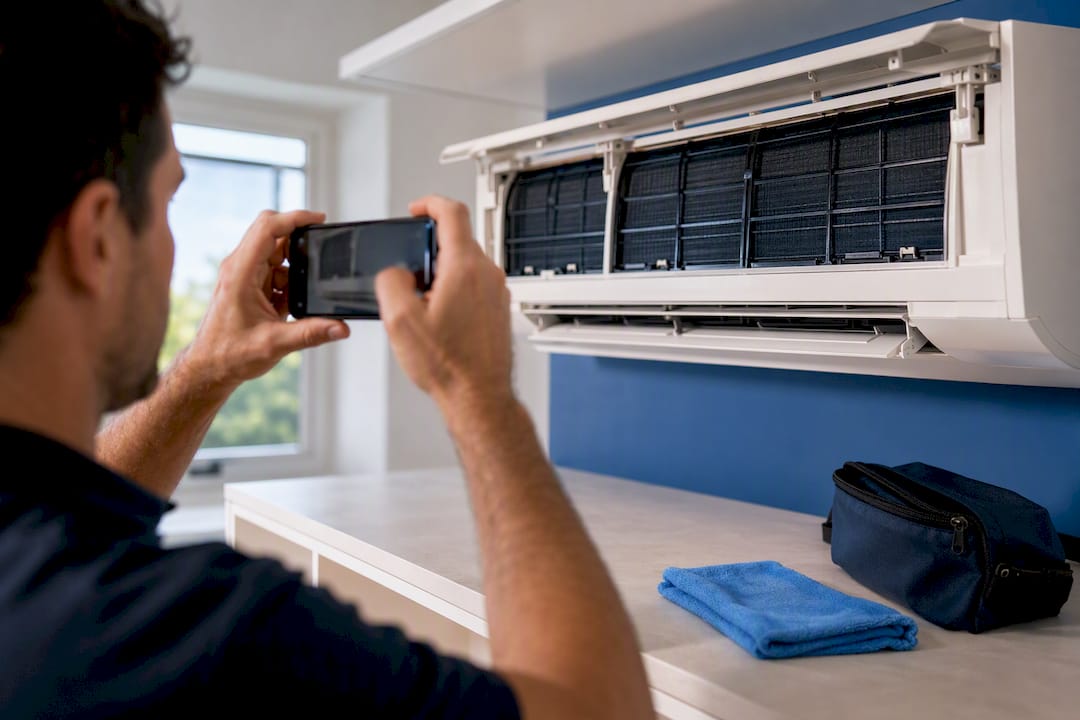
Pro Tip: Take a before-and-after photo of the job before you process final payment. It protects you in disputes and gives you a natural prompt to ask for a deposit versus final split on bigger jobs.
Enabling Tap to Pay inside your provider's app
Every provider handles activation slightly differently, but the merchant approval flow follows a similar shape. After you submit your ABN, ID, and bank details, the provider checks your application against its own risk criteria; most sole traders hear back within one to two business days.
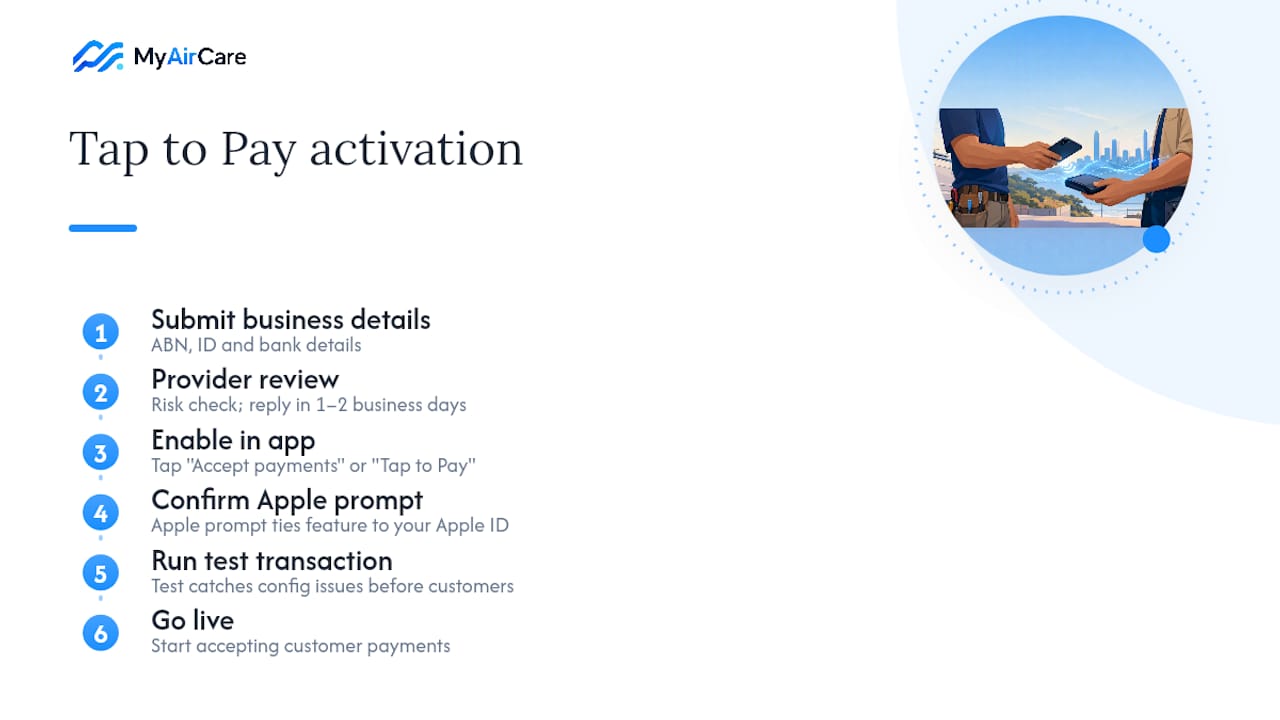
Once approved, you'll usually find a setting labelled something like "Accept payments" or "Tap to Pay on iPhone" inside the app's main menu or settings screen. Tapping it triggers an Apple-controlled prompt asking you to confirm you want to enable Tap to Pay on this device. This is a genuine security step, not a provider formality, since it links the feature specifically to your registered Apple ID and device.
From there, the provider app usually asks you to run a test transaction before going live. This catches configuration issues, like an unconfirmed bank account or a missing document, before a real customer is standing in front of you with a card out. If the test fails, check the app's error message first. Most rejections trace back to an incomplete merchant profile rather than a device fault. Providers like Tyro and Square both walk through this activation inside their own apps, so once you've picked one, the exact menu path becomes self-explanatory within a few taps.
What actually matters when choosing a provider
Most guides to tap to pay in Australia spend too much time comparing fee percentages down to the decimal and not enough time on settlement timing, which is the variable that actually affects a sole trader's week-to-week cashflow. Waiting an extra business day for that $150 to clear, when you've got fuel and parts to pay for, is not.
The conventional advice, pick the cheapest processor, also glosses over how much account friction costs in time. Applying, getting approved, and testing a new merchant account takes real hours you're not billing for. If you already bank with Westpac or already run Square for your bookings, that existing relationship is worth more than a marginal fee saving elsewhere.
What should come first: match your provider to your existing bank and your connectivity reality, not to the lowest advertised percentage. A cleaner working regional routes with patchy reception needs confirmed Store & Forward support far more than they need the cheapest rate in the capital cities.
— Lewis
A different way to handle bookings and payments together
Tap to Pay solves the moment of payment. It doesn't solve what happens before or after, the missed calls, the double bookings, the chasing customers for a deposit before you've even driven to the job. MyAirCare is built specifically for Australian air-con cleaners who want bookings, reminders, and payments running from one system instead of three separate apps.

Payments run securely through Stripe, so a customer can pay a deposit online when they book and settle the balance on-site once the job's done, with both amounts landing in the same reconciled record. Automated reminders cut down on no-shows, and the mobile app lets you reschedule jobs, take photos, and mark a job paid without switching between four different screens. If you're already juggling a separate payment app, a paper diary, and a spreadsheet for invoicing, a combined platform removes two of those three problems in one move. Have a look at MyAirCare's aircon cleaning tenders page to see how the booking and payment flow works end to end.
Where to check compatibility and setup details
For the latest device requirements, read Apple's Tap to Pay announcement and Apple Support's security guide. For provider-specific setup, check Westpac EFTPOS Air, Tyro's BYO app page, or Square's Tap to Pay page.