
Every booking form needs four things: a name, an email address, a phone number, and the scheduling details, the date, time, and service selected. Beyond that, the rule is simple: add no more than three extra fields, and never collect card details in a form field. Everything else is a judgement call, not a requirement.
TL;DR:
- Limit extra fields to three, mainly for safety, legal, or billing reasons, as more fields increase the risk of customer drop-off.
- Use appropriate input controls such as dropdowns for service choices and date pickers that prevent overbooking, ensuring cleaner data collection.
- Clearly distinguish between per-booking and per-participant fields to avoid billing errors, reporting issues, and incorrect conditional logic.
- Never store card details directly; instead, route payments through tokenized gateways like Stripe to maintain PCI compliance and security.
- Test booking forms thoroughly by making real reservations on multiple devices, verifying data accuracy, and adjusting form flow based on user experience.
Table of Contents
- What are the essential booking form fields?
- Choosing the right input control for each field
- How many extra fields can a booking form have?
- Per-booking versus per-participant fields
- Validation, data quality, and handling payments safely
- How do you test a booking form before it goes live?
- An applied example: how a specialized air-con cleaning platform structures booking fields.
- The gap between best practice and what most forms actually do
- Sources
What are the essential booking form fields?
A booking form has two jobs: confirm the appointment and let you deliver the service. Every field on the form should serve one of those two purposes. Anything that doesn't is friction with no payoff.
The essential fields include full name, email and a contact phone number, alongside the scheduling data that makes the booking real: date, time, and the specific service or item being booked. These are system fields, meaning most booking platforms treat them as non-negotiable because automation depends on them. Confirmation emails need an address to send to. Reminder texts need a mobile number. Calendar sync needs a date and time that match what the customer actually agreed to.
Phone numbers deserve particular attention. Email confirmations get missed or land in spam, but a text reminder sent the morning of a job gets seen. For any service business running a mobile team, a working phone number is what lets you call ahead when you're running late or need to check access.
Mandatory settings should apply to:
- Full name, for identification and invoicing
- Email address, for automated confirmations and receipts
- Phone number, for reminders and last-minute contact
- Date, time, and service type, for scheduling and job costing
The main exception is low-touch bookings, like a free consultation call, where email alone might suffice and a phone number becomes optional rather than required.
Choosing the right input control for each field
Matching the right control to each piece of data is what separates a user-friendly booking form from one that generates messy, unusable answers. A name field wants plain validated text. A service selection wants a dropdown, not free text, because free text produces twenty variations of the same answer and none of them sort cleanly in your admin panel.
The common pairings look like this:
- Single-line validated text: names, reference numbers, unit or lot numbers
- Dropdowns: fixed service options, package tiers, preferred technician
- Checkboxes: consent to terms, opt-in for marketing, acknowledgement of access requirements
- Date and time pickers: booking slots, ideally capacity-aware so a fully booked slot simply disappears from the list
- File uploads: only when genuinely useful, such as a photo of a unit that needs cleaning or a fault
- Address fields: only for services delivered on-site, and best split into structured components (street, suburb, postcode) rather than one open box
Capacity-aware pickers matter more than they get credit for. If ten customers can pick the same 9:00 AM slot with no warning, you're managing an overbooking problem you created yourself. A good date/time control blocks new submissions once a slot fills, which also handles multi-spot group bookings without extra custom logic.
How many extra fields can a booking form have?
Three. That's the practical ceiling. Every additional field beyond the essentials adds a small amount of drop-off risk, and a form design that stacks question after question tends to lose customers who simply give up halfway through.
Before adding a field, ask whether it's needed for safety, legal compliance, or billing. A note about pet access or gate codes affects whether the job can happen. A tax invoice detail affects whether you get paid correctly. A "how did you hear about us" question affects neither, which is why it belongs in a follow-up email, not the booking form.
Where a field genuinely earns its place, reduce its visible weight instead of removing it outright. Placeholder text showing an example answer, like "e.g. side gate, code 1234", cuts hesitation because the customer knows exactly what you're asking for.
Pro Tip: If you're unsure whether a field is essential, remove it for two weeks and see if job quality drops. If nothing changes, you didn't need it.
Per-booking versus per-participant fields
Not every field applies to the booking as a whole. Some apply once per reservation; others need to be answered for every person or unit involved, and mixing the two up causes genuine billing headaches.
A per-booking field is answered once. Access instructions, preferred contact time, and property type all fall into this category, because they describe the job, not the individual. A per-participant field is answered for each attendee or unit, such as the number of air-con systems being serviced or names for each person on a group booking.
Booking engines distinguish between "perBooking" and "perPax" data for good reason. Get the scope wrong and:
- Billing miscounts occur, because a per-unit charge got applied once instead of three times
- Reporting breaks, because job counts don't match invoice counts
- Conditional logic misfires, showing irrelevant questions to the wrong step in the flow
Conditional logic solves most of this cleanly. Show the "number of units" field only when the customer selects a multi-unit service, and hide it entirely for single-system jobs.
Validation, data quality, and handling payments safely
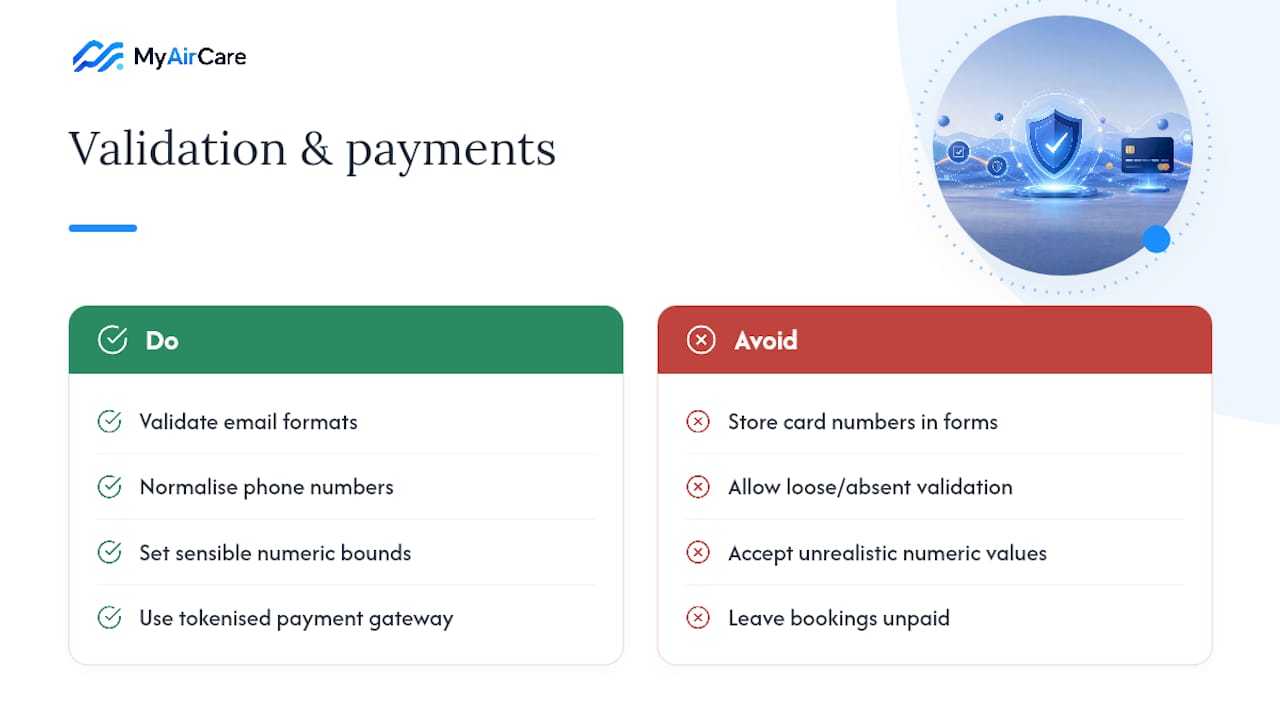
Loose validation is how a booking form quietly fills your admin panel with unusable data. Email fields need format checks. Phone numbers need normalisation, so "0412 345 678" and "+61412345678" resolve to the same customer record instead of creating a duplicate. Numeric fields, like unit counts, need sensible upper and lower bounds so nobody can submit a booking for zero units or four hundred.
Payments carry a stricter rule again: never store card numbers in a form field. Route payments through a tokenised gateway such as Stripe, which handles the card data entirely outside your booking form and keeps you clear of PCI compliance obligations you don't want to carry yourself.
Integrating payment at the point of booking turns a tentative reservation into a paid one, cutting the no-show and follow-up work that comes with unpaid bookings.
Taking a deposit or full payment at booking time also changes customer behaviour. A customer who has paid is a customer who shows up. For a deeper look at structuring deposits without adding friction, see this guide on taking deposits online.
How do you test a booking form before it goes live?
A form that looks fine in the editor can still break in practice, so testing has to happen before real customers hit it.
- Make a real test booking all the way through, using the same device type your customers use.
- Check the confirmation that arrives by email or SMS to confirm every field populated correctly.
- Export the data and check it lands in usable columns, not merged into one long text string.
- View the booking in your admin panel to confirm date, time, and service details all match what was submitted.
- Repeat on mobile, since most bookings now happen on a phone screen, not a desktop.
On placement, contact details and scheduling should sit at the top of the form, because they're the fields every customer expects and answers quickly. Optional or longer fields, like special access notes, belong further down or behind conditional logic. For services with several steps, a short progress indicator (Step 1 of 2) reduces the feeling of an endless form, which matters more on mobile than on desktop. Good booking page design puts this sequencing into practice from the first screen.
An applied example: how a specialized air-con cleaning platform structures booking fields.
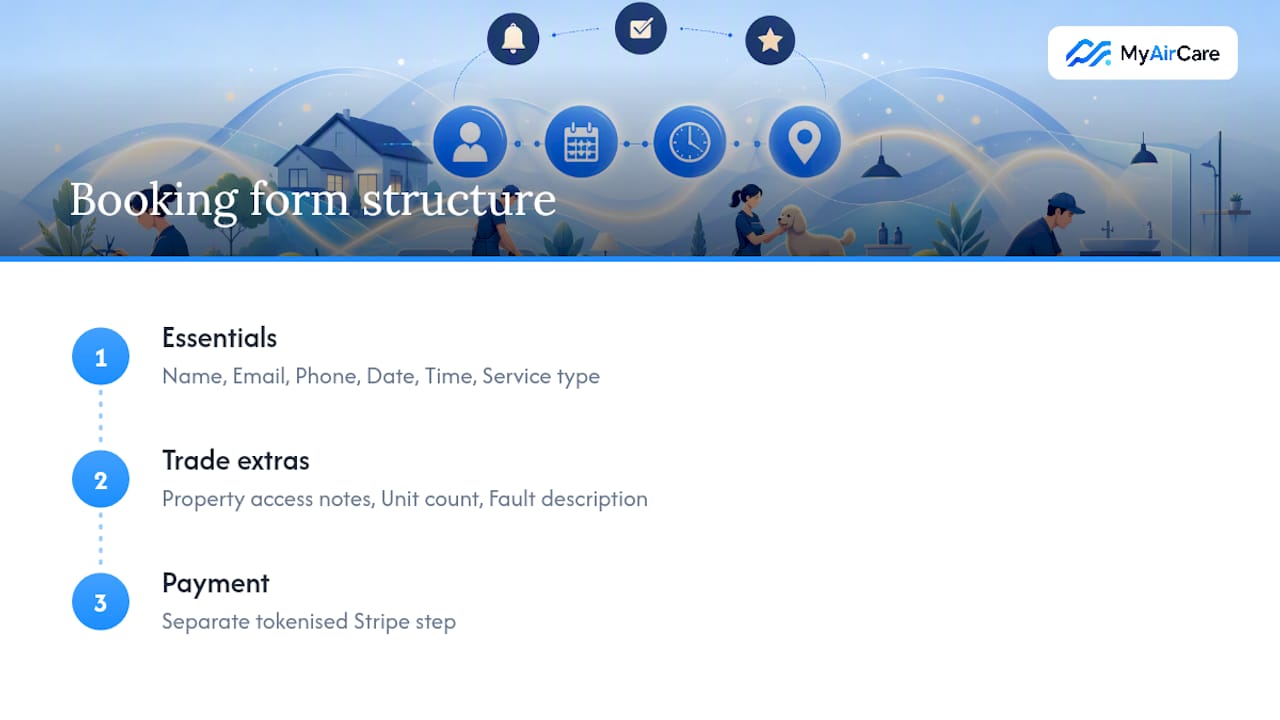
This platform, built specifically for air-con cleaning businesses, applies this exact logic to its booking pages. The default field set covers name, email, and phone as system fields, then adds date, time, and service type for scheduling. Payment runs through Stripe as a separate, tokenised step, not a form field, which supports automated reminders that bring customers back for repeat cleans.
For trade teams, the recommended custom fields beyond the essentials are: property access notes (gate codes, pets), number of units to be serviced, and any specific fault description. That's three, right at the recommended ceiling. It keeps the booking flow short while still giving a technician everything needed to arrive prepared rather than guessing on the driveway.
The gap between best practice and what most forms actually do
Most advice on booking forms treats every field as equally disposable, add one more, it can't hurt. That's backwards. The research consistently points to a stricter discipline: three extra fields is a ceiling worth defending, not a suggestion to round up from.
Where conventional advice falls short is in treating all extra fields as the same risk. A dropdown for service type costs a customer almost nothing to answer. An open text box asking them to "describe your requirements in detail" costs real cognitive effort, and that's where drop-off actually happens. Not every field is equal, so audit by effort required, not just field count.
What matters most for a service business is matching field scope to billing reality. Getting per-booking and per-participant fields backwards causes invoicing errors that no amount of good design fixes after the fact. Prioritise structure, and check with a scheduling automation resource if you're building this from scratch and unsure where automation should start pulling data from the form itself.
— Lewis
Sources
- Australian Competition & Consumer Commission (ACCC)
- Australian Taxation Office (ATO)
- Bookwhen support — Booking form fields