
A booking confirmation email is the immediate proof that a customer's appointment is locked in. Send it the moment a booking is finalised, and include these six fields as a minimum:
- Customer full name
- Service name (e.g. "Split system clean — 3 units")
- Date, time, and arrival window (e.g. "Tuesday 15 July, 9:00 AM–11:00 AM")
- Full service address and access instructions
- Booking reference or job number
- Payment status (paid in full, deposit received, or balance outstanding)
Subject line example: Booking confirmed — Job #4821, Tue 15 Jul, 9 AM
Opening line to copy: "Hi [First Name], your air-con clean is confirmed for [Date] between [Start Time] and [End Time] at [Address]. Your booking reference is [Job #]."
Table of Contents
- What every booking confirmation email must include
- Subject lines and send timing that get results
- How to word your cancellation and amendment policy clearly
- Two ready-to-use templates for air-con cleaning businesses
- How to automate confirmations and reduce no-shows
- Legal and tax notes for Australian operators
- Key takeaways
- Why confirmations are worth getting right
- MyAirCare handles confirmations, payments, and reminders automatically
- Sources and further reading
What every booking confirmation email must include
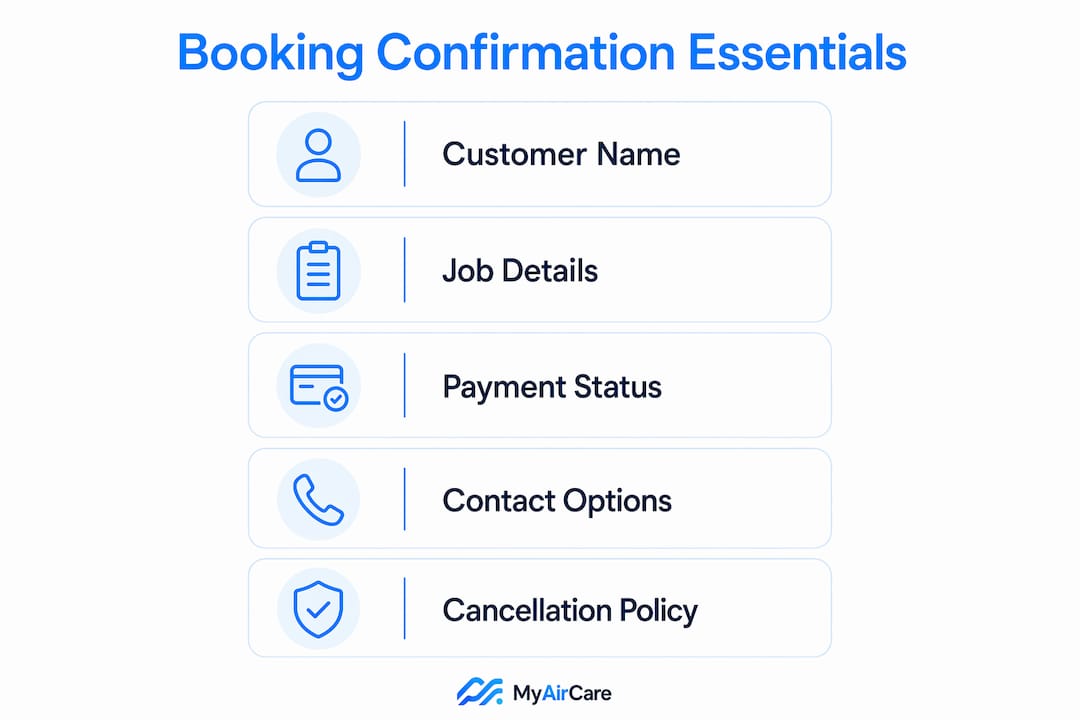
A well-structured confirmation covers the customer's identity, the job details, payment status, and how to make changes. Each field has a specific job.

| Field | Why it matters | Where to place it |
|---|---|---|
| Customer full name | Personalises the message and confirms the right person received it | First line of the email body |
| Booking reference / job number | Unique ID reduces confusion when customers call or reschedule | Directly under the greeting |
| Service description | Confirms exactly what was booked, avoiding disputes | Booking summary block |
| Technician / crew name | Sets expectations and builds trust (include when assigned) | Booking summary block |
| Date, time, and arrival window | Removes ambiguity; state AEST/AEDT or local timezone | Top of booking summary |
| Full address and access notes | Parking, gate codes, lift access, or entry instructions | Booking summary block |
| Payment status and GST | Shows total paid, GST component, and any outstanding balance | Below booking summary |
| Receipt or invoice link | Provides a downloadable record for the customer | Payment line |
| Cancellation / amendment policy | Sets clear expectations and reduces disputes | Below booking summary |
| Contact details and reschedule link | Lets customers self-serve without calling | Footer or dedicated support line |
Pro Tip: Place date, time, and payment status in the first visible block of the email body. Customers scanning on a phone should see those three details without scrolling.
Subject lines and send timing that get results
Send the confirmation instantly. An automated send triggered at payment or booking completion is the standard customers expect. Delayed confirmations increase support calls and erode trust.
Subject lines should be short, include the booking date or reference number, and make the content immediately obvious in a mobile inbox. Vague subjects like "Your booking" are easy to miss or ignore.
Subject line examples for air-con cleaning businesses:
Booking confirmed — Job #4821, Tue 15 JulYour air-con clean is booked — 15 July, 9 AMConfirmed: Split system service at [Suburb], Job #4821Job #4821 confirmed — see your arrival details insideAir-con clean booked for [First Name] — Tue 15 Jul, 9–11 AM
Recommended reminder schedule after the initial confirmation:
- Instant — automated confirmation sent at booking completion
- 48 hours before — reminder email with full job details and reschedule link
- Day of, 2–6 hours before — SMS or WhatsApp with technician name and arrival window
- Post-job — follow-up email with receipt, review request, and next service prompt
Research from Resova notes that 64% of consumers consider confirmation messages among the most important emails they receive, with higher click-through rates than standard marketing emails.
How to word your cancellation and amendment policy clearly
State the cancellation and amendment policy in every confirmation. Customers who cannot find this information will call, and unclear policies increase disputes.
Cancellation and changes: You may cancel or reschedule at no charge up to 24 hours before your appointment. Cancellations within 24 hours of the job forfeit the deposit. To reschedule, use the link below or contact us directly. For urgent day-of changes, call [Phone Number] before 8:00 AM.
Place a short version of this policy directly under the booking summary, with a link to the full terms rather than pasting lengthy legal text into the email. The ACCC recommends that businesses provide transparent cancellation terms and accessible contact details as part of fair consumer practice.
Offer at least two contact options: a direct phone number and an email address or reschedule link. For day-of changes, include an explicit instruction such as "For urgent changes on the day of your service, call [Phone] before 8:00 AM."
Two ready-to-use templates for air-con cleaning businesses
Short template (SMS-length or simple email)
Subject: Booking confirmed — Job #[Number], [Date]
Hi [First Name], your air-con clean is confirmed for [Date] between [Start Time] and [End Time] at [Address]. Job #[Number]. Total paid: $[Amount] (inc. GST). To reschedule: [Link]. Questions? Call [Phone].
Detailed template (full confirmation email)
Subject: Job #[Number] confirmed — [Service Name], [Date], [Suburb]
Hi [First Name],
Your booking is confirmed. Here are your details:
Booking summary
- Job number: [Number]
- Service: [Service Name, e.g. "Ducted system clean — 4 zones"]
- Date: [Day, Date Month Year]
- Arrival window: [Start Time]–[End Time] ([Timezone, e.g. AEST])
- Address: [Full Address]
- Access notes: [Gate code / parking / lift instructions]
- Technician: [Name, if assigned]
Payment
- Total: $[Amount] (inc. GST of $[GST Amount])
- Status: [Paid in full / Deposit received — $X outstanding]
- [View receipt / invoice →]
Cancellation policy Cancel or reschedule free of charge up to 24 hours before your appointment. Full terms →
On the day Please clear access to all indoor units. Pets should be secured. Our technician will arrive within the stated window and contact you if delayed.
Questions? Call [Phone] or email [Email].
[Reschedule]
Thanks, [Business Name]
Template guidance:
- Use a single-column layout; buttons should be at least 44px tall for mobile tap targets
- Place the "Add to calendar" CTA immediately after the booking summary block
- Any promotional CTA (e.g. "Book your next service and save 10%") goes after the contact details, not before the booking summary
- Confirmations should guide customers toward clear next steps; keep promotional content visually secondary
How to automate confirmations and reduce no-shows
Manual confirmations at scale produce delays, missed sends, and clerical errors. Automation is the only reliable way to guarantee every customer receives an accurate confirmation the moment their booking is complete.
Set up these triggers in your booking software: payment received → instant confirmation email; reschedule event → updated confirmation with new details; 48-hour mark → reminder email; day-of → SMS or WhatsApp with technician name and arrival window.
Email confirmation alone is often insufficient to prevent no-shows. Pairing email with an SMS or WhatsApp reminder on the day of the job increases open rates and reduces last-minute queries.
MyAirCare implements automated job reminders, Stripe payment processing, and mobile job management specifically for Australian air-con cleaning businesses. Booking pages auto-populate confirmation fields, and the platform sends reminders without manual input. The Airhygiene Services booking page demonstrates how payment receipts and job reminders integrate within a single workflow.
Advanced booking systems can also attach QR codes or scannable job references to confirmations, allowing technicians to verify job details on arrival without paper records.
Legal and tax notes for Australian operators
A booking confirmation can function as a transactional receipt under Australian tax law, provided it includes the total amount paid, the GST component, and the business's ABN. If the total transaction is $82.50 or more (inc. GST), a tax invoice is required under ATO rules.
Keep privacy wording minimal in the email body. A single line such as "We handle your personal information in accordance with our [Privacy Policy →]" is sufficient. Avoid pasting full policy text into the email.
The ACCC advises that cancellation policies and contact details must be clearly accessible to consumers before and after a transaction. Linking to your full terms from the confirmation satisfies this requirement. Store booking records securely and retain them in line with Australian Privacy Principles under the Privacy Act 1988.
Key takeaways
A booking confirmation email must be sent instantly, include all core transactional fields, state the cancellation policy clearly, and be backed by automated triggers to guarantee delivery at scale.
| Point | Details |
|---|---|
| Send instantly | Trigger the confirmation at payment or booking completion — never manually at scale. |
| Include six core fields | Customer name, service, date/time, address, booking reference, and payment status are non-negotiable. |
| State the cancellation policy | Place a short policy line under the booking summary and link to full terms. |
| Use multi-channel reminders | Pair email confirmation with SMS or WhatsApp reminders 48 hours and 2–6 hours before the job. |
| MyAirCare automates the workflow | MyAirCare handles instant confirmations, Stripe receipts, and job reminders for Australian air-con cleaners in one platform. |
Why confirmations are worth getting right
Most air-con cleaning businesses underestimate how much a well-structured confirmation affects daily operations. A clear, complete confirmation reduces inbound calls about job times, cuts no-shows, and gives customers confidence before the technician arrives. When the cancellation policy is visible and the reschedule link works, customers handle changes themselves rather than calling at 7:00 AM on the day of the job.
The businesses that invest five minutes in a proper confirmation template tend to run tighter schedules, receive fewer complaints, and see higher rates of repeat bookings. The confirmation is not a formality. It is the first operational touchpoint after the sale, and it sets the tone for everything that follows.
MyAirCare handles confirmations, payments, and reminders automatically
Fewer no-shows and less admin time start with one change: replacing manual confirmation sends with an automated workflow. MyAirCare gives Australian air-con cleaning businesses exactly that, without building it from scratch.

The platform auto-sends booking confirmations the moment a job is confirmed, processes payments through Stripe with GST-compliant receipts, and dispatches job reminders by email and SMS without manual input. Operators manage schedules, reschedules, and team assignments from the mobile app. Every booking page auto-populates the confirmation fields, so customers receive accurate details every time.
See how the platform works or view a live booking flow to understand the setup. For operators ready to take on larger contracts, the tenders page covers enterprise and procurement enquiries.
Sources and further reading
- Booking confirmation email examples and templates — Bugalou: practical field checklists and common mistakes to avoid
- Writing an effective booking confirmation email — Resova: consumer research on confirmation email importance and minimum booking fields to capture
- Booking confirmation email tips — Mailchimp: guidance on upsell placement and customer reassurance
- Hotel booking confirmation email — Mews: mobile formatting, CTA structure, and template design
- Writing a booking confirmation — ROLLER: advanced features including QR codes and auto-populated booking fields
- ACCC — Australian Competition and Consumer Commission: consumer rights guidance on cancellation policies and transparent contact information
- MyAirCare customer terms: full cancellation and booking terms to link from your confirmation email
This article provides general information only. Operators should confirm current ATO tax invoice requirements, GST thresholds, and privacy obligations with a qualified accountant or legal adviser for their specific circumstances.