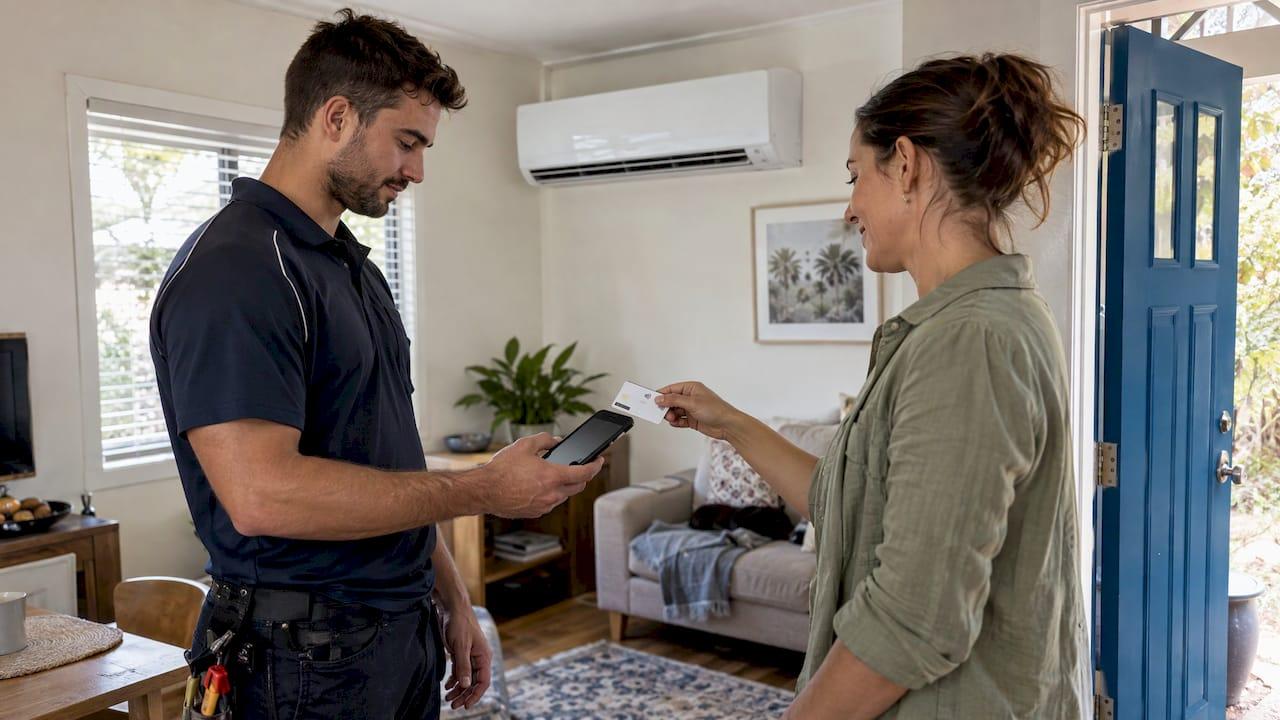
Tap to Pay on Android turns a compatible Android phone into a card reader, so a customer can tap a contactless card or digital wallet on the back of the phone and pay on the spot. For an air-con cleaner, the useful question is less about the phone and more about what happens to the payment afterwards: whether it is matched to the booking, the quote and the invoice without retyping. MyAirCare's mobile app handles on-site payments alongside job tracking and before and after service documentation, with Stripe processing the payments, so the payment sits inside the same record as the job.
TL;DR
- Tap to Pay on Android uses the phone's NFC chip to accept contactless cards and wallets, with no separate terminal.
- Requirements are set by the payment provider. Stripe, for example, asks for Android 13 or later, working NFC, a recent security update and an unmodified, unrooted device.
- Tap to Pay only collects the payment. Quotes, bookings, reminders and invoices still need a system behind them.
- Before choosing a setup, check the per-tap rate, the settlement time, the device requirements and whether the payment links back to the job.
- MyAirCare's free plan and MyAirCare Pro at $199 per month bring bookings, invoices and on-site payments into one place for Australian air-con cleaners.
Table of Contents
- What Tap to Pay on Android does
- NFC and Tap to Pay are not the same thing
- Android requirements for taking payments
- Taking a payment on site, step by step
- What to compare before choosing a setup
- Where tap to pay fits in an air-con cleaning workflow
- Worked example: a week of jobs
- Starting an air-con cleaning business: payments in the setup
- What MyAirCare offers
- Our view
- FAQ
- Sources
What Tap to Pay on Android does
Tap to Pay on Android is a software feature. A payment app on an Android phone uses the phone's NFC (near-field communication) chip to read a contactless card or a phone wallet held against it. The app sends the transaction to a payment processor, and the customer sees an approved or declined result on the screen. No dongle, counter-top terminal or extra battery pack is involved.
For mobile trades this changes the end of a job. An air-con cleaner finishing a split-system clean in a customer's home can take the payment at the unit or at the front door, instead of sending a bank transfer request or an invoice that sits unpaid for days. The payment is taken while the customer is still satisfied with the result and the technician is still on site.
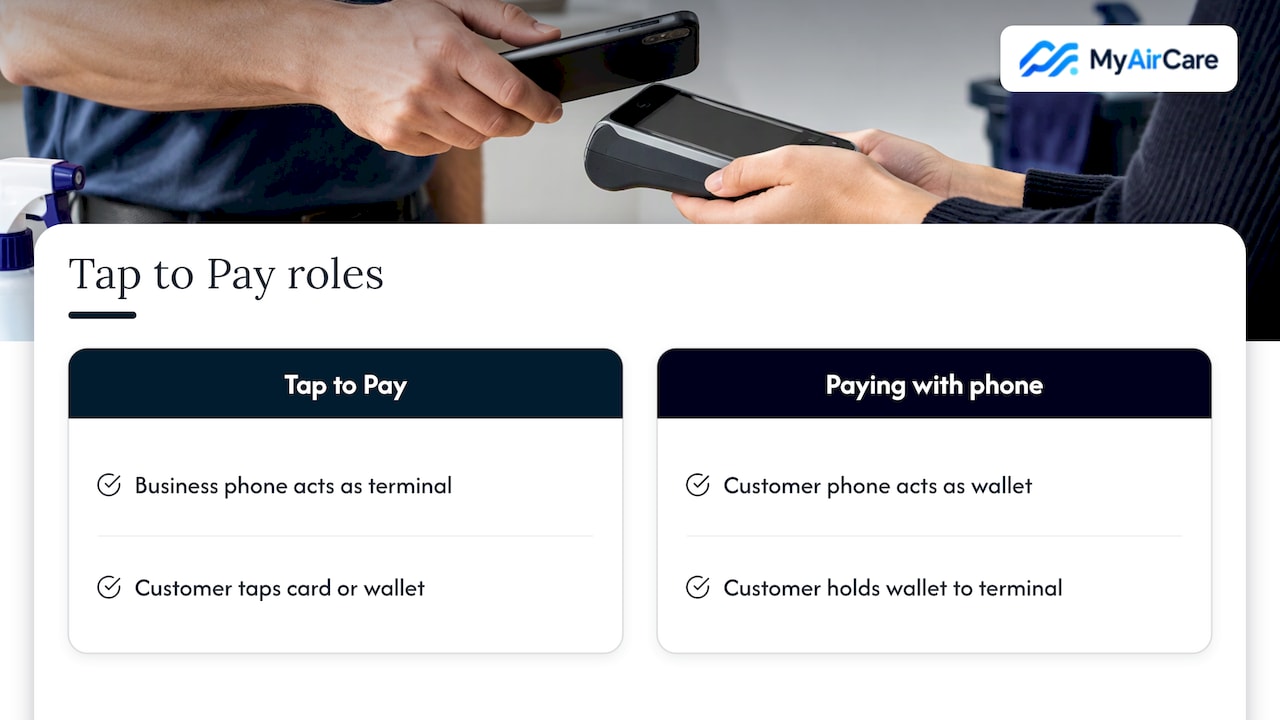
The feature is different from paying with an Android phone. Paying with a phone means the customer holds a wallet app against a terminal. Tap to Pay on Android reverses the roles: the business's phone is the terminal, and the customer pays with a card or a wallet of their own.
NFC and Tap to Pay are not the same thing
NFC is the short-range radio technology built into most current phones. It is the hardware that makes tapping possible. Tap to Pay is the payment feature built on top of it, delivered through a payment provider's app that handles card data, encryption and the connection to the card networks.
A phone with NFC does not automatically accept payments. The business also needs an app from a payment provider that supports Tap to Pay on that device, and an approved account with that provider. The customer's side is simpler. Google's developer documentation says an Android phone can make in-store contactless payments with Google Pay on Android 9.0 or higher with NFC and HCE support, and that the merchant terminal must support NFC and the ISO 14443 standard. In Tap to Pay, the business phone plays the terminal role, which is why the provider's app and certification matter as much as the chip.
A quick check on any phone: if no NFC setting can be found in the phone's settings, it cannot take contactless payments.
Android requirements for taking payments
Requirements are not set by Google alone. Each payment provider sets its own minimum Android version and security conditions, and they change as compliance rules and security findings change. Stripe's documentation lists the following for Tap to Pay on Android, and states that device and SDK requirements can change because of compliance updates or security vulnerabilities:
- Android 13 or later.
- A functioning NFC sensor.
- A security update from the past 12 months.
- Google Mobile Services and the Play Store.
- A locked bootloader and no root access.
- A hardware-backed keystore, version 100 or later.
- An unmodified manufacturer operating system.
- Developer options switched off.
- A stable internet connection.
The last point matters in the field. Tap to Pay needs a mobile or Wi-Fi connection to authorise each payment. Air-con jobs in roof spaces, garages and apartment basements can have poor coverage, so the connection is worth testing at the door before the technician needs it.
Which Android phones qualify
Stripe's supported-device list includes recent Samsung Galaxy S-series phones from the S22 onwards, several Galaxy A-series models, foldable Galaxy Z models, Google Pixel phones from the Pixel 5 onwards, and models from Motorola, OnePlus, Xiaomi, Oppo, Honor, Asus, Infinix and Redmi. Every device on the list still has to meet the Android 13 and security update conditions above.
Two practical points follow. First, a phone supplied by a carrier may carry modified software, which can fail the unmodified-OS condition. Second, a phone that has stopped receiving security updates will eventually fall out of eligibility even if the hardware is fine. Business owners buying a phone for the work are better placed with a model that still receives regular updates. Stripe recommends subscribing to its terminal announcements list to hear about requirement changes.
Taking a payment on site, step by step
The routine is short. Most of the difficulty lies in preparing the account and the phone beforehand.
- Prepare the account. The provider needs business details, proof of identity and a bank account for settlement. Australian providers generally ask for an ABN. Approval can take from minutes to a few days, so the application is best done before the first job, not on the day.
- Install the payment app and check the phone. The app is downloaded from Google Play and the phone is checked against the provider's list: Android version, NFC switched on, security update current, developer options off.
- Confirm the amount. The technician enters the amount or opens the invoice. A mismatch between the agreed quote and the charged amount is the commonest source of disputes, so the amount should come from the quote, not from memory.
- Present the phone. The technician opens the app, starts the card payment and hands or holds the phone out. On an Android phone the customer typically taps the card or wallet against the back of the device.
- Handle the PIN if asked. Higher-value transactions can require the customer to enter a PIN. Digital wallet payments usually need nothing extra, because the wallet has already verified the customer on their own device.
- Wait for the result. The transaction is complete when its outcome is shown on screen. The eftpos support guidance describes the same sequence: start the payment in the app, present the device, have the customer tap, and enter a PIN if prompted.
- Record the payment against the job. A receipt goes to the customer, and the payment is matched to the booking and invoice. This is where a standalone payment app and a booking system differ most.
Step 7 is the one most often left out. A tap-to-pay app records a transaction. It does not know which customer, which service or which unit the transaction relates to. A business that runs payments in one app and bookings in another ends up reconciling the two by hand at the end of the week.
What to compare before choosing a setup
Australian banks, payment platforms and accounting software providers all offer some form of Tap to Pay on Android, and their terms differ. The points below decide which suits a mobile cleaning business.
| Check | Why it matters for a mobile cleaner |
|---|---|
| Per-tap rate | A flat percentage on each card payment. On a $250 job, each 0.1% is 25 cents, but the rate compounds across a busy week. |
| Settlement time | Same day, next business day or nightly. Some providers settle faster only into their own bank accounts. |
| Account link | Some setups require opening a particular bank or transaction account. |
| Device requirements | Minimum Android version, security patch and unmodified software. |
| Card types | American Express, international cards and wallets may carry different rates or may not be accepted. |
| Payment types | Tap-on-phone takes contactless payments only. Chip-inserted cards and manual keying are not supported by most setups. |
| Link to bookings | Whether the payment attaches to the quote, invoice and customer record automatically. |
The fee row needs particular care. Stripe's own fee structure is covered in a separate MyAirCare guide to Stripe fees in Australia, which sets out what a business actually pays on card payments. Published rates are reviewed by providers from time to time, so the live pricing page of the chosen provider is the figure to rely on.
Connectivity and card limits
Tap-on-phone depends on a data connection, so a dead spot means no payment until the technician moves. Because it only reads contactless payments, a customer who prefers inserting a chip card or whose card is not contactless cannot pay that way. Phones also drain faster when running payment apps, so a car charger or power bank is a sensible item in the work kit.
For these reasons, many operators treat tap-on-phone as one of several ways to be paid. Card payments linked to the booking, a payment link sent from the job record and QR code payments each cover a case the others do not. Operators comparing the card route with transfers can read the guide to bank transfer versus card payments for air-con cleaners.
Where tap to pay fits in an air-con cleaning workflow
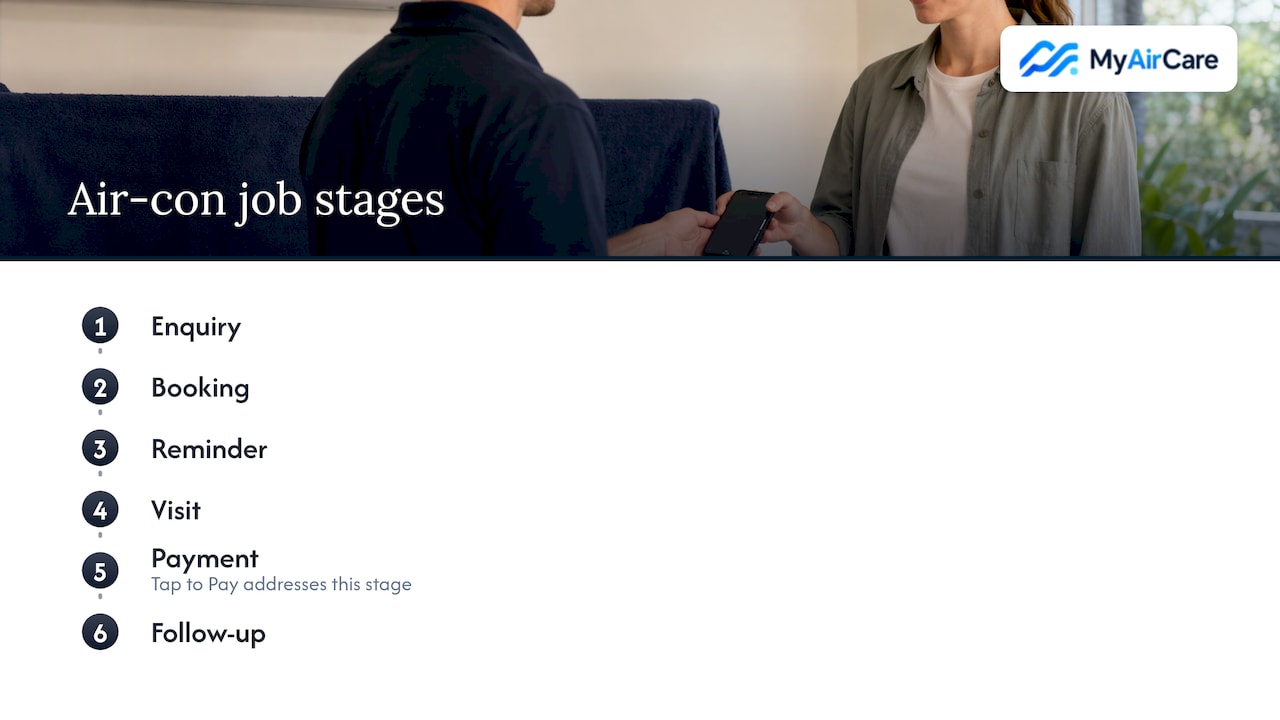
An air-con cleaning job passes through six stages: enquiry, booking, reminder, visit, payment and follow-up. Tap to Pay addresses only the fifth. The other five decide whether the business keeps its diary full and gets paid on time.
Booking and deposits. Online bookings that arrive with a card on file or a deposit reduce no-shows, because the customer has committed before the visit. The MyAirCare guides on integrating payments with bookings, taking deposits online and card on file payments cover how this works in practice.
Reminders. Automated reminders cut the missed visits and last-minute reschedules that waste a travel slot. They also prompt repeat business when the next service falls due.
Payment on site. For jobs where the customer pays at the end, a phone-based payment takes seconds. The on-site payments feature in the MyAirCare mobile app sits beside job tracking, rescheduling and before and after photos, so the paid job and its documentation stay in one record.
Invoices and failed payments. Commercial customers and strata managers often pay on invoice, not at the door. Guidance on invoices that get paid faster and failed payment recovery for air-con cleaners covers the follow-up when a payment does not land first time.
For operators with iPhones in the team, the equivalent feature is covered in the guide to Tap to Pay on iPhone for tradies.
Worked example: a week of jobs
A sole operator completes 12 split-system cleans in a week at an average of $180 each, a total of $2,160. Suppose 9 are paid by card at the door, 2 by invoice and 1 by transfer.
With a standalone tap-to-pay app, the 9 card payments are logged in the payment app. The 2 invoices are raised somewhere else, and the transfer shows up in the bank account. At the end of the week, three sources must be matched against the job list. A missed match means either chasing a customer who has already paid or failing to chase one who has not.
With bookings, invoices and payments in one system, each job carries its own status: booked, reminded, completed, paid. The weekly check becomes a review of unpaid jobs, not a reconstruction. The time saved is administrative, which is the part of the business that does not earn revenue.
Starting an air-con cleaning business: payments in the setup
For people entering the trade, payment acceptance is one of several early decisions, along with equipment, training, insurance, pricing and a booking page. The MyAirCare offering covers these together. MyAirCare Training is priced at $2,990 one-off and covers structured air conditioning hygiene training. The Business in a Box package is $24,990 one-off and combines equipment, training, software, business setup and launch support. Both let an operator build a business under their own brand, without franchise royalties.
That last point bears on payments. In a franchise, takings often flow through the franchisor's systems. In an independent business, the owner chooses the payment setup, holds the customer relationship and keeps the customer data, which is also what makes repeat-service reminders possible.
What MyAirCare offers
MyAirCare is a booking and management platform for Australian air-con cleaners, built by someone who has run an air-con cleaning business. It covers online booking pages that accept bookings at any hour, scheduling rules based on service area, travel time and daily capacity, quotes and invoices, automated reminders, customer management, team calendars and a mobile app. Stripe provides the payment processing.
The plans are listed on the MyAirCare pricing page:
- Free: $0 per month, supported by booking fees.
- MyAirCare Pro: $199 per month, unlocking the premium features.
- MyAirCare AI phone agent: $29 per month.

Operators who want to see how bookings, reminders and payments fit together can start from the MyAirCare software overview or the MyAirCare home page.
Our view
Taking a card payment is the easy part of an air-con cleaning business. Phones can do it, and most providers have made the process quick. The harder part is everything that comes before the tap: getting the booking without a missed call, avoiding a double booking, sending the reminder, quoting accurately and arriving on a route that makes sense.
We built MyAirCare out of running an air-con cleaning business, and the pattern was consistent. Payment problems rarely began at the door. They began earlier, with an unclear quote, a customer who forgot the appointment or an invoice raised days late. A tap-to-pay app does not fix those.
That is why our design puts the booking at the centre and the payment on the same record. Scheduling rules reflect service areas, travel time and daily capacity. Reminders go out automatically. Quotes, invoices and payments sit with the customer's history, and the mobile app handles job tracking, rescheduling, on-site payments and before and after documentation.
For someone starting out, the same thinking applies to the whole business. Training, equipment, software and setup belong together, and the business should carry the owner's own brand. That is what MyAirCare Training and Business in a Box are for.
Lewis
FAQ
Which Android phones have Tap to Pay?
Eligibility depends on the payment provider, not only the phone. Stripe's list covers recent Samsung Galaxy, Google Pixel, Motorola, OnePlus, Xiaomi, Oppo, Honor, Asus, Infinix and Redmi models running Android 13 or later with a current security update. A phone that is rooted, modified or without NFC does not qualify.
Is NFC the same as Tap to Pay?
No. NFC is the radio hardware that lets two devices communicate at very short range. Tap to Pay is the payment feature that uses that hardware through a provider's app. A phone needs both the chip and a supported payment app with an approved account.
Does Tap to Pay on Android need a separate card reader?
No. The phone's own NFC chip reads the card or wallet, so no extra terminal is required. A stable internet connection is needed to authorise each payment, and contactless is the only supported method, so chip-inserted cards cannot be processed.
What does an Australian business need to set up Tap to Pay?
An ABN, business and identity details, a bank account for settlement and a compatible Android phone are the usual requirements. Application times and approval steps vary by provider, so the application is best completed before the first job.
Can Tap to Pay be linked to bookings and invoices?
That depends on the system. A standalone payment app records the transaction only. A booking platform that handles payments as part of the job record matches each payment to the booking, quote and invoice. MyAirCare's mobile app includes on-site payments for this reason.
Sources
- Tap to Pay on Android | Stripe Documentation
- Supported devices | Google Pay Developer Documentation
- eftpos Australia Support