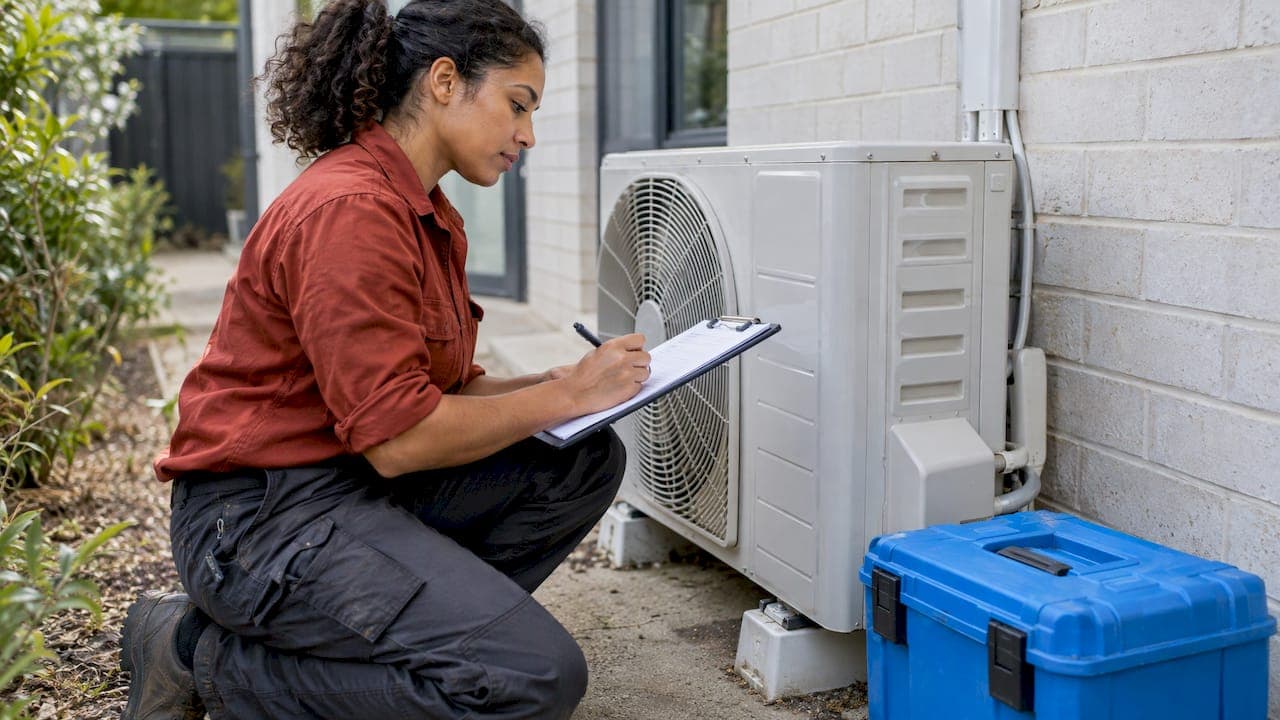
A job run sheet for air-conditioning cleaning is a one-page record of a single visit. It lists who the customer is, where the site is, which units are to be cleaned, what was done, what was used, what was found and whether the customer signed off. The template and completed example below are written for Australian air-con cleaners, from sole traders to small teams.
TL;DR
- A run sheet covers one job from arrival to sign-off. A service report is the customer-facing record produced from it.
- Core fields: customer and site details, units and components, scope, work carried out, materials, photos, status, recommendations and signature.
- Professional guidance in Australia treats cleaning records as both a scope control and a verification record, supported by images.
- Unresolved items need an owner, an action and a due date, so follow-up visits are not lost.
- A template works on paper, but a digital version removes re-typing and keeps photos attached to the job.
Table of Contents
- What a job run sheet is
- Job run sheet, job sheet, job card and service report
- Fields a run sheet needs
- Job run sheet template
- Completed job run sheet example
- Service report and documentation examples
- Photos, verification and scope control
- Information the office needs at job close
- Storing run sheets for follow-up visits
- Paper, spreadsheet or software
- Our perspective
- MyAirCare for run sheets, bookings and reports
- FAQ
- Sources
What a job run sheet is
The term "run sheet" has several meanings. Search results for it include event schedules and film production sheets. In field service, a job run sheet is the working document for one visit, and sometimes the technician's list of visits for the day. For an air-con cleaning business, both uses apply:
- Daily run sheet: the ordered list of jobs for a technician, with addresses, arrival windows, unit counts and access notes.
- Job run sheet: the record for each job, completed on site, covering the work and the outcome.
This article covers the second type and shows how it feeds the first. The daily list is built from booking data. The job record is built from what happens at the property.
Job run sheet, job sheet, job card and service report
These terms overlap, and businesses use them loosely. A workable distinction is as follows.
| Document | Purpose | Who uses it |
|---|---|---|
| Daily run sheet | Orders the day's jobs, addresses and times | Technician and office |
| Job sheet or job card | Captures checklists, inspection points and task details during the work | Technician |
| Service report | Records the overall appointment, work performed and customer acknowledgment | Customer and office |
| Work order | Authorises the work and its scope before the visit | Office and customer |
Field service platforms draw the same line: a job sheet is a customisable form used at the customer's location for checklists and task-specific inputs, while a service report covers the whole appointment and is generated during or after completion. A small business does not need four separate documents. One run sheet that captures the job inputs and prints or exports as a service report is enough.
Further reading on the difference between the paperwork stages is available in the guide to work order vs job card and the service report template guide.
Fields a run sheet needs
Professional guidance from the Australian Institute of Refrigeration, Air Conditioning and Heating (AIRAH) sets out what a hygiene verification report should include: the client's contact details, site address, inspection date and identification of the system and components inspected. The same guidance says an HVAC cleaning contract should describe the systems and components to be cleaned, the scope, dates, payment terms, responsibilities, insurance, site availability, and reporting and verification arrangements. It also calls for photos of the areas to be treated.
For split systems and ducted units cleaned by small operators, those requirements translate into the following groups of fields.
Job and customer details
- Job reference number
- Customer name, phone and email
- Site address and access notes (parking, pets, gate codes, strata contact)
- Booking date, arrival window, technician name
- Time on site, start and finish
Systems and scope
- Unit type (wall split, ducted, cassette, portable)
- Brand, model and location in the property (if the label is readable)
- Components in scope: filters, indoor coil, fan, drain pan, drain line, outdoor unit, return air grille
- Agreed scope and any exclusions, for example units that could not be reached
Work carried out
- Specific notes on each unit, written so another technician could understand what was done
- Method or product used where relevant
- Condition found on arrival and condition on completion
- Test run result after reassembly
Materials and labour
- Items used, with description and quantity
- Labour time
- Parts supplied, if any
- Extras approved on site, and where the approval is recorded (text message, signature or verbal with a note)
Photos
- Before and after images of each unit
- The file location or job attachment
- Close-ups of faults found
Status, recommendations and sign-off
- Status: completed, follow-up required, quote required or parts required
- Recommendations, such as a repair quote or a shorter service interval
- Customer name, signature and date
- Name of the person who attended and the time of attendance
The closing items follow the structure used in common tradie service report templates: status and recommendations, then the customer's name, signature and date, and who attended and when.
Job run sheet template
The template below can be copied into a document, spreadsheet or notes app. One sheet covers one property. Units are listed in the table so that a multi-unit job stays on a single page.
Job details
| Field | Entry |
|---|---|
| Job reference | |
| Date | |
| Technician | |
| Customer name | |
| Phone / email | |
| Site address | |
| Access notes | |
| Arrival time / finish time |
Units serviced
| Unit | Type | Location | Brand / model | Condition on arrival | Work completed | Test run OK (Y/N) | Photos (before / after) |
|---|---|---|---|---|---|---|---|
| 1 | |||||||
| 2 | |||||||
| 3 |
Materials and extras
| Item | Quantity | Description | Extra approved by customer (Y/N) |
|---|---|---|---|
Outcome
| Field | Entry |
|---|---|
| Status (completed / follow-up / quote required / parts required) | |
| Recommendations | |
| Unresolved items (owner, action, due date) | |
| Amount due / payment taken | |
| Customer name, signature, date |
Completed job run sheet example
The example below is an illustration of how the template reads when filled in. The customer, address and figures are invented for demonstration and do not describe a real job.
Job details
| Field | Entry |
|---|---|
| Job reference | JOB-0412 |
| Date | Tuesday, 9:00 am arrival window |
| Technician | A. Nguyen |
| Customer | Example customer, two-storey house |
| Site address | 12 Example Street, Brisbane QLD |
| Access notes | Side gate unlocked, one small dog inside |
| On site | 9:10 am to 11:25 am |
Units serviced
| Unit | Type | Location | Condition on arrival | Work completed | Test run | Photos |
|---|---|---|---|---|---|---|
| 1 | Wall split | Living room | Dust on filters, light residue on coil | Filters washed, coil and fan cleaned, drain line flushed | OK | 4 saved to job |
| 2 | Wall split | Main bedroom | Heavy dust on filters, odour reported | Filters washed, coil and fan cleaned, drain pan cleaned | OK | 4 saved to job |
| 3 | Wall split | Study | Drain line slow on flush | Cleaned, drain line partly cleared | OK, drainage slow | 3 saved to job |
Outcome
| Field | Entry |
|---|---|
| Status | Follow-up required |
| Recommendations | Quote for drain line replacement on unit 3. Service units 1 and 2 again in 12 months. |
| Unresolved items | Unit 3 drain line. Owner: office. Action: send quote. Due: within 2 days |
| Payment | Paid on site by card for units 1 to 3 |
| Sign-off | Customer name, signature and date recorded on the device |
The example shows several habits worth keeping. Each unit has its own line. The condition on arrival is recorded before the condition on completion. The one problem found is turned into a follow-up item with an owner and a due date, rather than a note that may be forgotten.
Service report and documentation examples
The run sheet is the raw record. The service report is what the customer receives. A short report paragraph generated from the example above could read:
Three wall split units were cleaned on the date shown. Filters, indoor coils and fans were cleaned on all units, and drain lines were flushed. Units 1 and 2 passed a test run. Unit 3 passed a test run with slow drainage, and a quote for drain line replacement will be sent. Before and after photos are attached.
This wording is factual, avoids unexplained jargon and states the outcome per unit. A good report keeps to a few features:
- Plain statements of work. Each sentence describes something that was done or found.
- Named units. The reader can match the text to the unit in the room.
- A clear status. The reader sees at once whether anything is outstanding.
- Next steps with timing. A quote or revisit is stated, not implied.
- Attached evidence. Photos support the written notes.
For shorter field notes, the 3-line job notes template with a 3-photo rule gives a compact format for busy days.
Photos, verification and scope control

AIRAH's guidance on selecting service providers treats cleaning documentation as a scope-control tool and a verification record. The cleaner defines what is included, verifies the cleaned components before recommissioning, and documents findings with images and recommendations. That framing is useful at small-job level too.
In practice:
- Define scope on the booking, then repeat it on the run sheet, so the record shows what was agreed.
- Photograph each unit before starting and after finishing, from the same angle.
- Photograph any fault at the moment it is found, before cleaning changes the view.
- Check the cleaned components before the unit is put back into service and record that the check was done.
- Save photos to the job record, not only to a phone gallery.
For a fuller process, the guides on cleaning air conditioner units to a professional standard and an aircon service checklist covering compliance and proof cover the on-site steps in more detail.
Information the office needs at job close
A run sheet is only useful if the office can act on it without calling the technician. Field service guidance on job completion lists what the office needs when a field job finishes: job reference and status, completed work, extras and where they were approved, materials, photos and their location, the customer outcome, invoice readiness, and unresolved items with an owner, action and due date.
A simple close-out routine for each job:
- Confirm every unit has a status and a test result.
- Confirm photos are attached and readable.
- Mark extras and record how the customer approved them.
- Mark the job invoice-ready or note what is blocking invoicing.
- Create a task for each unresolved item.
Payment timing links directly to this step. A job that is complete on the sheet but not invoiced delays cash flow, and the guide to invoice payment terms for air-con cleaners covers that side. A structured handover between technician and office is described in the job handover checklist.
Storing run sheets for follow-up visits
Stored run sheets become the service history for each property. When the customer rebooks, the next technician can see which units exist, what condition they were in, what was recommended and what was left open.
Records are easier to use when they follow a few rules:
- One job reference per visit. The same number appears on the booking, run sheet, photos and invoice.
- One customer record per property. Past jobs are listed under it, with unit details.
- Consistent file names. Where files are kept outside software, names follow the job reference and date.
- Open items are tracked. A recommended repair is a task, not a sentence on a page.
- Reminders are scheduled from the last service date. A 12-month interval noted on the report can drive the next reminder.
A customer intake form completed at booking supplies most of the top section of the run sheet before the technician arrives, which cuts re-typing.
Paper, spreadsheet or software
Each format has a place.
| Format | Suits | Limits |
|---|---|---|
| Printed sheet | A sole trader starting out, jobs without reliable signal | Photos stored separately, re-typing for invoices |
| Spreadsheet | Small volumes, one operator | Manual updates, no automatic reminders |
| Job management software | Growing workloads, teams, repeat customers | Setup time, a monthly plan for premium features |
The template in this article suits the first two formats. Once a business is handling several jobs a day, or has more than one technician, keeping the daily run sheet, job records, photos, invoices and reminders in one system reduces duplicate entry. Scheduling rules based on service area and travel time also shorten the daily run sheet. The guide to scheduling technicians without burnout covers travel and rest considerations for Australian operators.
Our perspective
Paperwork is where many small air-con cleaning businesses lose time. The job itself is predictable. The notes, photos, quotes and invoices that follow are where details go missing.
MyAirCare was built by an air-con cleaner, and the tools reflect that. We designed the mobile app so job tracking, rescheduling, on-site payments and before and after documentation sit in one place. The booking, the job record, the invoice and the reminder then refer to the same job.
We argue for a single record per job because it is the simplest way to avoid double entry. A run sheet that starts as an online booking, collects photos and notes on site, and ends as an invoice and a service report does not need to be rebuilt at the end of each day.
For operators who are starting out, the same thinking applies to the whole business. Our training, software and Business in a Box package are designed to give new operators documentation habits from the first job.
Lewis
MyAirCare for run sheets, bookings and reports
MyAirCare is a booking and management platform for air-con cleaners in Australia. It brings online booking, scheduling, quotes, invoices, payments and customer communication together on web and mobile. The mobile app supports job tracking, rescheduling, on-site payments and before and after service documentation. Branded booking pages and service-term customisation let operators work under their own brand.
Published plans, as listed on the pricing page, are a Free plan at $0 per month, MyAirCare Pro at $199 per month and an AI phone agent at $29 per month. MyAirCare Training is $2,990 one-off, and the Business in a Box package, which combines equipment, training, software, business setup and launch support, is $24,990 one-off.

Operators who want to move run sheets, bookings and invoices into one system can see the plans and features on the MyAirCare website.
FAQ
What should a job run sheet include?
A job run sheet should include the job reference, customer and site details, the units and components serviced, work carried out, materials used, photos, status and recommendations. It should end with the customer's name, signature and date, and the technician who attended. Professional guidance for HVAC hygiene reporting asks for client contact details, site address, inspection date and identification of the system and components inspected.
Is a run sheet the same as a service report?
Not exactly. A run sheet or job sheet is the working record filled in during the visit. A service report is the summary of the whole appointment given to the customer, covering work performed and customer acknowledgment. In a small business, one document can serve as both if it is clear enough to hand to the customer.
How detailed should work-completed notes be?
Notes should be specific enough that another technician could understand what was done to each unit. Naming the unit, the components cleaned, the condition found and the test result is usually enough. General phrases such as "serviced unit" give little value to the customer or to a later visit.
How should unresolved items be recorded?
Each unresolved item should have an owner, an action and a due date. A quote required for a drain line replacement, for example, is assigned to the office with a due date and linked to the job reference. This keeps recommendations from being lost after the technician leaves the site.
Should photos be part of the run sheet?
Yes. Before and after photos support the written notes and show the condition of each unit. They should be saved against the job reference, not only on a personal phone, so the office and later technicians can find them.
Sources
- AIRAH, Selection of service providers (HVAC hygiene skills workshop)
- Free service report template (job sheet) for tradies
- What the office needs when a field job is finished