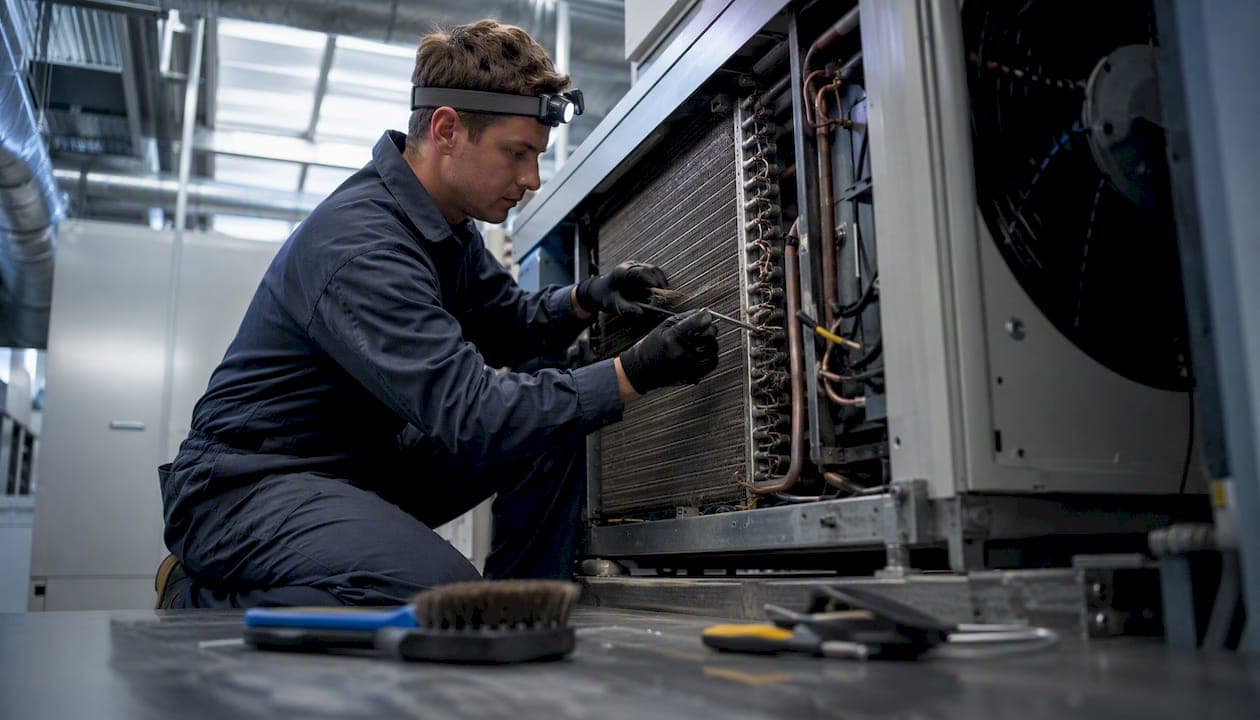
An operational aircon service checklist gives technicians and business owners a structured record of every on-site task, safety check, and compliance step completed during a hygiene clean. Every visit must cover these items at minimum:
- Asset identification (unit ID, make, model, serial number, location)
- Licenced technician declaration (name, licence/certificate number, scope of work)
- Visual hygiene grade (clean, monitor, or contaminated)
- Filter, coil, and drain pan service (remove, clean, inspect, replace)
- Before and after photos (timestamped, labelled, linked to the asset record)
- Client sign-off and technician signature
- Job status (completed, defects noted, follow-up required)
- Escalation flag if microbial contamination or refrigerant work is identified
Keep the checklist in a mobile job app or as a downloadable PDF so technicians can complete it on site without relying on memory.
Pro Tip: Number each checklist item and require a pass/monitor/fail result for every line. A checklist with blank fields is not a compliance document.
Table of Contents
- What should you confirm before arriving on site?
- What Australian standards and safety rules apply to every job?
- Step-by-step cleaning procedure for on-site technicians
- What should you do when you find biological growth?
- What must every service report contain?
- How does mobile job capture make checklists consistent?
- One-page operational checklist technicians can use on site
- Key takeaways
- Why most checklist problems are training problems, not template problems
- MyAirCare puts this checklist into your technicians' hands
- Useful sources and further reading
What should you confirm before arriving on site?
Scope creep and licensing gaps are the two most common causes of commercial job disputes. Confirm the booking details in writing before attending: asset ID, service type (hygiene clean versus refrigeration work), site access arrangements, and any occupant notification requirements.
Verify that the attending technician holds the correct credentials for the planned work. In NSW, air conditioning and refrigeration work requires a licence or certificate, with associated electrical modules depending on the task. Licence terms run for one, three, or five years. Other states have equivalent requirements, so check the relevant state authority before dispatching a technician to a new jurisdiction.
Complete a pre-job risk assessment covering: working at height, confined spaces, electrical hazards, and after-hours access. Confirm isolation procedures with the client and note any special PPE or containment requirements in the job record before work begins.
Pro Tip: Send a pre-job confirmation SMS or email that lists the scope, access contact, and any site-specific hazards. This creates a paper trail and reduces on-site delays.
What Australian standards and safety rules apply to every job?
Three references govern most commercial HVAC hygiene work in Australia:
- AS/NZS 3666 sets microbial control requirements for HVAC systems and is the baseline hygiene standard for commercial plant.
- AIRAH DA19 provides maintenance schedules across three levels: Level A (best practice), Level B (good practice), and Level C (compliance). Schedules must be tailored to plant age, operating hours, and local conditions.
- Safe Work Australia's consolidated model WHS regulations set obligations for risk management, electrical safety, and record keeping for plant maintenance.
SafeWork NSW requires that large or complex air-handling systems be serviced by a competent person: someone with both the practical skill and knowledge of relevant Australian standards. Competence is not assumed from trade experience alone.
The boundary between hygiene cleaning and licensed work is firm. Do not open sealed refrigerant circuits. ARCTick governs refrigerant handling in Australia, and any work that interacts with a refrigerant circuit requires a certified refrigerant handler. Crossing that boundary without the correct credentials is a legal breach, not a grey area.
Minimum documentary trust signals for every job file:
- Technician licence or certificate number
- Signed service checklist
- Before and after photos linked to the asset record
- Asset identifier (unit ID, make, model, serial)
Step-by-step cleaning procedure for on-site technicians
Follow this sequence on every standard hygiene clean. Deviating from the order increases the risk of re-contaminating cleaned components.
- After photos — Photograph each serviced component from the same angles used in the before shots.
Pro Tip: Never apply a disinfectant to coils or drain pans unless the product is listed for HVAC use and the scope of work explicitly includes it. Unapproved chemicals can corrode aluminium fins and void equipment warranties.
What should you do when you find biological growth?
Visible biofilm, fungal colonisation, or persistent standing water in a drain pan are immediate escalation triggers. Stop the standard clean, contain the affected area, and do not disturb growth further without appropriate containment in place.
Notify the client and building manager in writing. Document the finding with photographs before any disturbance occurs.
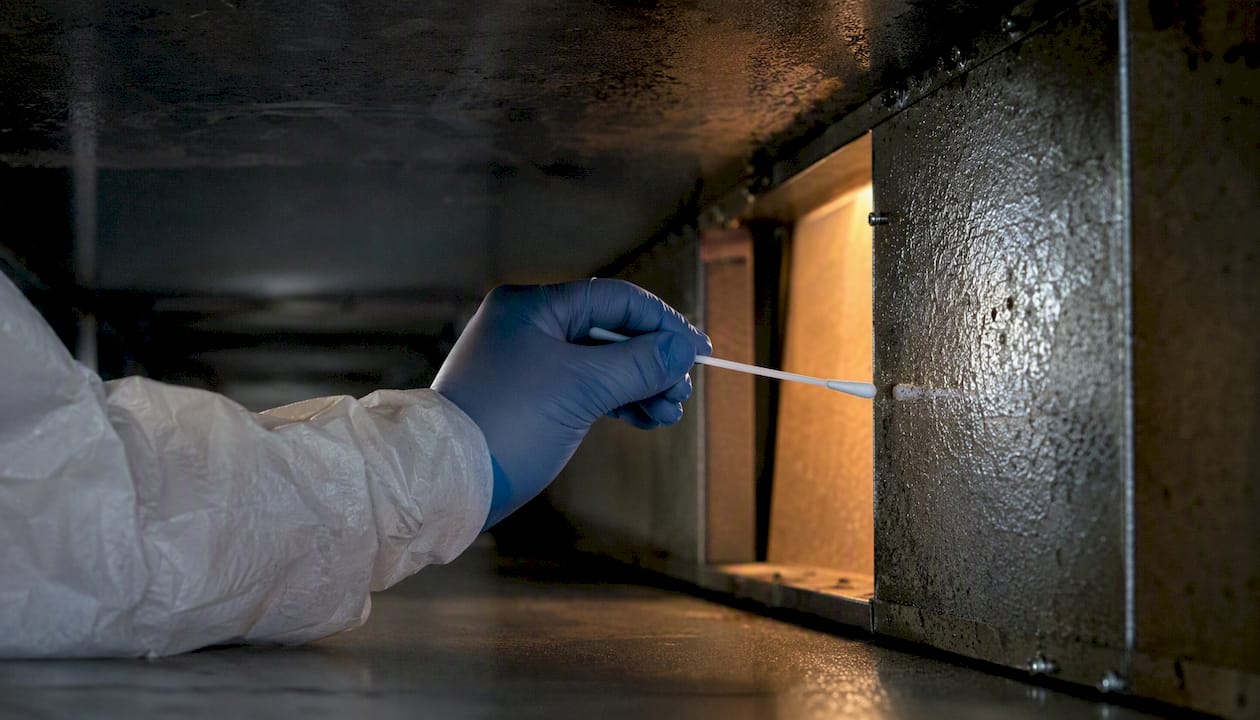
For sampling, take representative surface swabs from the affected components, label each sample with the asset ID, location, date, and technician name, and maintain chain of custody to an accredited mycology or microbiology laboratory. The AIRAH HVAC hygiene skills workshop guidance outlines sampling procedures in its Appendix D.
Remediation of confirmed microbial contamination is outside the scope of a standard hygiene clean. A competent hygienist or remediation specialist must assess and scope the remediation work. Building owners may have reporting obligations under their WHS management plan or lease agreement, so advise them to check with their facility manager or WHS adviser.
Pro Tip: Photograph sample locations with a scale reference and record GPS coordinates or a room plan sketch. This makes re-inspection and lab correlation straightforward.
What must every service report contain?
A signed, timestamped service report is the primary evidence that work was completed to standard. It protects both the technician and the client during WHS audits, insurance claims, and warranty reviews.
Minimum report contents:
- Asset ID, site address, make, model, and serial number
- Date, time, and duration of service
- Technician name and licence/certificate number
- Service type and scope (hygiene clean, filter replacement, inspection only)
- Hygiene grade assigned
- Defects found and corrective actions taken
- Parts used or consumables replaced
- Follow-up actions and recommended next service date
- Client signature and technician declaration
Before and after photos must be labelled with the asset ID, component name, and timestamp. Capture the same angles for both sets: a top-down cabinet shot and a close-up of the coil and drain pan. Link photos directly to the asset record in the job file.
Retain service records for a minimum of five years for commercial clients. Digital retention with document management software reduces storage overhead and makes records searchable for audits.
Pro Tip: Use a consistent photo naming convention: [AssetID][Component][Before/After]_[Date]. This makes retrieval fast when a client or auditor requests evidence months later.
How does mobile job capture make checklists consistent?
Paper checklists get lost, left in vans, or completed retrospectively. A mobile job app enforces checklist completion at the point of work by requiring technicians to fill mandatory fields before they can close a job.
Key benefits of mobile capture:
- Mandatory checklist fields prevent incomplete records
- Timestamped photos are linked automatically to the asset record
- Licence and certificate numbers are stored against the technician profile
- Signed reports are generated and sent to the client without manual data entry
- Job history is searchable and exportable for audits
MyAirCare implements these features in a single platform built for Australian air-con cleaning businesses. Technicians capture before and after photos on site, complete the service checklist, collect a digital signature, and process payment, all from the mobile app. The job record is stored against the asset and customer profile automatically.
For roll-out, train all technicians on one standard checklist template before going live. Require sign-off on every job and reconcile service records weekly until the workflow is consistent across the team. Review a field service app comparison if you are evaluating platforms before committing.
Pro Tip: Set the mobile checklist to require at least one before photo and one after photo before the job can be marked complete. This single rule eliminates the most common documentation gap.
One-page operational checklist technicians can use on site
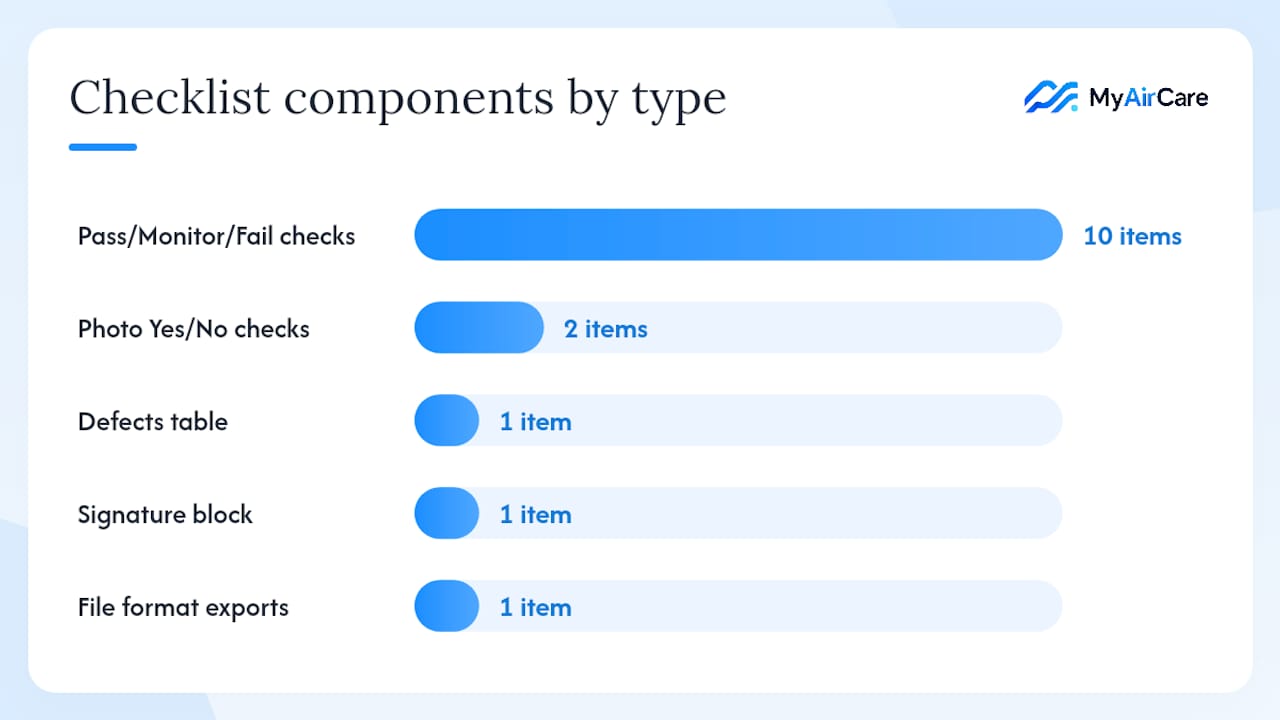
Use this template as a printable PDF or mobile checklist. Export to CSV or JSON for job history integration.
Job identifiers (top of form) Site address | Asset ID | Make/Model/Serial | Date | Technician name | Licence number | Service type
| # | Component | Check | Result | Action required |
|---|---|---|---|---|
| 1 | Filters | Condition, fit, blockage | Pass / Monitor / Fail | |
| 2 | Evaporator coil | Fouling, corrosion, fin damage | Pass / Monitor / Fail | |
| 3 | Condenser coil | Fouling, corrosion | Pass / Monitor / Fail | |
| 4 | Drain pan | Standing water, slime, blockage | Pass / Monitor / Fail | |
| 5 | Condensate trap | Flow, seal integrity | Pass / Monitor / Fail | |
| 6 | Fan assembly | Blade condition, bearing noise | Pass / Monitor / Fail | |
| 7 | Accessible ductwork | Dust, integrity, mould | Pass / Monitor / Fail | |
| 8 | Electrical connections | Visible damage, secure terminations | Pass / Monitor / Fail | |
| 9 | Cabinet and access panels | Seals, fasteners, condition | Pass / Monitor / Fail | |
| 10 | Before photos captured | All required angles | Yes / No | |
| 11 | After photos captured | All required angles | Yes / No | |
| 12 | Performance test | Supply/return temp, airflow | Pass / Monitor / Fail |
Defects table: Component | Description | Severity (minor/major/critical) | Recommended action
Signature block: Client name and signature | Technician name and signature | Date and time
File formats: PDF for print and client copy; CSV or JSON export for job history and audit trail. Mobile checklist fields map directly to asset ID, photo library, and signature capture in the job app.
Key takeaways
A compliant aircon service checklist links every on-site task to AS/NZS 3666, AIRAH DA19, and SafeWork obligations, and captures signed, timestamped evidence that the work was completed correctly.
| Point | Details |
|---|---|
| Link tasks to standards | Map each checklist item to AS/NZS 3666, AIRAH DA19, or WHS regulations so audits are straightforward. |
| Capture before and after photos | Timestamped, labelled photos linked to the asset record are the primary evidence of work quality. |
| Respect licensing boundaries | Never open a refrigerant circuit without an ARCTick-authorised handler; hygiene cleaning and refrigerant work are legally distinct. |
| Tailor frequency to risk | Use AIRAH DA19's three maintenance levels and adjust cadence by plant age, hours, location, and building type. |
| Use MyAirCare for digital records | MyAirCare enforces mandatory checklist fields, photo capture, and signed reports in a single mobile workflow for Australian air-con cleaning businesses. |
Why most checklist problems are training problems, not template problems
Most operators who struggle with checklist compliance already have a serviceable template. The gap is almost always in how the checklist is introduced to technicians and whether sign-off is genuinely enforced or treated as optional paperwork.
A checklist that technicians complete retrospectively, from memory, at the end of the day is not a compliance document. It is a reconstruction. The value of a signed, timestamped, photo-linked record comes entirely from it being completed at the point of work. That requires training, not a better template.
The other underestimated issue is scope clarity. Technicians who are unsure whether a task falls within their licence scope will either skip it or perform it without the correct credentials. Both outcomes create liability. Pre-job scope confirmation and a clear escalation path for refrigerant and microbial work resolve most of these situations before they become problems on site.
Digital checklists in a mobile app reduce the training burden because the system enforces completion. But the underlying discipline, confirming scope, verifying licences, and capturing evidence at the right moment, still depends on the operator setting the standard and holding the team to it.
MyAirCare puts this checklist into your technicians' hands
Every field on the one-page checklist above maps directly to a job record in MyAirCare. Technicians open the job on their phone, complete mandatory checklist fields, capture before and after photos, collect a digital signature, and process payment before they leave the site. Nothing is left to memory or end-of-day data entry.

For operators managing commercial tenders and recurring contracts, MyAirCare stores signed service reports against each asset and customer profile, making audit preparation a matter of a few clicks rather than a search through paper files. The platform handles booking, reminders, invoicing, and Stripe payments in one place, built specifically for Australian air-con cleaning businesses.
Start a job on MyAirCare and see how the mobile workflow maps to the compliance checklist your commercial clients expect.
Useful sources and further reading
Key references for technicians and business owners to keep on file:
- AIRAH DA19 Appendix A – HVAC&R maintenance schedules
- AIRAH HVAC hygiene skills workshop (sw121)
- Ventilation at work | SafeWork NSW
- Consolidated model WHS regulations — Safe Work Australia
- Air conditioning and refrigeration work — NSW Government
- HVAC maintenance checklist template | MapTrack
- Commercial aircon cleaning frequency guide – HVAC Supply Shop
- ARCTick — refrigerant handling guidance