
For routine field visits, use a 3-line job note plus a three-photo checklist as your default: what was found, what was done, what's next. Downloadable PDF, Word, and Google Docs templates for this and for full job sheets are covered below, along with the fields a proper job sheet needs and when it's time to move past templates altogether.
TL;DR:
- Using a three-line job note plus three photos ensures quick, consistent documentation suitable for routine field visits, with templates in PDF, Word, or Google Docs.
- Mandatory fields on job sheets should include parts, hours, and sign-off to prevent incomplete records that delay invoicing or cause disputes.
- Transition to job management software becomes necessary when high job volume makes manual note-taking unreliable, and features like auto-timestamp and searchable history streamline operations.
- Consistent photo and note habits are crucial, as they reduce callbacks, disputes, and reconstruction time, regardless of the template design or software used.
Table of Contents
- Downloadable job notes template files and which format to use
- What fields should a job sheet or job notes template include?
- The 3-line job note and photo checklist that technicians actually use
- Job sheet, job card, or work order: which one do you actually need?
- Building a repeatable field workflow around your templates
- When should you switch from templates to job management software?
- What field teams get wrong about job notes
- Turning consistent notes into a managed job record
- Sources
Downloadable job notes template files and which format to use
The right format depends on how the job note gets used after it's written, not personal preference. A PDF works best when a client needs to see and sign something on the spot. It renders the same on every phone, prints cleanly, and can't be accidentally reformatted by someone editing on a tablet in bad light.
Word and Google Sheets templates suit jobs where you're editing offline, building a library of past notes, or adjusting layout for a specific client. Google Docs and Sheets earn their place when a team needs shared, real-time access. Two technicians on the same site, or an office manager checking a job mid-afternoon, can both open the same file without emailing versions back and forth.
- PDF — client sign-off, printing, warranty paperwork
- Word or Excel/Sheets — offline editing, building a personal template library
- Google Docs/Sheets — shared team access, live updates from multiple people
To use a Google-based template, copy it into your own Drive first (File > Make a copy) rather than editing the master. On mobile, most phones let you print or export to PDF straight from the Google Docs or Sheets app, so a technician can hand a client a clean printed copy without needing a laptop. Ready-to-use versions of the 3-line note and the fuller job sheet checklist, in all three formats, sit further down this guide alongside sample entries you can copy directly.
What fields should a job sheet or job notes template include?
A job sheet earns its keep at invoicing time, not when it's written. Every field on it should answer a question your bookkeeper, your insurer, or your client will eventually ask.
Header details come first: job number, a date in ISO format (YYYY-MM-DD), client and site details, and an asset ID or a clear location hint (unit number, rooftop, "second bedroom split system"). Skip this and you're relying on memory six weeks later when a warranty query lands.
The work record covers what actually happened: a concise summary of the job, parts used with part IDs and quantities, and labour hours broken into start time, finish time, and total. Well-structured job cards typically capture 11 areas covering header, asset, fault, parts, labour, and sign-off, and those fields map directly onto what you need for an invoice.
Decisions and approvals matter more than most templates admit. If the scope changed on site, write down why, and record the client's sign-off, verbal or a photo of a signature. Effective note formats separate discussions from decisions for exactly this reason: a decision buried in a paragraph of narrative gets missed later.
Evidence means before, during, and after photos, filed with a standard naming convention so anyone can find them.
Follow-up items need an owner and a due date, always. A task without both isn't an action item, it's a wish.
Sign-off closes the loop: technician name, customer signature or a photo of one, and a short note flagging anything relevant to invoicing.
Pro Tip: If a field feels optional, it's the first one your team will skip under time pressure. Mark parts, hours, and sign-off as mandatory in your template, and treat everything else as a bonus.
The 3-line job note and photo checklist that technicians actually use
Long-form job notes fail for a predictable reason: nobody has time to write them properly at the end of a hot afternoon. A short format that captures the essentials in under a minute gets used consistently, and a 3-line pattern paired with photos is proven in field settings because it forces exactly enough detail without becoming a chore.
The 3-line template:
- What was found — one sentence, plain language ("Condenser fan motor seized, unit overheating").
- What was done — one sentence ("Replaced fan motor, tested run cycle for 15 minutes").
- What's next — one sentence, or "none" if the job's closed ("Client to monitor for noise, recall in 3 months").
Structured like this, summary, specifics, and evidence give a new technician enough context to pick up a job they've never seen before.
Pair every note with three photos in a fixed order: wide/context, detail/issue, and finished result. Name the files consistently: 2026-03-14_JOB4521_LT.jpg. That single habit turns a folder of random images into a searchable record.
To make this stick, build the three lines and the photo count as required fields in your mobile form, or set an office policy that unpaid jobs get flagged for missing evidence.
Job sheet, job card, or work order: which one do you actually need?
These three terms get used interchangeably, but they sit at different points in a job's life. A work order is the instruction that authorises the job, usually created before anyone shows up on site. A job card is the working document filled in during the job, tracking parts, hours, and status as the work happens. A job notes template, the short kind, is what a technician scribbles or types on the spot to capture what happened without stopping to fill in a full card.
- Use a work order to schedule and authorise a job before it starts.
- Use a job card for anything multi-stage, multi-technician, or likely to involve a warranty claim.
- Use a short job note for routine, single-visit jobs where speed matters more than detail.
The handover point between these documents is where information usually leaks. If a work order specifies one task and the job card records a different scope, someone needs to note why, or the next invoice will get disputed. Keeping that thread visible, even as a one-line comment carried from one document to the next, closes most of the gap. For a closer look at how these three documents interact across a job's lifecycle, see this breakdown of work orders versus job cards.
Building a repeatable field workflow around your templates
A template only works if it's part of a routine, not something pulled out occasionally when someone remembers.
- Pre-job: confirm the job number, site details, and asset ID are already populated before the technician arrives, so there's less to fill in on site.
- On-site capture: fill in the 3-line note and take the three standard photos as the job wraps up, not from memory later that night.
- Immediate upload: sync photos and notes to shared storage before leaving the site, using the ISO date and job number in every filename.
- Office verification: someone checks the job record within 24 hours, confirming parts, hours, and sign-off are all present before it moves to invoicing.
File naming matters more than most businesses realise. A consistent pattern like YYYY-MM-DD plus job number makes months-old records instantly searchable, which matters enormously when a warranty dispute lands eight weeks after the job. For simple integration, attach the completed PDF to the job record in whatever system you use, and copy labour hours straight into timesheets rather than re-entering them.
Pro Tip: Run a five-minute Friday check: pull up every job closed that week and confirm each one has a completed note and at least one photo. Missing records are far easier to fix on Friday than during a dispute three months later.
The photo and evidence side of this workflow matters enough that it's worth a dedicated look. A checklist tailored to air-con technicians covers the compliance angle in more depth, and guidance on capturing before-and-after photos is useful if your current photo habits are inconsistent.
When should you switch from templates to job management software?
Templates work well until job volume outpaces the discipline required to fill them in consistently. If you're running more than a handful of jobs a day, chasing missing notes by phone, or losing paperwork between the van and the office, that's the signal.
- Mandatory fields that block job completion until parts, hours, and sign-off are entered.
- Photo attachment built into the job record instead of a separate camera roll.
- Automatic timestamps that remove any argument about when a job started or finished.
- Searchable history across every past job, client, and site without digging through folders.
Before switching, run a simple ROI check: estimate hours lost each month chasing missing paperwork or disputed invoices, and compare that against a subscription cost. Software like field service apps with offline capture solve the technical side, but the underlying habit of writing a clear note on every job still has to come from your team.
What field teams get wrong about job notes
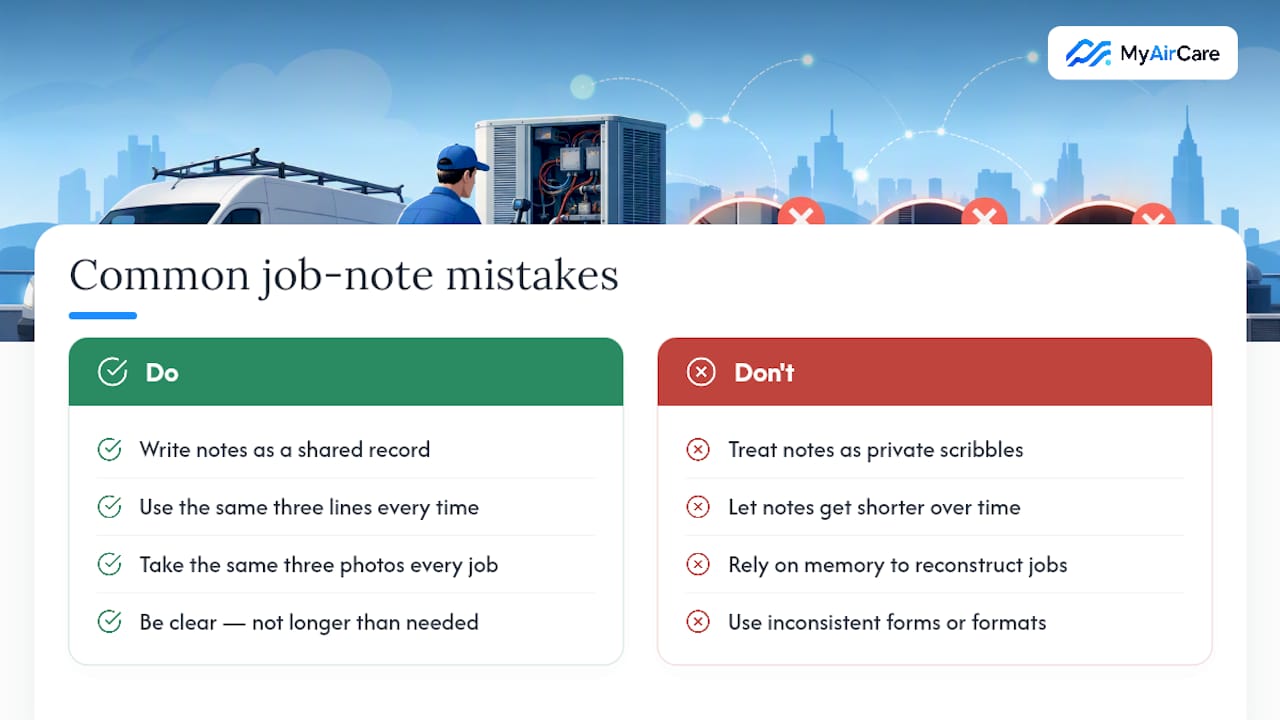
Most job note failures aren't a template problem, they're a habits problem. Teams that treat notes as a private scribble to jog their own memory tend to write less over time, because the note only has to make sense to the person who wrote it. Teams that treat every note as a shared record, something a colleague, a client, or an insurer might read cold, tend to write more clearly without writing more.
The businesses that avoid callbacks and get paid faster aren't the ones with the most detailed forms. They're the ones where every technician fills in the same three lines and takes the same three photos, every time, without fail. That consistency shows up directly in fewer disputed invoices and far less time spent reconstructing what happened on a job from memory.
— Lewis
Turning consistent notes into a managed job record
Templates solve the format problem. They don't stop a note from being skipped on a busy day, and they don't stop photos from ending up scattered across someone's camera roll. That's the practical gap MyAirCare is built to close for air-con cleaning businesses.

Job records on some mobile apps attach before/during/after photos directly to the job instead of storing them separately. Making certain fields mandatory means fewer jobs reach invoicing with incomplete paperwork. Automated reminders can help keep clients returning, and some systems process payments securely, allowing job records to also close out payments. If you're ready to see how a managed system compares to a folder of PDFs, check out MyAirCare's booking and job management platform or look at current aircon cleaning tenders to see it in a live business context.
Sources
- Take effective meeting notes in Confluence
- Job Notes Template (3 Lines + Photo Checklist) | FieldAppCheck
- Job Card Template | Free Printable PDF, Sample & Format
- "Fix the thing near the other thing": A field guide to job notes that actually help | Aspire