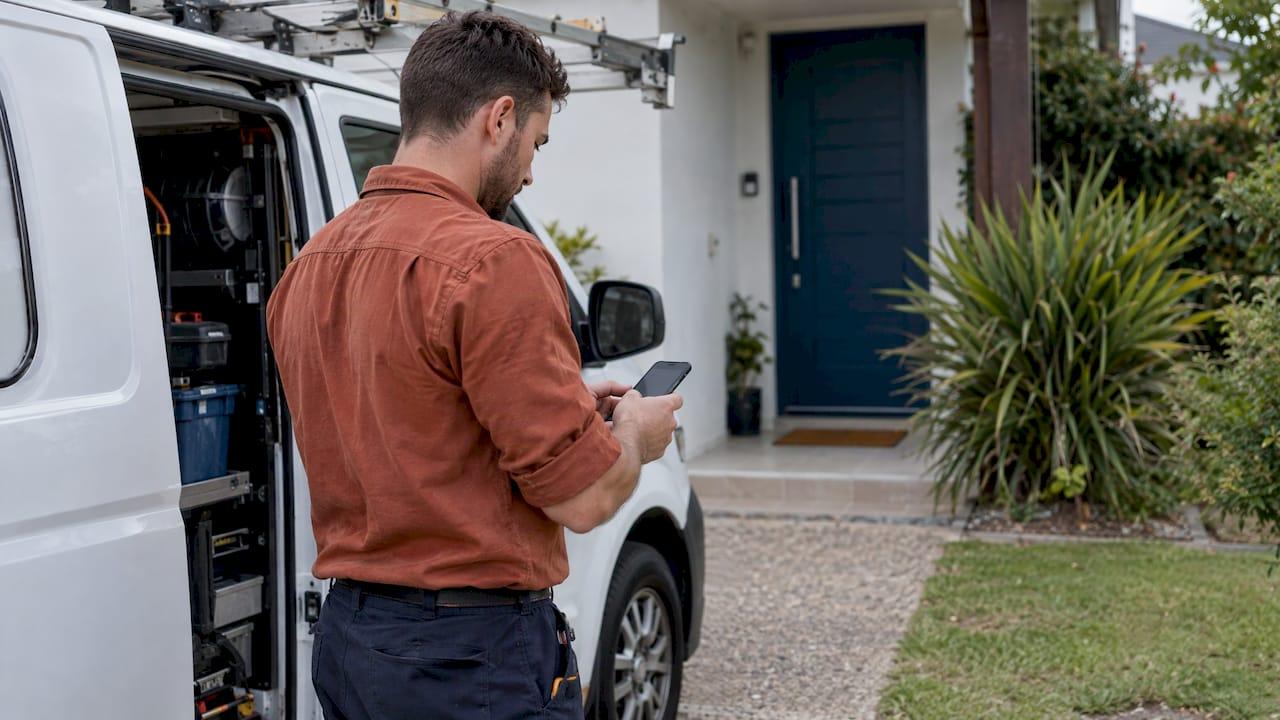
An ETA text tells a customer when a technician is due, so someone is home to open the door and the job starts on time. For an air-con cleaning business, the message works best when it is sent automatically from the booking system, uses a fixed template, names the business clearly and carries no promotion. MyAirCare's booking and reminder tools are built for this kind of routine, where scheduling, customer communication and job tracking sit in one place instead of in the technician's pocket.
This guide covers what an arrival message should say, when to send it, how to handle delays, which Australian rules apply and how to automate the process.
TL;DR
- An ETA text needs five things: the business name, the technician's first name, an arrival window, the service address or job and a way to reply or call.
- Two messages cover most jobs: a reminder the day before and a short "on the way" text on the day. A changed time gets its own message as soon as it is known.
- Keep the message strictly about the visit. Adding an offer or promotion can turn a service message into a commercial one under the Spam Act 2003.
- Since 1 July 2026, branded sender IDs must be registered, otherwise they show as "Unverified" on the customer's phone.
- Sending from the booking system removes manual texting between jobs and keeps a record of what was sent.
Table of Contents
- Why ETA texts matter for air-con cleaning jobs
- What an arrival text should include
- When to send the text
- What to do when the arrival time changes
- Do ETA texts need consent under Australian law?
- Sender ID registration from 1 July 2026
- Automating ETA texts
- Perspective
- Where MyAirCare fits
- FAQ
- Sources
Why ETA texts matter for air-con cleaning jobs
A split-system clean or a ducted service often needs access to indoor units, a ladder position and sometimes the outdoor unit or switchboard. A customer who is out, or who has not moved furniture, costs the operator travel time and a gap in the day. A two-line message sent at the right moment reduces that risk.
For sole traders and small teams there is a second reason. Most of the day is spent on the tools, and answering "where are you?" calls between jobs breaks the work rhythm. A message that answers the question before it is asked cuts those calls. It also tells the customer that the business is organised, which matters when the customer is letting a stranger into the house.
The same message supports the rest of the booking cycle. The booking confirmation sets the date, the reminder confirms it and the ETA text closes the loop on the day. The booking confirmation SMS guide covers the first step, and the appointment reminder templates cover the second.
What an arrival text should include
A good ETA text is short enough to read on a lock screen. Five elements do the work.
- Business name. Customers often book through a web page and never save the number. The name tells them who is texting.
- Technician's first name. It lets the customer match the person at the door to the message.
- An arrival window, not a single minute. Traffic, an earlier job running long or a difficult unit can all move the time. A window such as 10:30 to 11:00 am is honest and still useful.
- The job. A short reference such as "split-system clean" or the street address confirms the message is about the right booking.
- A reply or call option. A phone number or a reply path lets the customer flag a locked gate, a dog or a changed plan.
Sample wording
Day-of "on the way" text:
Hi Sam, this is Chris from [Business name]. I am on the way to your split-system clean and expect to arrive between 10:30 and 11:00 am. Call or reply here if access has changed.
Day-before reminder:
Hi Sam, a reminder that [Business name] is booked to clean your air conditioner tomorrow, 12 March, with arrival between 10 and 12. Please make sure the indoor units can be reached. Reply here or call [number] to change the time.
Running late:
Hi Sam, Chris from [Business name]. The previous job ran over and the new arrival window is 11:30 to 12:00. Sorry for the change. Reply here if that no longer suits.
Each example states one fact, offers one action and stops. Further templates for other stages of the booking are in the appointment reminder templates article.
When to send the text
Two timings carry most of the value.
| Message | Typical timing | Purpose |
|---|---|---|
| Reminder | The day before, or the morning of the job | Confirm the booking and prompt access preparation |
| Arrival window | Morning of the job, once the day's route is fixed | Tell the customer the expected window |
| "On the way" | When the technician leaves the previous job | Give a near-term ETA and ask for access to be ready |
| Delay or change | As soon as the delay is known | Let the customer adjust before the window passes |
For an air-con cleaner the "on the way" text works best when it goes out 15 to 30 minutes before arrival. Earlier than that, the estimate is less reliable. Later, the customer has no time to unlock gates or clear access.
Send times also matter outside the visit itself. Very early or late messages irritate customers even when the content is useful. The best time to send SMS guide sets out timing for reminders and service texts.
Use the schedule to set the window
An accurate window depends on an accurate schedule. Travel time between suburbs, daily job capacity and the length of each service all feed the estimate. MyAirCare's scheduling rules are tailored to service areas, travel time and daily capacity, which keeps the arrival windows given to customers realistic and reduces double bookings and unnecessary travel.
What to do when the arrival time changes
Delays are normal in field service. A previous job may uncover a dirty coil, a drain problem or a larger system than booked. What the customer notices is silence, not the delay.
A short routine works well:
- Message as soon as the delay is clear. Do not wait until the original window has started.
- Give a new window, not an apology only. The customer needs a time to plan around.
- Offer a way out. If the new window does not suit, the customer should be able to reply or call and move the booking.
- Record the change. A note on the job helps if the customer later queries the visit.
When the customer wants to move to another day, the message becomes a rescheduling message. The reschedule messages guide sets out examples and the Australian rules that apply. MyAirCare's mobile app supports job tracking and rescheduling, so the change can be made on site and the customer sees an updated booking.
Do ETA texts need consent under Australian law?
The Spam Act 2003 governs commercial electronic messages, which include SMS. Under the Act, a person must not send a non-designated commercial electronic message with an Australian link unless the recipient has consented. The same Act sets the identification and unsubscribe duties that apply when a message is commercial.
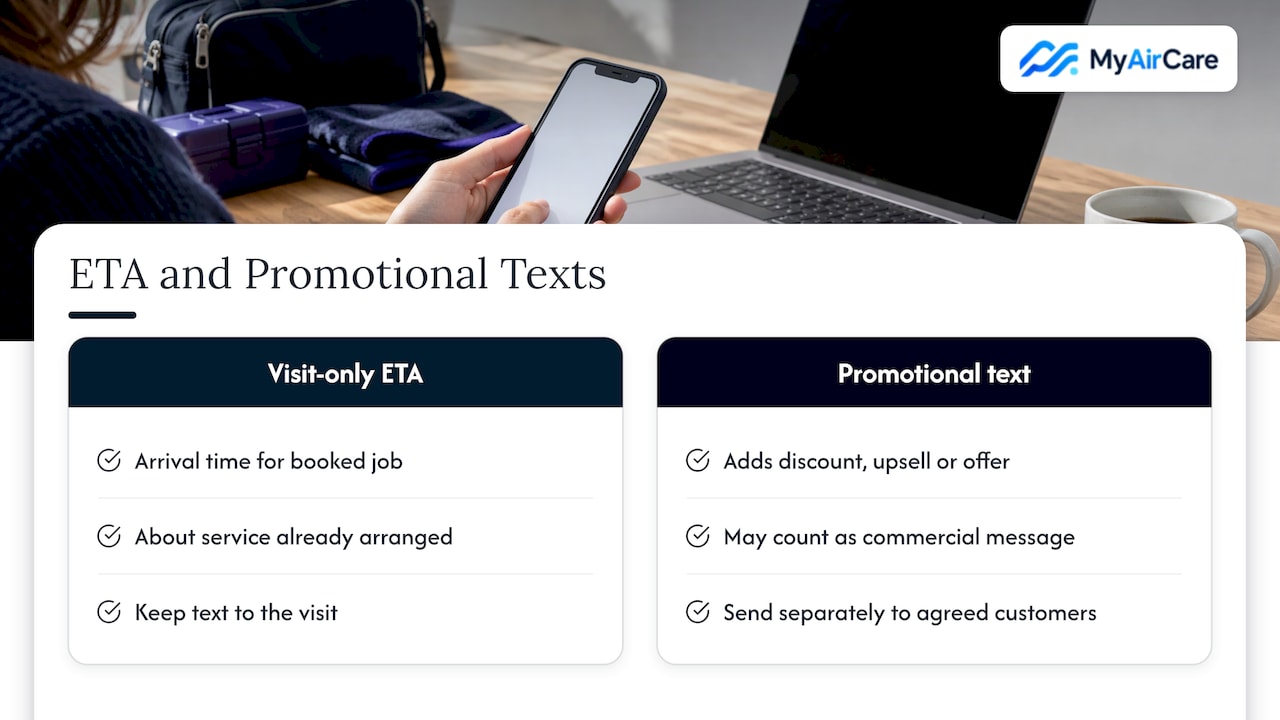
The key question is the purpose of the message. The Act defines a commercial electronic message by its purpose, such as offering, advertising or promoting goods or services. A text that only states when the technician will arrive for a booked job is about the service already arranged. A text that adds a discount, an upsell or a link to another offer starts to look promotional. In an investigation report published in November 2024, the ACMA found that messages linking to commercial offers were treated as commercial and not as designated messages.
The practical rule is simple: keep the ETA text to the visit. Promotions, review requests with incentives and seasonal offers belong in separate messages sent to customers who have agreed to receive them.
Identification and contact details
Messages that are commercial must identify the individual or organisation that authorised them and give accurate contact information likely to remain valid for at least 30 days. Including the business name and a working phone number in every ETA text meets this expectation in practice and also helps the customer.
Opt-outs
Where a message is commercial, it needs a clear unsubscribe facility, and withdrawal of consent must be actioned within five business days. A business that sends both service messages and marketing messages benefits from recording each customer's preference in one place, so a "stop marketing" request is honoured without cutting off job notices the customer still wants.
A fuller checklist for trade businesses is in 5 steps Australian tradies must take to comply with SMS marketing laws. For the IT side of consent records, unsubscribe handling and message systems, a guide to spam law IT controls lays out the controls a small business needs.
This section is general information, not legal advice. A business unsure whether a particular message is commercial should ask a lawyer or check the ACMA's guidance.
Sender ID registration from 1 July 2026
Many businesses send texts under a name, for example the trading name, instead of a mobile number. From 1 July 2026, texts sent with a branded sender ID must have that sender ID registered. Texts that use an unregistered name are labelled "Unverified" on the recipient's phone, which can make an ordinary ETA text look like a scam.
Two points follow for an operator:
- The name used as the sender ID should match the business's registered identity, such as the business or company name or trade mark.
- Registration with an ABN requires current details on the Australian Business Register, so the authorised contact and email there should be up to date before registering.
A branded sender ID cannot receive replies. Operators who want customers to reply with a changed access note or a new time need a number that accepts replies or a clear call option in the message. The two-way SMS guide explains how two-way messaging works for Australian trade businesses.
Automating ETA texts
Manual texting works for the first few jobs. It stops working when the day has six bookings, three suburbs and a technician on a ladder. Automation fixes this by tying messages to the booking record.
A workable setup has four parts:
- Booking data. Customer name, mobile number, address, service type and time slot are captured when the customer books online.
- Templates. The day-before reminder and the delay message are written once and reused.
- Triggers. The reminder sends at a set time before the job. The on-the-way text is triggered when the technician starts travelling or marks the previous job complete.
- A reply route. Customer responses reach the person who can act on them.
Starting small is sensible. The service reminder automation guide recommends beginning with one automated SMS and adding others once it works. For most air-con cleaners, the day-before reminder is the right first message, with the on-the-way text next.
Another source of customer contact is the missed call. A technician on a roof cannot answer, and the caller moves on to the next business. The missed call text back guide covers how that message works for Australian trades.
Perspective
We built MyAirCare out of experience running an air-con cleaning business, and the pattern is familiar: the work is good, but the day is lost to admin. Calls come in while hands are inside a unit, bookings overlap, and customers ring to ask when the technician will arrive.
Our view is that the arrival message should not be a separate chore. It should come from the same record that holds the booking, the service area, the travel time and the customer's details. When scheduling rules reflect travel time and daily capacity, the window given to the customer is realistic, and the message that follows it is simply a statement of the plan.
Automated reminders also support repeat business. A customer who has a smooth first visit, with a clear time and a technician who arrives as described, is more likely to book the next clean. That is why we put booking, reminders, quotes, invoices, payments and customer communication in one platform for operators who run their business under their own brand.
Lewis
Where MyAirCare fits
MyAirCare is booking and management software for Australian air-con cleaners. Customers book online at any hour through a branded booking page, and the platform brings scheduling, quotes, invoices, payments and customer communication into one place on web and mobile. Automated reminders support the routine described above, and the mobile app handles job tracking, rescheduling, on-site payments and before and after service documentation.
The pricing page lists the plans as published: a Free plan at $0 per month, supported by booking fees, MyAirCare Pro at $199 per month, and a MyAirCare AI phone agent at $29 per month. For people starting out, the Business in a Box package combines equipment, training, software, business setup and launch support at $24,990 one-off, and MyAirCare Training is available at $2,990 one-off.
Operators who want to see how the software handles bookings and reminders can start from the MyAirCare home page.
FAQ
Is an ETA text a commercial message under the Spam Act?
It depends on its purpose. The Act defines a commercial electronic message by whether it offers, advertises or promotes goods or services. A text that only gives the arrival window for a job the customer has already booked is about the service, while one that adds an offer is likely to be treated as commercial. Keeping the text to the visit is the safest approach.
How long before arrival should the text go out?
A reminder the day before and an "on the way" text 15 to 30 minutes before arrival suit most air-con cleaning jobs. The second message needs to be close enough that the estimate holds, and early enough for the customer to unlock access. A change in time should be sent as soon as it is known.
Should the text show a name or a mobile number as the sender?
Either can work. A branded name helps the customer recognise the business, but from 1 July 2026 it must be registered or it shows as "Unverified". A branded name also cannot receive replies, so the message should include a phone number or another way to respond.
What if the customer is not home when the technician arrives?
The ETA text reduces the chance, since the customer has a window and a reply route. A call to the number on the booking is the next step, and the reply or call should be noted on the job. Reminders that ask the customer to confirm access the day before also help.
Sources
- Spam Act 2003, compilation of 24 June 2014 (legislation.gov.au)
- Spam Act 2003, compilation of 27 December 2011 (legislation.gov.au)
- ACMA final investigation report, 22 November 2024
- ACMA SMS Sender ID Register