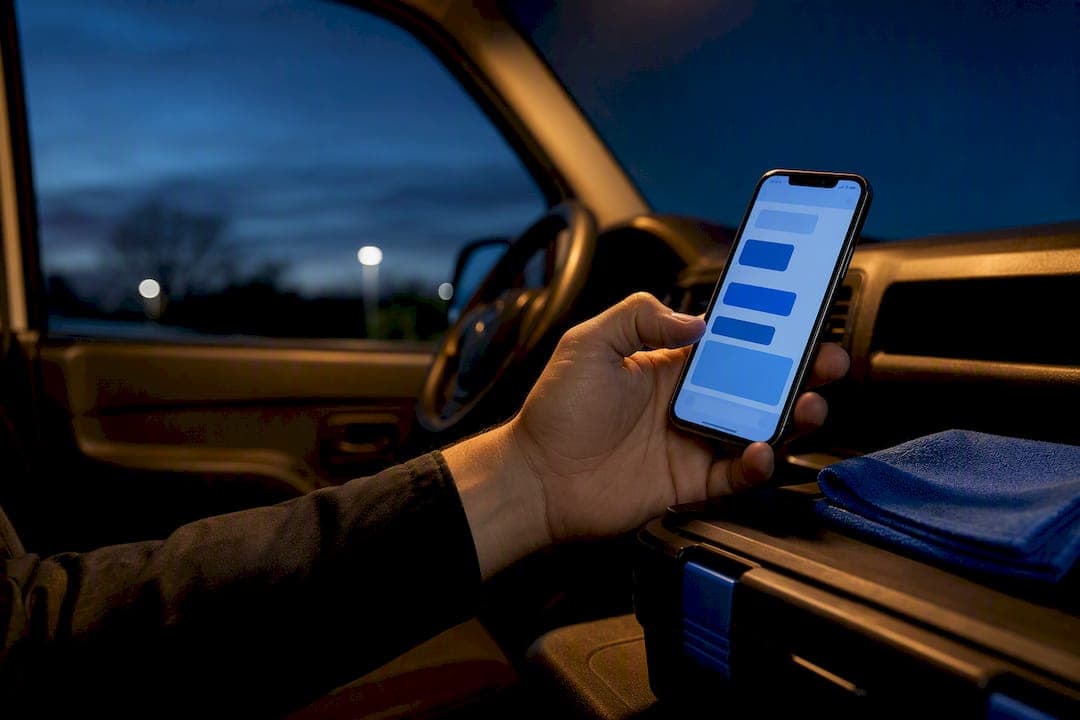
The most reliable approach is to use your booking system's built-in SMS if it has one, and pair it with an SMS gateway only if it doesn't. A platform like MyAirCare handles both in one place, sending automated reminders without extra setup. Whichever route you choose, follow a simple three-touch cadence: confirm immediately at booking, remind at 24 to 48 hours out, then send a same-day nudge.
TL;DR:
- Using an integrated booking platform like MyAirCare automatically sends SMS confirmations, reminders, and payment links without manual intervention.
- An SMS gateway works best if you already have a reliable booking system and need a simple, pay-as-you-go text layer for alerts and replies.
- Gathering opt-in consent at booking and designing clear, concise messages under 160 characters are crucial to reduce no-shows and ensure compliance.
- A three-touch cadence—immediate confirmation, 24 to 48-hour reminder, and same-day notification—significantly lowers missed appointments.
- Prioritizing a straightforward arrival-window message for field visits over personalized templates minimizes failures and improves punctuality.
Table of Contents
- Which approach should you choose for booking confirmation SMS?
- How do you set up automated booking confirmation SMS?
- What should a confirmation message actually say?
- How do you handle replies and prove the SMS is working?
- How MyAirCare handles confirmations for air-con cleaning teams
- Why simple beats clever for trade businesses
- Get booking confirmations running without the manual work
- Sources
Which approach should you choose for booking confirmation SMS?
Four realistic paths exist, and the right one depends on what you already run. An integrated booking platform sends SMS automatically from the same system that holds the appointment. An SMS gateway or API connects to your existing booking software as a separate layer. A business phone or SMS package gives you sending capability but usually needs manual triggering. A manual workflow, copying numbers and typing texts by hand, works only until your booking volume grows past a handful a week.
For field-service operators, an integrated platform removes the most failure points because the confirmation, the reminder, and the payment all live in one job record. MyAirCare was built around this exact workflow for air-con cleaning teams, so a booking automatically triggers the reminder sequence without anyone touching a phone.
| Approach | Best for | Integration options | Two-way replies | Pricing shape | Aussie availability |
|---|---|---|---|---|---|
| MyAirCare | Small to medium field-service teams wanting booking + SMS reminders combined | Native booking platform, Stripe payments | Built into job workflow | Subscription with a free tier | Built for Australian service businesses |
| Notifyre | Businesses with an existing booking system needing a flexible SMS gateway | API, email-to-SMS, Zapier | Yes, via gateway routing | Pay-as-you-go and plans | Australian-based support |
| TouchSMS | Hospitality and reservations-heavy businesses needing two-way confirmations | Scheduling, virtual numbers, bulk SMS | Free replies included | Plan-based | Australian-based support |
| Microsoft Bookings | Organisations already on Microsoft 365 wanting simple SMS notifications | Native to Microsoft 365, admin reporting | Limited | Included with eligible Microsoft 365 plans | Requires supported phone-number region |
A gateway like Notifyre suits a business that already trusts its booking calendar and just needs the text layer bolted on. TouchSMS earns its place with reservations-heavy operators who need customers to reply and change a time without a phone call. Microsoft Bookings is the sensible default only if your business already runs on Microsoft 365, since its SMS notifications documented in Microsoft's own setup guide depend on supported phone-number regions.
How do you set up automated booking confirmation SMS?
Getting confirmations running inside a week is mostly a matter of sequencing the decisions correctly rather than fighting the technology.
- Capture opt-in at booking. Add a simple checkbox or terms line to your booking page so customers agree to receive SMS, and store that record. Collecting and keeping opt-in is both a compliance safeguard and a way to protect delivery quality over time.
- Set your trigger rules. Immediate confirmation should fire the moment a booking is made, with an exception for same-day bookings, which should skip straight to an arrival-window message instead of a 24 hour reminder that will never send in time.
- Choose your integration method. Native booking SMS is simplest if your platform has it. An API gateway or email-to-SMS bridge works when your booking software doesn't send texts natively, and Zapier can connect the two without custom code. Map the required fields (name, date, time, location) once and reuse the template.
- Design reply handling. Decide what "YES", "RESCHEDULE" and "STOP" each do, and where a reply lands, whether that's a shared inbox or a ticket inside your booking system.
- Test before going live. Send confirmations to a few real phone numbers, check delivery reports, and confirm the reschedule reply actually creates a new time slot rather than a dead-end reply.
Pro Tip: Build your same-day and arrival-window message before your standard confirmation template. It's the one your field team will lean on most, and it's the easiest one to forget.
What should a confirmation message actually say?
A working confirmation text has the same handful of ingredients regardless of industry. Vendor research on appointment texting settles on seven core elements: the customer's first name, your business name, the date, the time, the location, one clear call to action, and a way to cancel or reschedule. Leaving any of these out is what pushes customers to call and ask instead of just replying, which defeats the purpose of automating in the first place.
Timing matters as much as content. The pattern that consistently reduces no-shows is an immediate confirmation at the moment of booking, a reminder at 24 to 48 hours out, and a same-day nudge on the day itself. Field-service bookings benefit from a fourth touch: an arrival-window message with any access notes, since "sometime Tuesday" isn't good enough when a technician needs a gate code.
Keep every message under roughly 160 characters where you can. Longer texts cost more to send and get skimmed, not read.
- Confirmation: "Hi [Name], your booking with [Business] is confirmed for [Date] at [Time]. Reply RESCHEDULE to change it."
- Arrival window: "Hi [Name], your technician will arrive between [Time]-[Time] on [Date]. Gate code or access notes? Reply here."
- 24-48hr reminder: "Reminder: your [Business] appointment is [Date] at [Time]. Reply YES to confirm or RESCHEDULE to change."
- Same-day reminder: "See you today at [Time], [Name]. Reply if anything's changed."
- Reschedule confirmation: "Done. Your new booking is [Date] at [Time]. Reply YES to confirm."
- Cancellation confirmation: "Your [Date] booking is cancelled. Reply BOOK to find a new time."
- Payment reminder: "Thanks for booking, [Name]. A secure payment link will follow before your appointment."
- Follow-up: "Thanks for choosing [Business]. Reply REVIEW to leave feedback."
One primary call to action per message beats several competing ones. If you want both a confirm reply and a reschedule option, phrase it as a single instruction rather than two separate asks.
How do you handle replies and prove the SMS is working?
Reply-based confirmation works because of a genuine psychological effect: asking a customer to type "YES" creates a small commitment that makes them measurably more likely to show up than a passive, no-reply-needed text. Map three keywords at minimum: YES or CONFIRM, RESCHEDULE, and STOP, and route each to a specific action rather than a generic inbox.
| Metric | What it tells you |
|---|---|
| Delivery rate | Whether messages are reaching handsets at all |
| Bounce rate | Bad numbers or carrier blocks in your list |
| Reply rate | How many customers are engaging with the text |
| Confirmed-to-attended rate | Whether a reply actually predicts a booking is kept |
| No-show delta | The real before-and-after change in missed appointments |
Route replies to whichever inbox your team actually checks, whether that's a shared team inbox or a ticket inside the booking system itself, and run a simple test: send half your bookings the reply-required format and half a passive notice, then compare no-show rates over a month.
How MyAirCare handles confirmations for air-con cleaning teams
MyAirCare builds the confirmation workflow into the booking itself rather than treating SMS as a bolt-on. A customer books through a branded booking page, opt-in is captured at that step, and the automated reminder sequence runs without anyone in the business touching a phone. Payments through Stripe attach to the same job record, so a confirmation text can carry a payment link without a second system involved.
For a small team, the practical expectations look like this:
- Setup typically takes a few hours, not days, since the booking page and reminder templates are already built.
- Automated reminders reduce the manual follow-up calls that eat into a technician's day.
- Mobile job tracking lets a technician confirm arrival, reschedule on the spot, and record before/after photos from the same app that sent the original text.
For deeper template ideas, MyAirCare's guide to appointment reminder templates covers wording for repeat bookings, and the piece on booking page design explains how to structure opt-in collection so confirmations fire automatically from the first booking.
Why simple beats clever for trade businesses
The conventional advice on booking confirmations spends most of its energy on personalisation, branding, and multi-channel sequences. That's the wrong priority for a small service team. What actually moves the no-show number is unglamorous: a message that arrives instantly, states the arrival window plainly, and gives the customer one obvious way to reply.
Most trades don't need a marketing platform. They need the booking and the text to be the same event, not two systems that have to be kept in sync by hand. That's where a lot of well-intentioned SMS setups fail. Someone configures a gateway, gets it working for a fortnight, then a busy week hits and the manual trigger step gets skipped. An integrated platform removes that failure point entirely because there's no second step to forget.
If there's one thing to prioritise first, it's the arrival-window message for field visits, not the polished confirmation template. Customers forgive a plain confirmation text. They don't forgive a technician who's late with no warning and no way to ask where he is.
— Lewis
Get booking confirmations running without the manual work
MyAirCare is the alternative to juggling a separate SMS gateway alongside your booking calendar: one platform handles the booking, the reminder sequence, and the payment, so nothing depends on someone remembering to send a text. For an air-con cleaning business, that means a customer books online, gets an instant confirmation, receives a 24 to 48 hour reminder and a same-day nudge automatically, and can reply to reschedule without a phone call disrupting your day.

Automated reminders are built to encourage repeat bookings rather than just cover the first appointment, and every payment runs through Stripe so a confirmation text can carry a secure payment link when needed. If you're running a cleaning business and want to see how a booking page with automatic confirmations actually works, look at a live example on the Pristine Air Con Cleaning booking page, or visit MyAirCare to see the full platform and start setting up your own branded booking flow.
Sources
- Appointment confirmation text: 25+ templates by industry to reduce no-shows
- Mailchimp: SMS booking confirmation
- Configure SMS text notifications and reminders in Microsoft Bookings | Microsoft Learn
- Appointment confirmation text messages are SMS notifications sent immediately after booking