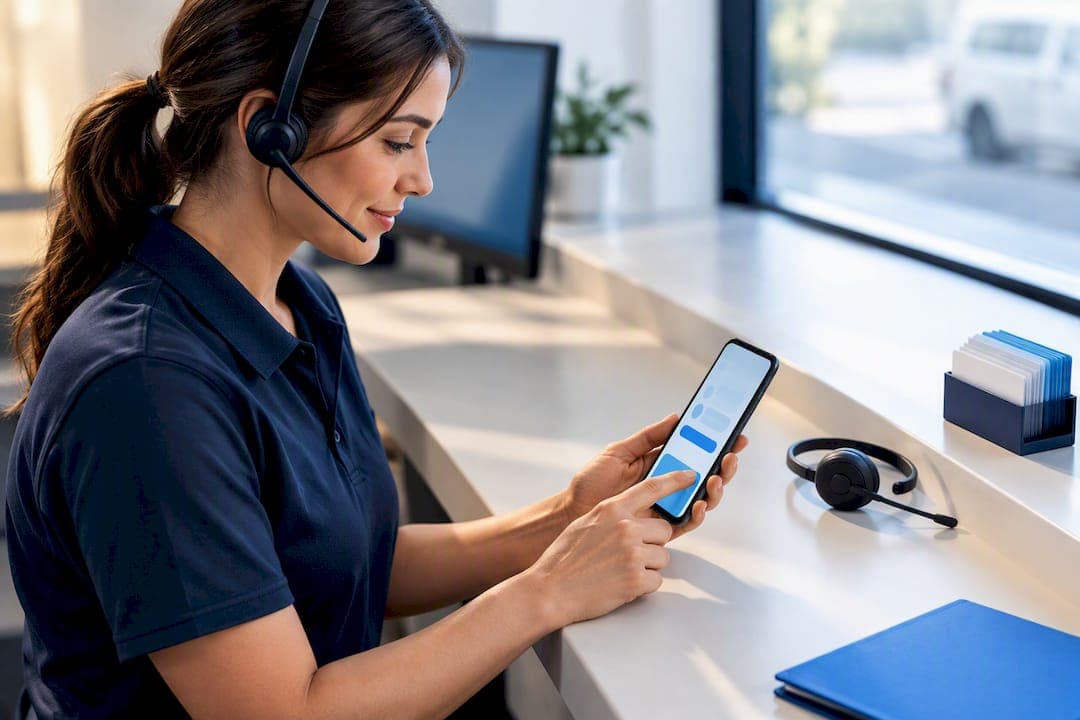
Make online booking the primary channel for routine appointments and keep the phone open for complex, urgent or high-value enquiries. Online reduces admin time and cuts no-shows through automated reminders; phone still secures the conversion when a caller has high intent but needs reassurance. The immediate next step: publish a clear booking page this week and tell staff to send an SMS booking link to anyone who calls about a standard job.
TL;DR:
- Small operations should prioritize online booking for routine appointments to reduce admin hours and no-shows, with a clear booking page launched quickly.
- Phone booking remains essential for complex, urgent, or emotionally loaded inquiries, as it provides higher conversion through personal reassurance.
- Using a decision checklist, operators can route bookings effectively, with simple jobs going online and complex cases handled via call or SMS bridge.
- Hybrid workflows, combining online bookings with SMS links for conversions, offer the best balance of efficiency and customer assurance.
- Small teams should start simple, measure which channels convert best, and gradually refine their approach based on booking and no-show metrics.
Table of Contents
- Phone vs online booking: what online does well for small operators
- Where phone booking still wins conversions
- A decision checklist for routing bookings by channel
- Hybrid workflows that protect conversions
- Metrics that tell you if your channel mix is working
- Getting the hybrid model live in a week
- What the evidence says about channel choice
- A priority checklist for small teams
- How MyAirCare fits the hybrid booking checklist
- Sources
- FAQ
Phone vs online booking: what online does well for small operators
Online booking runs while you sleep. A customer browsing at 9:00 PM on a Sunday can lock in a Tuesday slot without waiting for you to open the phone lines, and the appointment lands straight in your calendar with no double-booking risk. Square's research on small business scheduling points to exactly this: 24/7 availability, fewer clashing bookings, and automated reminders that free up admin hours.
For small operators, the setup itself matters as much as the benefits. A mobile-first booking page built with clear service options and calendar sync typically takes far less time to launch than most owners expect.
What a solid online booking setup should include:
- Instant confirmation with calendar sync, so nobody gets double-booked
- Payment or deposit collection at the time of booking, not after
- Automated SMS or email reminders sent ahead of the appointment
- Basic reporting on bookings by day and service type to guide staffing
Pro Tip: Set the deposit amount high enough to matter to the customer but low enough that it doesn't stall the booking. A modest deposit tends to cut no-shows more than a full upfront payment does, because it lowers the barrier to book while still creating commitment.
Where phone booking still wins conversions
Phone still beats a form when the enquiry is unfamiliar, urgent, or emotionally loaded. A new customer calling about a burst pipe or a first-time booking for a complex job wants a human to confirm scope and price before committing, and that reassurance closes deals that an online form would lose to hesitation. Industry data on channel preference suggests calls convert at a notably higher rate than web forms across several service categories, largely because callers have already decided to buy and just need confidence to proceed.
That conversion advantage only holds if the call is handled well. A rushed or confused answer undoes the advantage instantly.
Practical staff approach for phone enquiries:
- Ask one question early: "Is this a standard booking or something more complex?"
- If standard, offer to text an online booking link on the spot
- If complex or urgent, book directly on the call while the customer is engaged
- If the customer needs to think it over, send an SMS link rather than leaving it to a callback
Pro Tip: Train staff to make this decision within the first thirty seconds of the call. A longer triage conversation often costs more in staff time than it saves in conversion.
A decision checklist for routing bookings by channel
Route each enquiry using five quick questions, and the answer tells you whether it belongs on the phone, online, or somewhere in between.
- Is it urgent? Yes means book now, on the call.
- Is the scope complex or unclear? Yes means talk it through before booking; no means send the link.
- Is this a returning customer? Returning customers with a known job type can go straight online; first timers often need a short conversation first.
- Does payment need to happen now? If a deposit is required immediately, online with payment built in is faster and cleaner than taking card details over the phone.
- Is it a multi-person or multi-service booking? These usually need a human to confirm logistics before the calendar entry goes in.
A hair salon booking a single colour appointment can go straight to online. A plumber quoting a full bathroom retrofit needs a call. A clinic booking a returning patient for a standard check-up can send an SMS link without missing a beat.
Hybrid workflows that protect conversions
The strongest setup for small teams isn't purely online or purely phone. It's online as the default, with phone reserved for the calls that genuinely need a person, and an SMS link bridging the gap between the two. Valory's guidance on hybrid booking models backs this structure: online for predictable work, phone for the rest, with SMS converting callers into confirmed bookings without tying up staff.
The SMS link workflow runs in four steps: clarify what the customer needs, confirm the service and rough timing verbally, send the booking link by text before hanging up, and follow up if the link goes unclicked after a day. For enquiries that arrive after hours or need more digging, use a 'pending' booking status. It captures the request immediately and flags it for follow-up the next business day, instead of losing it to a missed call.
Staff rules matter here. Cap triage calls at one to three minutes and escalate anything that runs longer to a scheduled callback rather than letting one call block the phone line.
- Sync the booking calendar in real time to avoid double-entry
- Set timezone handling correctly if you serve more than one region
- Turn on deposit collection for high-value or first-time bookings
Pro Tip: Reserve a fixed window each day, say 8:00 to 9:00 AM, purely for callbacks on pending bookings. It stops phone follow-up from bleeding into the rest of the day.
Metrics that tell you if your channel mix is working
Track five numbers and you'll know within a month whether your booking mix needs adjusting: bookings by channel, no-show rate, admin hours per booking, conversion rate by channel, and revenue per booking.
- Bookings by channel shows whether online is actually being used or just sitting idle
- No-show rate reveals whether reminders and deposits are doing their job
- Admin hours per booking exposes the hidden labour cost of phone handling
- Conversion rate by channel tells you where your best leads are converting
- Revenue per booking flags whether phone's higher conversion is worth its higher labour cost
Reminders and deposits both push the no-show rate down, but the real number to watch is booking-to-attendance, not bookings alone. A full calendar means nothing if a third of it doesn't show up.
To estimate labour cost per call without guessing at wages, multiply average call length by your actual hourly staff cost, then compare that against the booking's value. A five-minute call that converts a $40 job costs more in labour than it earns if it happens six times before one converts. Tracking call outcome, not raw call volume, is what actually tells you if phone time is paying for itself.
Getting the hybrid model live in a week
- Day 1 to 2: Publish a mobile-first booking page with your core services listed and a payment or deposit option switched on.
- Day 2 to 3: Turn on calendar sync and set up automated SMS or email reminders.
- Day 3 to 4: Write a short call script for staff: one triage question, a rule for when to send an SMS link, and set hours for reserved phone answering.
- Day 4 to 5: Make the online booking button the primary call-to-action on your site, but keep "Call Us" visible with a reason to call (urgent jobs, quotes, questions).
- Ongoing: Tag call reasons weekly and review missed-call trends alongside bookings-by-channel data.
Pro Tip: Review the missed-call log every Friday for the first month. Patterns in who's calling and why usually show up within two or three weeks, and that's exactly what tells you whether your triage script needs adjusting.
What the evidence says about channel choice
A 2017 study in the Journal of Services Marketing surveyed 282 respondents and found that booking channel itself changes how risky a service feels to the customer, and that people's existing attitude toward online reservation shapes whether they'll adopt it for a given booking. That's a large part of why complex or first-time bookings still lean toward phone, regardless of how good your online form is.
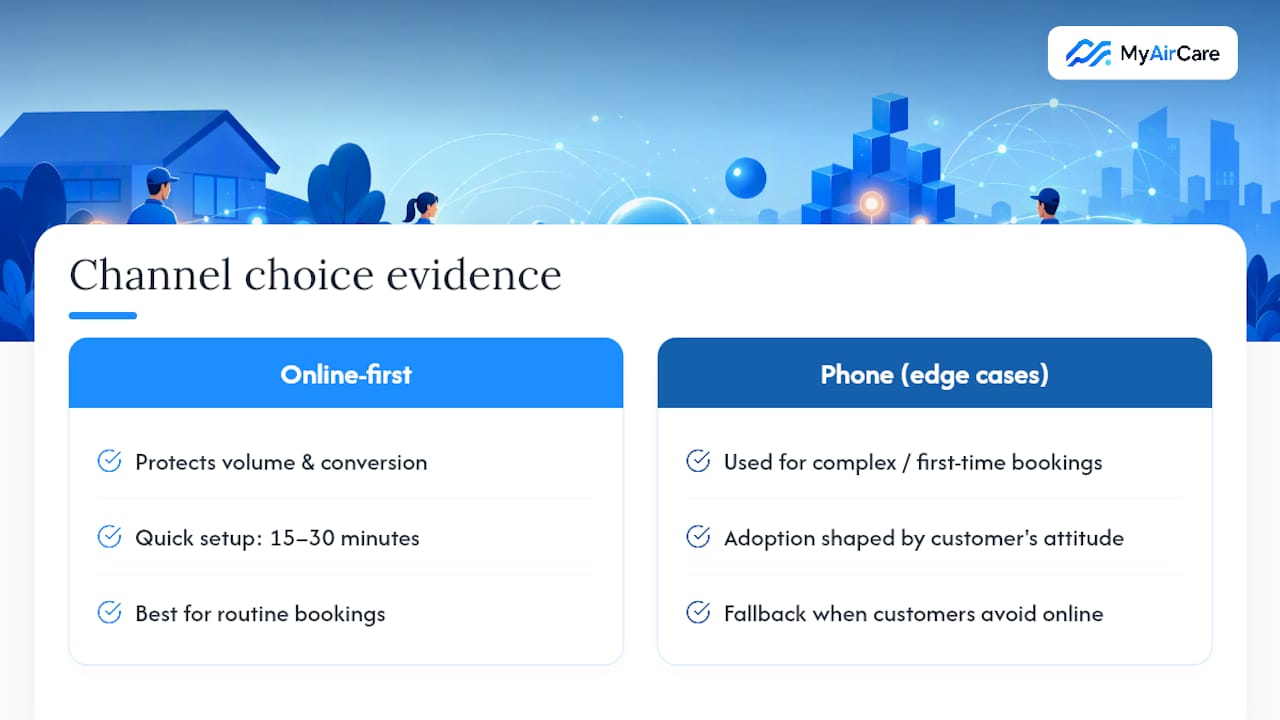
Operational guidance backs the same split. Valory's analysis of hybrid booking models and Square's small business research both point to online-first with phone reserved for edge cases as the setup that protects both volume and conversion.
MyAirCare's own testing supports the practical side of this. Internal trials found a basic online booking setup could go live in fifteen to thirty minutes, with Google Calendar integration and SMS confirmation workflows both tested successfully for trade teams, alongside Stripe payment integration for deposit collection.
The gap between "we should set up online booking" and actually doing it is usually a single afternoon, not a project. Most of the delay comes from overthinking the design, not the technical setup.
A priority checklist for small teams
If you're running this alone or with one or two staff, don't try to build both channels perfectly at once. Get a simple booking page live first, then start measuring which calls actually convert before investing more time in scripts or reserved phone hours. One-person operators should lean harder on SMS links, since there's rarely time to answer every call live; small teams with two or more staff can afford to reserve a short phone window each day without losing coverage elsewhere.
— Lewis
How MyAirCare fits the hybrid booking checklist
MyAirCare is the alternative to juggling a diary, a separate payment terminal, and a text app for reminders. It's built specifically for Australian air-con cleaning businesses, with online booking, Stripe payments, SMS confirmations, and Google Calendar sync running from one system instead of three.

Setup follows the same fifteen-to-thirty-minute pattern covered above, and the mobile app lets you manage job tracking, rescheduling, and on-site payments from the field rather than a desktop. The Free plan covers the essentials for testing the workflow, with MyAirCare Pro at $199 per month unlocking the premium features once your booking volume grows. Unlike generic scheduling tools built for multiple industries, this platform is tailored to handle industry-specific details without extra configuration.
Check the pricing page to compare the Free and Pro tiers, or look at a live booking page example to see the customer-facing flow before you commit to switching.
Sources
- Digital booking services: comparing online with phone reservation services (Journal of Services Marketing, 2017)
- Phone bookings vs online bookings for service firms (Valory)
- Benefits of online booking systems (Square Australia)
- Online Booking vs Phone Booking: Which Is Better? (SchedulingKit)
FAQ
Is it cheaper to book online or by phone?
Online booking is usually cheaper to run because it removes the staff time spent answering, confirming, and re-confirming routine appointments. SchedulingKit's comparison notes that online booking cuts admin time and no-shows, while phone still carries a real labour cost per call that only pays off on higher-value or complex jobs.
What are the disadvantages of online booking?
Online booking can lose customers who feel unsure about a complex or unfamiliar service, since a form can't reassure someone the way a person can. It also depends on the customer having reliable internet access and being comfortable navigating a booking page, which isn't universal.
Do you get better rates or a discount by calling directly?
Rates depend on the business, not the channel. Some businesses offer phone-only discounts to offset the higher labour cost of taking a call, but many now price identically across channels and instead use online deposits to secure the booking rather than adjusting price.
How does MyAirCare help with the phone vs online booking decision?
MyAirCare runs online booking, Stripe payments, SMS confirmations and Google Calendar sync from one system, so switching to an online-first model doesn't mean losing the phone option for complex jobs. Pricing includes a Free plan and a Pro tier depending on how much automation your business needs.