
For Australian air-con cleaning businesses, MyAirCare is the recommended Jobber alternative. It is purpose-built for local operators, with Stripe payments, GST-aware invoicing, automated booking reminders, and a mobile app designed around the air-con cleaning workflow. For other trades, the shortlist below covers the most suitable options by business type.
Top Jobber alternatives for Australian field-service businesses:
- MyAirCare — best for Australian air-con cleaning businesses needing online bookings, Stripe payments, and GST-aware invoicing
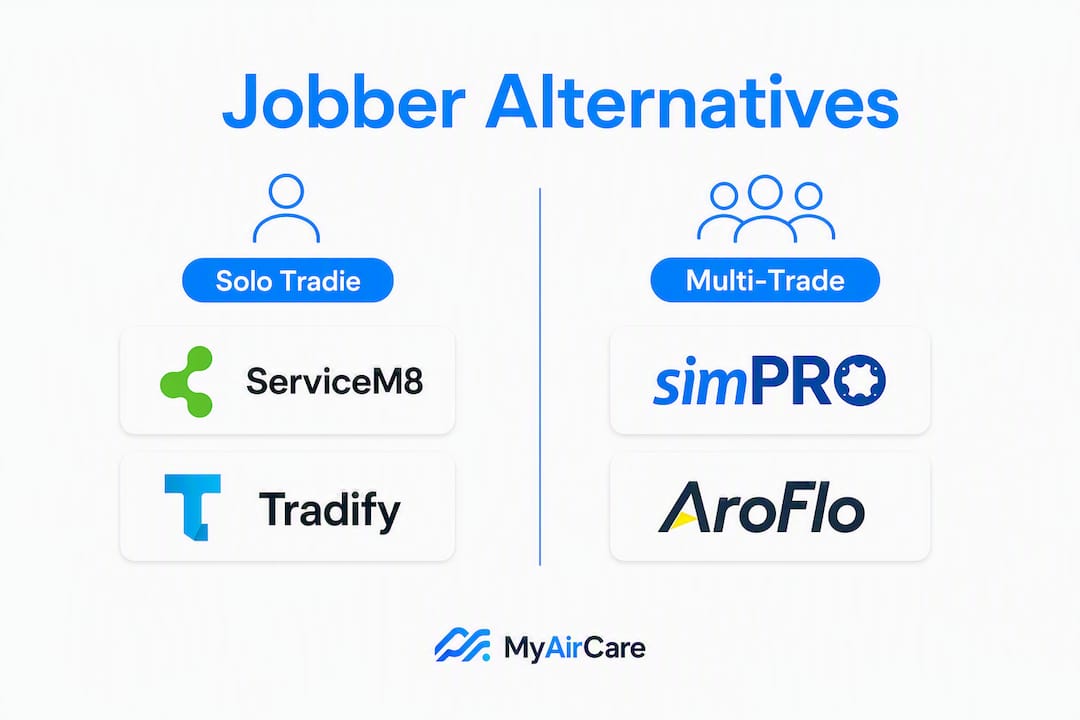
- ServiceM8 — best for sole traders and small crews wanting a phone-first, iOS-native job management app
- Tradify — best for solo tradies and small multi-trade teams who need fast quoting and simple scheduling
- simPRO — best for mid-to-large field-service businesses requiring deep job costing, project management, and enterprise reporting
- AroFlo — best for multi-trade operations needing strong workflow customisation and Xero integration
- Buildbite — best for construction and building trades managing site documentation and subcontractor coordination
Reviewers consistently cite plan laddering and feature gating as the primary reasons businesses switch from Jobber. Per-user pricing, rigid workflow stages, and limited estimating tools are the most common pain points. The sections below move from a comparison table to feature-level breakdowns, then to a practical decision framework and migration checklist. Use the "Best for" column in the table as the fastest route to a shortlist.
Table of Contents
- How do the top Jobber alternatives compare at a glance?
- How does each alternative stack up against Jobber on features that matter?
- How to pick the right Jobber alternative for your Australian business
- What should you budget for pricing and trials in Australia?
- Why is MyAirCare a strong pick for Australian air-con cleaning businesses?
- Key takeaways
- MyAirCare: the purpose-built option for air-con cleaning businesses
How do the top Jobber alternatives compare at a glance?
The table below covers the dimensions that matter most for Australian operators: pricing shape, trial availability, core features, accounting integrations, local support, and onboarding speed.
| Platform | Best for | Pricing shape | Free plan/trial | Core features | Xero/QuickBooks | AU support/GST | Onboarding ease |
|---|---|---|---|---|---|---|---|
| MyAirCare | Air-con cleaning businesses | Flat monthly + booking fees | Free plan available | Booking pages, scheduling, Stripe payments, GST invoicing, mobile app, reminders | Xero integration | AU-first, GST-aware | Fast; purpose-built templates |
| ServiceM8 | Solo tradies, phone-heavy businesses | Per-job or per-user | 14-day free trial | Job cards, quoting, invoicing, client comms, GPS dispatch | Xero, QuickBooks | AU-based, GST support | Moderate; iOS-first |
| Tradify | Solo and small multi-trade teams | Per-user flat | 14-day free trial | Quoting, scheduling, timesheets, invoicing, mobile app | Xero, QuickBooks | AU support available | Fast; simple UI |
| simPRO | Mid-to-large field-service businesses | Per-user (enterprise) | Demo only | Job costing, project management, dispatch, reporting, asset management | Xero, QuickBooks | AU-based, full GST | Longer; implementation support |
| AroFlo | Multi-trade, workflow-heavy operations | Per-user | Demo/trial available | Scheduling, quoting, job costing, compliance, mobile | Xero | AU-based, GST support | Moderate; customisable |
| Buildbite | Construction and building trades | Per-user/project | Free trial | Site docs, task management, subcontractor coordination, photo logs | Limited | AU available | Fast for construction |
| Jobber (baseline) | General field-service businesses | Per-user | 14-day free trial | Scheduling, quoting, invoicing, client portal, payments | QuickBooks (one-way noted in reviews) | Limited AU focus | Moderate |
Closest like-for-like replacements for Jobber users:
- ServiceM8 and Tradify are the fastest swaps for sole traders and small crews. Both replicate Jobber's core quoting and scheduling loop with lower per-user costs and stronger AU accounting integrations.
- simPRO and AroFlo suit multi-crew operations where Jobber's workflow stages feel too rigid and job costing depth is a priority.
Jobber still leads on scheduling clarity and simple invoicing for general service businesses with no specific vertical requirements. Businesses that are satisfied with those two functions and do not need deep accounting sync or industry-specific booking flows may not need to switch.
How does each alternative stack up against Jobber on features that matter?
Per-user pricing is one of the top selection factors for growing teams, and it is where Jobber's cost structure most often prompts businesses to look elsewhere. The feature comparison below is organised by business type rather than by platform name, so operators can match their own situation to the right category.
Solo tradie apps: speed and cost first
ServiceM8 and Tradify both target the sole trader and small-crew segment. ServiceM8 is iOS-native and built around a phone-first workflow: job cards are created from incoming calls or messages, quotes are sent from the field, and invoices follow immediately after job completion. Tradify covers the same loop with a slightly broader Android presence and a cleaner quoting interface that suits trades where fast estimate turnaround is the bottleneck.
Photo-based estimating and rapid quote sending are decisive for solo operators whose main constraint is estimate speed, not dispatch complexity. Neither ServiceM8 nor Tradify matches a purpose-built photo-to-estimate engine, but both allow photo attachments in quotes and job notes, which covers most solo tradie needs.
Best for: sole traders who need fast quoting, simple invoicing, and a mobile-first experience without paying for features they will never use.
Multi-trade platforms: dispatch and reporting
simPRO and AroFlo are the two platforms most commonly recommended for Australian multi-trade businesses that have outgrown Jobber's workflow model. simPRO offers deep job costing, project-stage tracking, asset management, and enterprise-grade reporting. AroFlo is more configurable at the workflow level and integrates with Xero in a way that Australian operators prioritise when their bookkeeper requires accurate, real-time data.

Two-way accounting sync drives migrations for businesses with complex accounting needs. Jobber's QuickBooks integration has been noted in reviews as one-way, which creates reconciliation work for bookkeepers. Both simPRO and AroFlo offer tighter accounting loops.
Best for: multi-crew operations where job costing accuracy, dispatch efficiency, and a two-way Xero or QuickBooks sync are non-negotiable.
Construction and site documentation: Buildbite
Buildbite is oriented toward building and construction trades rather than service-call businesses. Its strengths are site photo logs, task assignment to subcontractors, and document management. It is not a direct Jobber replacement for service-call workflows, but for builders and renovation contractors who find Jobber's client portal insufficient for site documentation, it fills a specific gap.
Best for: builders and construction contractors managing subcontractors, site photos, and project documentation across multiple sites.
Australia-specialist platform: MyAirCare
Industry-specialist platforms are consistently recommended for businesses with vertical requirements, and MyAirCare is the clearest example in the Australian air-con cleaning segment. Its booking pages pre-collect unit counts and service frequency before a job is scheduled, which reduces on-site quoting time and speeds invoicing. Stripe handles payments with GST-aware invoice generation, and automated reminders drive repeat bookings without manual follow-up.
Best for: Australian air-con cleaning businesses that want a booking and management platform built around their specific workflow, not adapted from a generic field-service tool.
Pro Tip: Prioritise two-way accounting sync only if your bookkeeper actively reconciles in Xero or QuickBooks. For solo operators whose accountant works from exported reports, mobile quoting speed and booking page quality will deliver more day-to-day value than sync depth.
How to pick the right Jobber alternative for your Australian business
Choosing a replacement is often about solving one dominant pain rather than finding a tool that does everything better than Jobber. Reviews confirm that cost, quoting speed, and call capture are the three most common triggers. The framework below helps narrow the shortlist before a demo.
Decision criteria
- Business size and growth plan: solo tradie tools (ServiceM8, Tradify) are fast to set up but may not scale past 5–10 technicians without hitting feature ceilings. Enterprise platforms (simPRO, AroFlo) require more implementation time but grow with the business.
- Trade or industry requirements: vertical-specific needs (air-con cleaning booking flows, construction site documentation) are better served by specialist platforms than by generalist tools adapted with workarounds.
- Pricing model preference: per-user billing scales cost quickly as crew size grows. Flat or location-based pricing is more predictable for many Australian operators. Check whether the pricing page shows AUD figures before committing to a demo.
- Must-have features: identify the two or three features that, if absent, make the platform unusable. Common examples are photo-to-quote, permit tracking, job costing, and online booking pages.
- Integrations: Xero is the dominant accounting platform for Australian small businesses. Confirm whether the integration is one-way or two-way, and whether GST codes are handled automatically or require manual mapping.
- Local support availability: AU business hours support matters when a payment or booking issue occurs on a Monday morning. Check whether the vendor lists an AU phone number or AU-hours chat.
Vendor questions to ask in a demo
- What file formats does your data import accept, and can you import from Jobber's export directly?
- Is the trial full-featured or limited, and does it include payment processing?
- What is the refund policy if the platform does not suit the business after the trial?
- Are support hours listed in AEST/AEDT, and is there a local AU contact number?
- How does the platform handle GST on invoices and receipts?
- What card processing fees apply in Australia, and are surcharges passed to customers?
Red flags to watch for
- Pricing listed in USD only with no AUD equivalent on the vendor's site
- No data export option (creates lock-in and makes future migrations difficult)
- No AU accounting integration (Xero or QuickBooks AU)
- Required 12-month or 24-month contracts with no monthly option
- Trial that restricts payment processing or invoicing (prevents realistic testing)
Migration checklist: switching from Jobber
- Map all data types in Jobber: clients, jobs, invoices, quotes, products/services, and staff.
- Export from Jobber using the built-in data export tool (CSV format for most record types).
- Test import into the new platform using a sample dataset before migrating all records.
- Train key staff on the new platform's mobile app and quoting workflow before go-live.
- Run both platforms in parallel for one to two weeks, processing real jobs in the new system.
- Cut over fully once payment processing, invoicing, and scheduling have been confirmed as working correctly.
Common migration questions:
- Will data be lost? Partial data loss is possible if field types do not map cleanly. Test with a sample first.
- How long does migration take? Solo tradie tools typically take one to three days. Enterprise platforms with implementation support may take two to six weeks.
- How much training is needed? Most mobile-first platforms (ServiceM8, Tradify, MyAirCare) are usable within a day for field staff. Back-office configuration takes longer.
What should you budget for pricing and trials in Australia?
Pricing for field-service platforms in Australia varies by billing model and business size. The figures below are guidance ranges based on publicly available review data; always verify current AUD pricing directly on each vendor's pricing page, as plans change frequently.
Typical monthly cost ranges (AUD guidance):
- Solo/entry-level plans: generally in the range of $30–$80 per month for a single user or small job volume. ServiceM8 and Tradify sit in this band for their entry tiers.
- Mid-tier multi-crew plans: typically $100–$300 per month for 3–10 users, depending on whether billing is per-user or per-location. Per-user billing at this crew size can push costs toward the upper end quickly.
- Enterprise platforms: simPRO and AroFlo are priced on application and typically involve implementation fees in addition to monthly subscription costs. Budget for setup costs that may run into the thousands of dollars for a full data migration and configuration.
- MyAirCare: offers a free plan supported by booking fees, with a paid tier unlocking premium features. Check the MyAirCare pricing page for current plan inclusions and billing options.
Pricing model shape is one of the top selection factors for growing teams. A business with four technicians on a $25 per-user plan pays $100 per month; the same business on a flat-rate plan at $79 per month saves meaningfully over a year.
Trial behaviour to expect:
- Most platforms offer 14-day free trials. Some restrict payment processing or invoicing during the trial, which limits realistic testing.
- Feature-limited free plans (like MyAirCare's) allow ongoing use at reduced functionality, which is useful for businesses that want to test the booking flow before committing.
- Demo-only platforms (simPRO, AroFlo) require a sales conversation before access. This is standard for enterprise tools but means evaluation takes longer.
Budgeting tip for Australian operators: factor in bookkeeping costs when switching platforms. A migration that breaks the Xero reconciliation history may require several hours of accountant time to resolve. Confirm with your bookkeeper whether a clean data cutover date (e.g., start of a new financial quarter) reduces that cost.
Testing the Stripe checkout flow during a trial is worth doing in Australia specifically, to confirm GST handling, payment reconciliation, and any surcharge behaviour from the payment processor before go-live.
How we evaluated Jobber alternatives for this article
The shortlist and feature assessments above are based on the following criteria, applied consistently across all platforms:
- Feature coverage: scheduling, quoting, invoicing, payments, client portal, mobile app (iOS and Android), offline capability
- Accounting integrations: Xero and QuickBooks availability, one-way versus two-way sync behaviour, GST code handling
- AU availability and local support: whether the platform is available to Australian businesses, whether pricing is listed in AUD, and whether support hours cover AEST/AEDT
- Mobile offline support: whether field staff can complete jobs and capture data without a live internet connection
- Pricing transparency: whether plans and prices are publicly listed without requiring a sales call
- Trial behaviour: whether trials are full-featured or restricted, and whether payment processing is testable
- Customer support options: AU phone, chat, or email support with documented response times
Sources used include third-party review platforms, vendor documentation, and Australian user reports. MyAirCare appears as a recommended AU option because it meets the AU-specific criteria most directly for air-con cleaning businesses; all other comparisons are evidence-led.
Weighting applied: for solo tradies, speed and cost were weighted highest. For multi-crew operations, dispatch capability and reporting depth were prioritised. For enterprise selection, scalability and integration depth drove the recommendation. For vertical trades (air-con cleaning), industry fit and AU-specific workflow features were the deciding factors.
Good field service scheduling software reduces drive time and improves technician utilisation. That principle guided how scheduling capability was assessed across all platforms in this comparison.
Why is MyAirCare a strong pick for Australian air-con cleaning businesses?
MyAirCare is built specifically for Australian air-con cleaning operators, not adapted from a generic field-service platform. The distinction matters in practice. Booking pages pre-collect unit counts and service frequency from customers before a job is confirmed, which means technicians arrive with the information needed to complete the job without an on-site quoting step. That alone reduces the time between enquiry and invoice.
The platform's core capabilities include:
- Online appointment scheduling with branded booking pages
- Automated reminders that prompt repeat bookings without manual follow-up
- Stripe-powered payments with GST-aware invoice generation
- Customer management and quote generation
- Calendar and team scheduling with mobile access
- Before/after service photo documentation via the mobile app
- On-site payment collection and job rescheduling from the field
Australian operators who prioritise Xero integration, GST handling, and local support hours when evaluating alternatives will find that MyAirCare addresses all three directly, with a pricing model (free plan plus booking fees, or a paid subscription) that suits sole traders and small teams without the per-user cost escalation common in generalist platforms.
Where MyAirCare differs from generalist field-service platforms is in the specificity of its booking flow. A generic FSM tool requires configuration to approximate what MyAirCare delivers out of the box for air-con cleaning: service-type selection, unit count capture, frequency setting, and automated follow-up. For businesses outside the air-con cleaning segment, that specificity is a limitation. For air-con cleaners, it removes a layer of setup work and ongoing administration.
The Airhygiene Services booking page is one example of how a verticalised booking flow looks in practice, pre-collecting the information a cleaner needs before arriving on site.
Key takeaways
The right Jobber alternative for an Australian field-service business depends on trade type, crew size, and whether AU-specific features (GST handling, Xero integration, local support) are non-negotiable.
| Point | Details |
|---|---|
| Recommended pick for air-con cleaners | MyAirCare is purpose-built for Australian air-con cleaning businesses, with GST invoicing, Stripe payments, and verticalised booking pages. |
| Best alternatives for solo tradies | ServiceM8 and Tradify replicate Jobber's core loop with lower per-user costs and stronger AU accounting integrations. |
| Best alternatives for multi-crew operations | simPRO and AroFlo offer deeper job costing, dispatch, and two-way Xero/QuickBooks sync for growing teams. |
| Top vendor questions to ask | Confirm data import formats and whether the trial includes full payment processing before committing. |
| Most important migration precaution | Run both platforms in parallel for one to two weeks with real jobs before cutting over completely. |
A note on why local fit matters more than feature lists
Most businesses evaluating Jobber alternatives focus on feature parity. That is a reasonable starting point, but it is not where the decision usually lands. For Australian operators, the practical difference between a good platform and the right platform comes down to whether Xero reconciles cleanly, whether GST is handled without manual workarounds, and whether support is reachable during AU business hours when something goes wrong.
A platform with a longer feature list but US-only support and USD-only pricing creates friction at every billing cycle and every tax period. That friction compounds. Choosing a tool with slightly fewer features but full AU accounting integration and local support often produces better operational outcomes over a 12-month period.
MyAirCare fits that brief for air-con cleaning businesses specifically. Specialist platforms tend to outperform generalist ones for highly vertical trades because the workflow assumptions baked into the product match the actual job sequence. Generalist tools require configuration to get there; specialist tools start there.
MyAirCare: the purpose-built option for air-con cleaning businesses
Air-con cleaning businesses in Australia have a specific operational pattern that generalist field-service platforms were not designed around: recurring seasonal bookings, unit-count-based pricing, and a customer base that expects online self-scheduling. MyAirCare addresses all three without requiring custom configuration.

The platform handles online bookings, automated reminders, Stripe-powered payments, GST invoicing, and mobile job management from a single subscription. The free plan lets operators test the booking flow and payment processing before committing to a paid tier. For businesses ready to see the full booking experience, the Pristine Aircon Cleaning booking page demonstrates how a branded, verticalised booking flow works in practice.
To get started: sign up for a free plan, set up a branded booking page, and run a live job through the Stripe checkout to confirm GST handling and payment reconciliation before going live with customers.
Useful sources and vendor pages to consult next
- MyAirCare pricing and plan details — check plan inclusions, billing currency (AUD), and the free plan versus paid tier comparison before making a decision.
- Kloqk: field service scheduling software guide — covers scheduling and dispatch best practice; useful when assessing how each platform handles technician routing and job time tracking.
- Scanmanifold: Best Jobber Alternatives 2026 — detailed contractor-focused review with feature comparisons and pricing notes; check for plan-level feature gating details.
- MyAirCare landing page — confirms AU support availability, integration details, and the full feature set for air-con cleaning businesses.