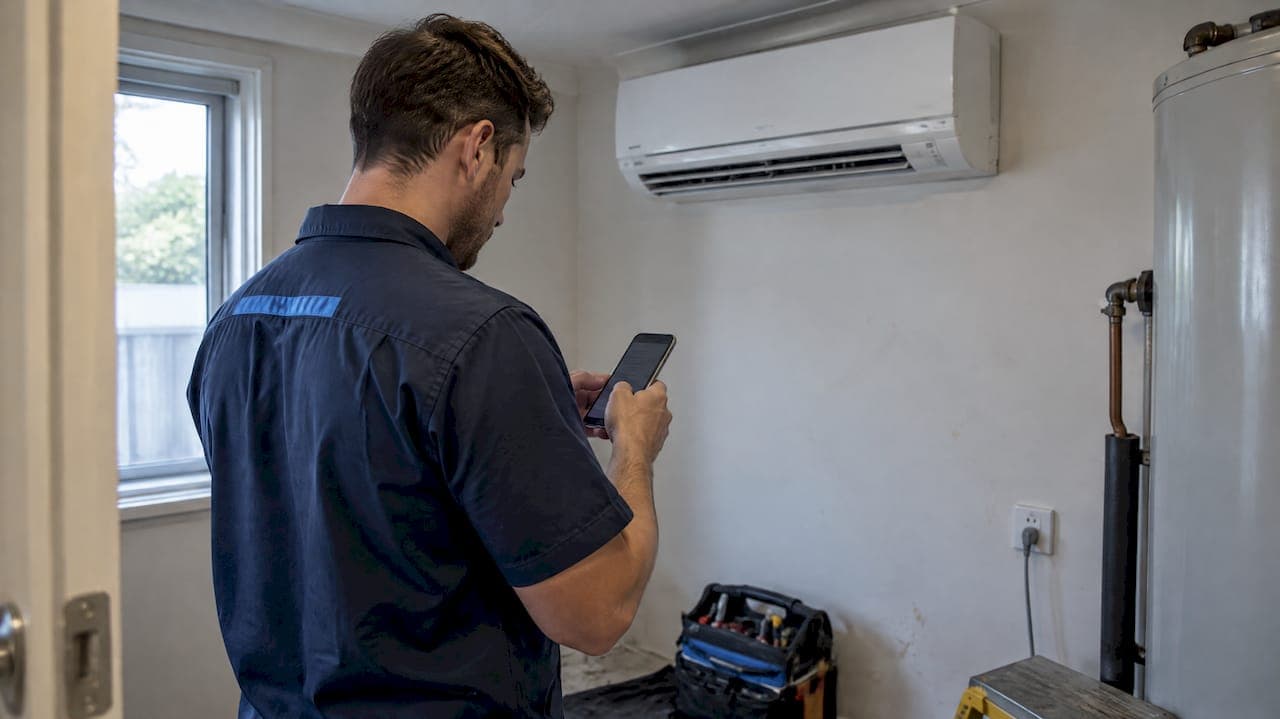
Good job notes are structured, written at the time of the work, built from observable facts rather than impressions, and anchored to a clear site or asset reference. We rely on templates that fit the setting: SOAP for clinical or professional records, Cornell for training and long-form review, and a short three-line format for field work. Privacy and AI use each need their own rules before a note is captured.
TL;DR:
- Using structured fields and anchoring notes to specific sites improve searchability, verification, and long-term usefulness of job records.
- Recording observable facts promptly and including all metadata ensures a trustworthy, traceable, and actionable note.
- Applying appropriate templates like SOAP, Cornell, or a three-line format depends on the job complexity and review needs.
- Standardized storage practices and consistent tagging facilitate easy retrieval, filtering, and integration with other systems.
- Enforcing required fields, automation, and AI validation enhances accuracy, completeness, and compliance, especially on mobile platforms.
Table of Contents
- Core best practices for writing job notes
- Templates and structures worth adopting
- Managing, storing and indexing notes for reuse
- Tools, automation and AI in job documentation
- Privacy and recordkeeping obligations
- Connecting job notes to the rest of your systems
- Collaborative note-taking across a team
- Where these rules come from
- Putting these practices into action with MyAirCare
- FAQ
- Sources
Core best practices for writing job notes
Most note-taking problems trace back to a handful of habits. Fixing these first does more for note quality than any software change.
- Use structured fields instead of free text. A form with set fields (task, finding, action) produces more consistent records than an open paragraph, and it is faster to search later.
- Record date, time, author, job ID and site identifier on every entry. Missing any one of these turns a note into something that cannot be verified or retrieved.
- Capture observable facts, not opinions. A reading, a serial number or a measurement holds up; a phrase like "looked fine" does not.
- Write the note as soon as practicable after the work. Clinical documentation guidance treats contemporaneous notes as more credible and more useful than ones written from memory hours later, and the same logic applies to any job record, as outlined in guidance on the art of the clinical note.
- Anchor every note to a site or asset, not just a job number. A property address builds a history that the next technician can actually use; a job number on its own gets harder to trace once the job closes.
Beyond the ranked list, a few habits separate usable notes from clutter:
- Attach photos with a short caption and keep the shot to a consistent pattern: one overview shot, one close-up of the fault or part, one shot of the surrounding context.
- Record communications precisely: who said what, when it was said, and what happens next.
- Use plain language and avoid judgemental or vague terms; describe behaviour or condition rather than labelling it.
- Spell out abbreviations the first time they appear in a note, or avoid them where a reader outside the trade might need the record.
- Close every note with a short "what happens next" line so a handover does not depend on a phone call.
Pro Tip: Write the action line before you leave the site, not back at the office. It takes ten seconds and saves someone else a phone call later.
A note that follows these rules reads less like a diary entry and more like a record someone else can act on without needing to ask you anything.
Templates and structures worth adopting

Different jobs call for different note shapes. Using the wrong one wastes time either way: a three-line note is useless for a complex clinical case, and a full SOAP note is overkill for a routine filter change.
SOAP is a long-standing clinical structure, built from four fields:
- Subjective: what the client or customer reported in their own words.
- Objective: measurable facts, readings and observations.
- Assessment: the professional's analysis of what those facts mean.
- Plan: the action taken and any follow-up required.
Clinical documentation guidance recommends this structure because it keeps subjective and objective information separate, which makes the record organised and defensible if it is ever reviewed, according to guidance on clinical note documentation.
Cornell suits training material, long-form notes and anything that needs review later. The page splits into a main note column, a narrower cue column and a summary section at the bottom, and the method is built around five steps: Record, Reduce, Recite, Reflect and Review, as set out in the Cornell system of note making. It is slower than a field template, so it fits debriefs and handover documents better than a routine job entry.
For technicians on the tools, a three-line job note covers most situations:
- Task and site: what the job was and where.
- Measurements and findings: the numbers and conditions observed.
- Action and next steps: what was done and what needs to happen next, including any booking or referral.
Every note, whatever its format, still needs the same metadata: who wrote it, the date and time, the job ID and the asset or site ID. A job notes template example walks through this three-line format with a worked example and the three-photo pattern mentioned above.
Managing, storing and indexing notes for reuse
A note is only useful if the next person can find it. Storage and naming habits matter as much as what gets written.
- Anchor every note to the property or asset address, not only the job number: a site history is far more useful over time than a list of disconnected job records.
- Use consistent tags across notes, such as fault category, part used and whether follow-up is required, so the records can be filtered and reported on later.
- Keep an edit log that appends corrections rather than overwriting the original entry, and record who made the change and why.
- Follow a consistent file naming pattern for photos, such as YYYYMMDD_jobID_overview.jpg, and favour lossless photo formats where storage allows.
- Export and back up notes regularly, not just when an audit or year-end review is already underway.
Our aircon service checklist for technicians sets out the kind of fields worth standardising, readings, actions and follow-ups, so that notes stay comparable across jobs and across the team.
Tools, automation and AI in job documentation
Automation earns its place when it removes manual steps without removing judgement from decisions that need it.
- Enforce required fields and basic input validation in the mobile app so a job cannot be closed without key measurements or photos attached.
- Automate timestamps, GPS and photo metadata capture rather than leaving them to manual entry, which is where most gaps appear.
- Use AI for summarising or tagging notes only once a structured format already exists; AI applied to unstructured text tends to guess at meaning that was never recorded.
- Run a simple decision test before trusting any AI output: can it be acted on without a human checking it first? If not, it needs a review step.
- Set a confidence threshold and route anything below it to a person rather than letting it pass through automatically.
- Never let an AI system edit a clinical or legally significant note without a named person authorising the change.
Pro Tip: If an AI summary cannot be traced back to the original structured fields, treat it as a draft, not a record.
Privacy and recordkeeping obligations
Job notes often contain personal information, which brings privacy and retention obligations into play alongside operational ones.
- Private-sector employers in Australia often have an exemption for employee records directly related to the employment relationship under the employee records exemption set out by the Office of the Australian Information Commissioner, but the exemption does not remove the obligation to secure those records against unauthorised access.
- Limit access to sensitive notes to the people who need them, and keep a log of who accessed or exported a record.
- Check Fair Work recordkeeping rules for the retention period that applies to the type of record; some categories must be kept for several years.
- Once a note becomes a legal or clinical record, for example after an incident or complaint, treat it with stricter access controls and require sign-off before it is changed.
Connecting job notes to the rest of your systems
A job note that lives only in a notebook or a standalone app loses most of its value. The same information usually needs to reach a project management board, a CRM record and sometimes an invoicing system, and manual re-entry between them is where errors creep in.
The practical goal is a single entry point: the technician records the note once, on-site, and the relevant pieces flow to wherever they are needed. A finding might update a CRM record so the next booking has context already attached. A follow-up action might create a task on a project board so nobody has to remember it manually. A measurement might feed directly into an invoice line rather than being retyped by someone in the office later.

This only works when the fields are structured the same way across systems. A free-text note cannot be mapped into a CRM field reliably, but a structured field such as "fault category" or "part used" can be, which is part of why the structured-template approach earlier in this piece matters beyond the note itself.
Our staff job assignment workflow guide covers how field notes can flow into scheduling and handover tools so that a technician's record on-site becomes the next manager's task list, rather than a separate document someone has to chase down.
Collaborative note-taking across a team
Notes written for one person's memory tend to fail as soon as someone else needs them. A team-wide approach needs a few shared rules.
Everyone on the team should use the same template for the same type of job. If one technician writes a three-line note and another writes a paragraph, the records cannot be compared or searched consistently. Agree on the template per job type and stick to it.
Shared notes need a single source of truth. When a note is duplicated across a notebook, a group chat and an app, corrections made in one place do not reach the others, and the record becomes unreliable. Keep one authoritative location and treat everything else as a draft.
Handovers work best with a short, explicit action line rather than an assumption that the next person will read the whole note. State what needs to happen next and who it is for, directly, rather than leaving it implied.
Where more than one person edits the same note, append rather than overwrite, and note who made the change. This keeps the original observation intact even as the record is updated, which matters if the note is ever reviewed later.
For teams managing shared workloads, a simple shared system for prioritising and assigning follow-up actions, such as the one described in prioritising tasks for small teams, helps make sure a note's action line actually gets picked up rather than sitting unread.
Where these rules come from
These practices come from watching job notes fail in practice, usually from missing fields, vague wording or records nobody could find later. We built MyAirCare's required fields and photo rules directly from those failure points, turning recurring gaps into checks the app enforces before a job can close.
— Lewis
Putting these practices into action with MyAirCare
A checklist is only useful if the tools around it make it easy to follow. The platform is built around the same rules covered above: required fields that cannot be skipped, mobile job notes that capture a timestamp and location automatically, and a consistent photo pattern attached to every job record.

- Required fields and validation stop a job from closing without key measurements or photos.
- Notes and photos can be stored against the job and related records, giving teams the kind of searchable site history described earlier.
- Automated reminders and secure payment options sit alongside the notes, so the record and the transaction live in one place.
| Rule from this article | How it applies in practice |
|---|---|
| Required fields on every note | Enforced before a job can be marked complete |
| Contemporaneous entry | Notes logged from the mobile app on-site |
| Photo pattern (overview, detail, context) | Attached directly to the job record |
| Audit trail for edits | Stored against the job history, not overwritten |
Pro Tip: Start with the free plan to test the required-field workflow on a handful of jobs before rolling it out across the whole team.
Our pricing page lists the Free plan and the MyAirCare Pro plan at $199 per month, along with the booking fee that applies to online bookings. If you want to see how the notes, bookings and reminders work together day to day, our product page walks through the core platform.
This article is general information, not a substitute for advice from a qualified doctor. Consult a qualified healthcare professional about your own circumstances before acting on anything here.
FAQ
What are the 5 R's of note-taking?
The 5 R's, from the Cornell note-taking system, are Record, Reduce, Recite, Reflect and Review. They describe a process for capturing information, condensing it into cues, testing recall, reflecting on meaning and revisiting it later, as set out in the Cornell system of note making.
What are the 7 rules of note-taking?
There is no single universal list of rules across note-taking methods, since different systems (Cornell, SOAP, field templates) each set their own structure. The practices that tend to repeat across them are: write structured fields, record facts rather than impressions, note the time and author, anchor the entry to its context, and write it close to when the event happened.
What are 10 common note-taking methods?
Common methods include the Cornell system, SOAP notes, outline notes, mapping, charting, sentence method, and short field templates such as a three-line job note. Each suits a different purpose: SOAP for clinical records, Cornell for study and review, and field templates for fast on-site entries.
What are the best note-taking strategies for work?
For operational and clinical work, the strategies that hold up are structured fields over free text, contemporaneous entry, observable facts over subjective judgements, and a consistent format everyone on the team uses. Anchoring notes to a site or asset, as opposed to just a job number, also makes them far more useful for later reference.
Do job notes count as employee records under Australian privacy law?
Job notes that relate directly to the employment relationship often fall under the employee records exemption in the Privacy Act 1988, as explained by the OAIC. Employers still need to secure those records against unauthorised access and follow any applicable Fair Work retention requirements.
Sources
- The Cornell System of Note Making
- Documentation: The art of the clinical note — Council on Pharmacy Standards
- Employee records exemption — Office of the Australian Information Commissioner (OAIC)