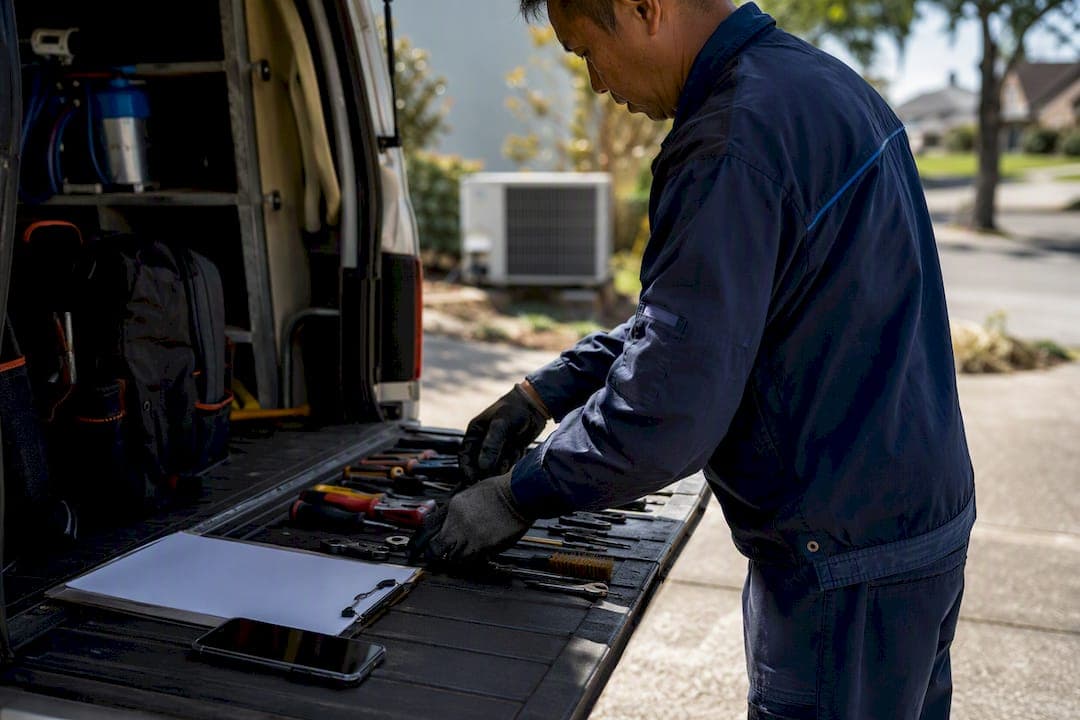
MyAirCare is the booking and job-management platform built specifically for air conditioning cleaning businesses, and it exists to improve key issues such as missed calls, double bookings, and slow payments. It combines a branded online booking page, calendar sync, Stripe payment processing, and a mobile app for on-site job management into one system.
- Listed on the Australian App Store with mobile job tracking, offline handling, and on-site payments
- Payments processed through Stripe integration
- Built around real air-con cleaning workflows rather than generic trade software
If you want to see it in action, a live example is the Pristine Aircon Cleaning booking page.
Key Takeaways
MyAirCare reduces missed calls, double bookings, and slow payments by combining online booking, calendar sync, Stripe payments, and a mobile job app in one system.
| Point | Details |
|---|---|
| Booking removes phone tag | A 24/7 branded booking page stops missed calls turning into lost jobs. |
| Reminders cut no-shows | Automated SMS and email sequences reduce cancellations and support rebooking. |
| Stripe speeds payments | On-site and remote payment capture reduces unpaid invoices sitting on the books. |
| Mobile app works offline | Technicians log jobs, photos, and payments even in low-signal plant rooms. |
| MyAirCare fits the trade | Built specifically for air-con cleaning workflows, with a free plan and paid tiers for growing teams. |
Table of Contents
- What features does MyAirCare offer air-con cleaners?
- How does this cut admin and stop double bookings?
- How does the mobile app work for technicians on the road?
- What role do payments and reminders play in repeat business?
- What does MyAirCare cost, and which plan fits your business?
- How do you get started with MyAirCare?
- Why was MyAirCare built specifically for air-con cleaners?
- What support can you expect if something goes wrong?
- Does MyAirCare connect with accounting or CRM software?
- How does MyAirCare protect customer and payment data?
- What are other air-con cleaning businesses saying?
- What's the real advantage of software built for this trade specifically?
- Ready to run bookings without the admin load?
- Sources
What features does MyAirCare offer air-con cleaners?
Every feature in MyAirCare maps to a specific job an air-con cleaning business does every day, not a generic "business tool" checklist. Here's the rundown.
Your booking page runs around the clock. Customers pick a time slot without calling, and the page carries your branding rather than a third-party look. Pair that with calendar sync so a new booking lands straight in your existing calendar, complete with the customer's access notes and site details.
On the money side, quotes and invoices get generated from the same job record, and Stripe handles payment capture without you chasing a separate merchant account. Automated reminders go out before the appointment, and you can attach deposit requirements or discount codes to specific services or seasons.
Every customer also gets a history record: past services, unit details, and site notes stay attached to their profile, so a technician arriving for a repeat job already knows what's been done before.
- Branded 24/7 online booking page
- Calendar sync with access notes and job details
- Quotes, invoices, and Stripe payment capture
- Automated reminders, deposits, and discount codes
- Customer and site history with asset records
Pro Tip: Keep at least three things logged against every job: the customer's contact details, the unit's serial or asset note, and a before/after photo. That trio is what saves you time on repeat quotes and warranty disputes months later.
How does this cut admin and stop double bookings?
The value isn't the features themselves. It's what they remove from your day.
- Online booking replaces phone tag. A customer books directly into an open slot, which means no more missed calls turning into lost jobs.
- Reminder sequences cut no-shows. Automated messages before the appointment reduce the number of technicians turning up to an empty driveway, and the same channel supports rebooking prompts afterward.
- Payments clear faster. Stripe capture at the point of invoice means fewer unpaid jobs sitting on your books for weeks.
- Paperwork drops for technicians. Job records, photos, and notes live in one place instead of scattered across text messages, paper dockets, and memory.
None of this is about doing more. It's about doing the same jobs with fewer administrative steps between them.
How does the mobile app work for technicians on the road?
The app is where the office system meets the actual job site. Technicians open a day view showing every job in order, complete with access notes and the customer's contact number, so there's no need to call the office for details that should already be on the job card.
- View the day's schedule with access notes and contact details attached
- Capture before-and-after photos as service evidence
- Take payment and issue an invoice on-site, without a separate card terminal
- Reschedule a job or update its status directly from the phone
Because the MyAirCare app is built with offline handling, a dead zone at a customer's property doesn't stop a technician logging the job. Data syncs once the phone finds signal again, which matters more than it sounds for anyone working in plant rooms or basements.
What role do payments and reminders play in repeat business?
Payment friction is where a lot of small trade businesses bleed cash without realising it. Stripe integration means the customer pays at the point of service or invoice, not on a promise to transfer funds later.
- Stripe processes card payments securely, on-site or remotely
- Deposit options reduce last-minute cancellations on booked jobs
- Reminder schedules run via SMS or email ahead of the appointment
- Digital receipts double as a service record for the next booking
ASHRAE's guidance on indoor air quality management points to something worth noting here: air-con cleaning isn't a one-off transaction, it's an ongoing IAQ management relationship. A clean payment and reminder trail is what makes a customer easy to rebook in six months, rather than a name you have to track down again.
What does MyAirCare cost, and which plan fits your business?
MyAirCare runs on a free plan supported by a small fee on bookings, alongside a paid subscription tier that unlocks premium features. That structure suits a sole trader who wants to test the system before committing to a monthly cost.
- Free plan: best for solo operators just starting to formalise their booking process
- Paid subscription: suited to teams running multiple technicians who need broader reporting or priority support
- Upgrade triggers usually include adding a second or third technician, needing job-performance reporting, or wanting faster support turnaround
The real comparison isn't the subscription fee against nothing. It's the subscription fee against the hours currently lost to phone tag, chasing invoices, and re-entering customer details by hand.
How do you get started with MyAirCare?
Setting up doesn't require a big block of time, and you can even improve your marketing reach using helpful Instagram scheduling software articles to promote your booking page effectively. Here's a realistic pilot plan.
- Sign up and configure your service list, pricing, and working hours.
- Publish your booking page and place a test booking yourself to check the customer experience.
- Import existing customers, or add them as jobs come in, along with any asset notes for repeat sites.
- Run a short pilot with one technician before rolling the app out to the full team.
Pro Tip: Send a real booking confirmation to yourself first. Checking the confirmation email wording before customers see it catches awkward phrasing or missing details early.
Why was MyAirCare built specifically for air-con cleaners?
MyAirCare wasn't built as generic trade software with an air-con label stuck on it. The MyAirCare platform integrates Stripe for payments and structures its job records around what an air-con cleaning job actually needs logged, which is a different problem to what a plumber or electrician needs tracked.
Lewis, who oversees the editorial direction here, has spent time examining how small trade operators lose hours to admin that software should absorb rather than create.
The businesses that struggle most aren't the ones doing bad work. They're the ones where a missed call costs a job, or a double booking costs a customer's trust. Software that's built around the actual shape of an air-con cleaning job, not a generic trade template, closes that gap.
Missed calls and double bookings are the two failure points this article keeps circling back to, because in practice, they're the ones that cost real revenue.
What support can you expect if something goes wrong?
Support quality matters more for trade software than most categories, because a booking system failing mid-week has a direct cost: missed jobs, unpaid invoices, and confused customers.
MyAirCare's support model is built around the reality that most operators aren't sitting at a desk. Questions typically come through in-app or email channels rather than requiring a phone queue, which suits technicians checking something between jobs rather than waiting on hold. Paid subscription tiers generally carry faster response priority, which matters most for multi-technician teams where a system issue affects several jobs at once rather than a single booking.
For a sole trader, the practical test isn't how elaborate the support system looks. It's whether a question about, say, setting up a discount code or syncing a calendar gets answered before the next job starts. That's the bar worth checking during a free-plan trial period, before committing to a paid tier.
If you're weighing MyAirCare against a spreadsheet-and-phone-calls setup, the honest comparison isn't feature-for-feature. It's whether you currently have any support at all when your manual system breaks, versus a platform built to be maintained and improved on an ongoing basis.
Does MyAirCare connect with accounting or CRM software?
Job and payment data only earns its keep if it doesn't need re-typing into a second system. MyAirCare's Stripe integration handles payment processing directly, which means transaction records already sit in a format accounting software can typically reconcile against, rather than requiring manual entry from a separate payment terminal.
Customer records, job history, and invoicing live inside MyAirCare itself, functioning as a lightweight CRM purpose-built for the air-con cleaning workflow rather than a generic sales pipeline tool retrofitted for trades. For a sole trader or small team, that often removes the need for a separate CRM subscription altogether.
Where a business already runs dedicated accounting software, the practical approach is exporting invoice and payment data from MyAirCare on a regular cycle rather than expecting a live two-way sync for every accounting package on the market. Given how fragmented small business accounting tools are across Australia, a platform promising deep native integration with every one of them is usually overstating what it can deliver. MyAirCare's approach, keeping the booking, job, and payment data clean and exportable, is the more realistic path for most operators.
How does MyAirCare protect customer and payment data?
Payment security is non-negotiable for any platform handling card transactions, and MyAirCare routes payment processing through Stripe rather than building its own payment infrastructure from scratch. Stripe maintains PCI DSS compliance as a payment processor, which means card details are never stored directly on MyAirCare's own servers.
Customer records, including contact details, site notes, and job history, sit behind standard account authentication. For a business handling customer addresses, phone numbers, and site access notes, that separation between "who can see a customer's booking" and "who can process a payment" is a sensible operational default, not an afterthought bolted on later.
The practical takeaway for an operator: check that any system storing customer site access details, gate codes, or alarm information treats that data with the same care as payment details. A booking platform's job isn't just processing transactions, it's holding information that, if leaked, could compromise a customer's physical property.
What are other air-con cleaning businesses saying?
MyAirCare's presence on the Australian App Store gives a public, checkable signal of real-world use, including the feature set advertised for mobile job management, offline handling, and on-site payments. That listing itself functions as a form of proof: a platform with an active app store presence and rated by an ongoing base of technician users has a different credibility profile to a system that only exists as marketing copy on a landing page.
Live booking pages such as Pristine Aircon Cleaning and the Purify Air Con Cleaning Sunshine Coast page show the booking experience in production rather than in a demo environment, which is a more honest way to judge a platform than a curated screenshot.
Detailed case studies with named businesses and specific before-and-after numbers aren't yet published at scale for MyAirCare, and it's worth being upfront about that rather than inventing a testimonial to fill the gap. What is verifiable is the app's public listing, the live booking pages operating today, and the feature set those pages demonstrate in practice. For an operator deciding whether to trial the platform, checking one of those live booking pages directly is a more reliable signal than any third-party review summary.
What's the real advantage of software built for this trade specifically?
The conventional advice for small trade businesses is to grab whatever booking software is cheapest or most popular, then bend it to fit. That's backwards for air-con cleaning specifically, because the job has particular shapes: recurring maintenance cycles, unit-specific notes, technicians working in low-signal plant rooms, and customers who expect a receipt that doubles as a service record.
Generic scheduling tools handle the calendar part fine. What they miss is the asset history, the offline job logging, and the framing of the job as ongoing IAQ management rather than a single visit. That framing matters more than most operators give it credit for. Positioning a clean as part of an air quality management service, backed by a documented history per customer, is what supports charging for value beyond a single callout.
The businesses that get the most out of a system like this aren't the ones chasing every feature. They're the ones who commit to logging the same three things on every job, contact, asset note, and photo, and let the automation handle the reminders and payment chasing they used to do manually.
— Lewis
Ready to run bookings without the admin load?
Compared with juggling a phone, a paper diary, and a separate card reader, MyAirCare gives you one system that takes the booking, sends the reminder, and clears the payment before you've left the job site. For an air-con cleaning business handling recurring maintenance across multiple properties, that's the difference between chasing admin at night and closing it out on the drive home.

Setting up a branded booking page takes less time than most operators expect, and the free plan lets you test the full booking and reminder flow before deciding whether the paid tier's reporting and priority support are worth it for your team. If you run larger commercial jobs, the tendering feature is worth a look too. Start by publishing a booking page and sending yourself a test booking. It's the fastest way to see whether the system fits how you actually work.