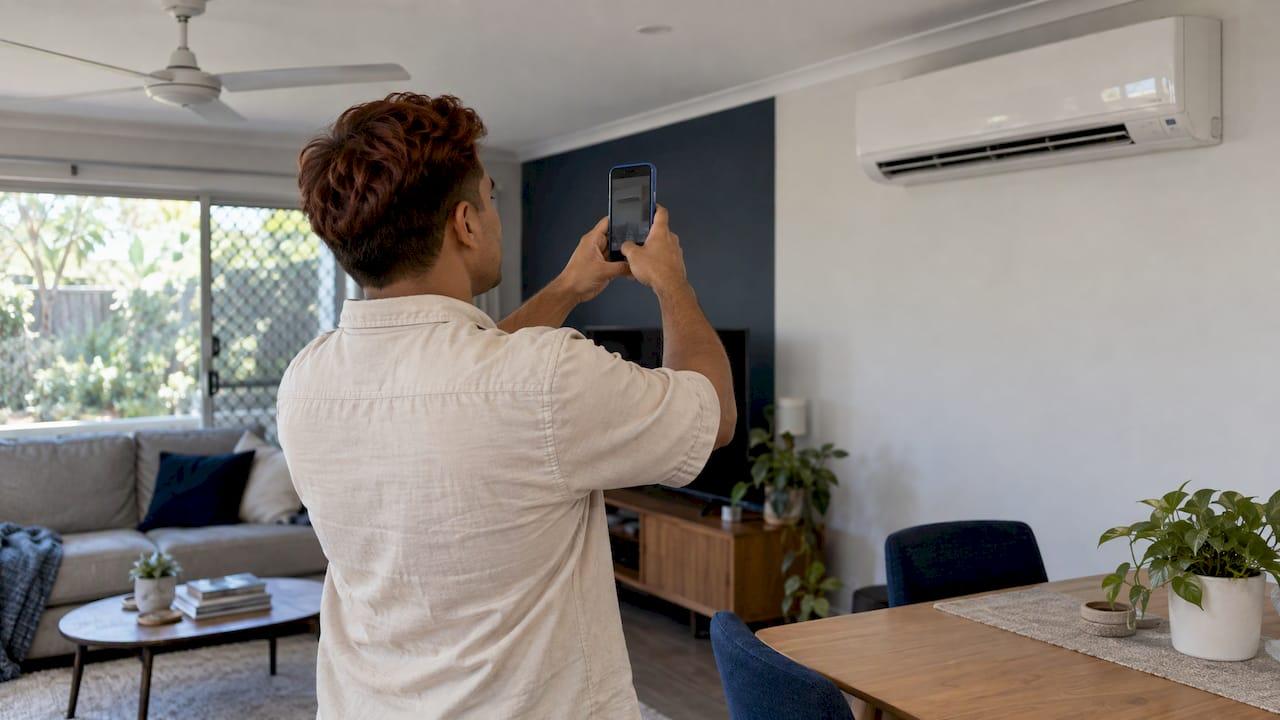
A photo upload on a booking form lets a customer attach pictures of the air conditioner when asking for a clean. For an air-con cleaning business, that means the operator can see the unit type, the access and the condition before deciding on a price, a time slot or whether a site visit is needed. The field works best when it is optional, asks for specific shots, accepts phone images, and sits inside a booking process that already handles scheduling, quotes and reminders in one place, which is what MyAirCare is built to do for Australian air-con cleaners.
TL;DR
- A photo field is a file-upload question that lets customers attach pictures to an enquiry, so simple jobs can be priced remotely and unsuitable ones identified early.
- Two to three specific photos (indoor unit and filter, outdoor unit, access) are usually enough for split systems. Ducted systems still tend to need a visit.
- Allow JPG, PNG and HEIC, cap uploads at three to five files, keep the field optional and place it near the end of the form.
- Photos of a customer's home are personal information, so storage, access and a short collection notice matter.
- The confirmation message should say whether the customer has a booked appointment or a pending enquiry.
Table of Contents
- What a photo-upload field does in an air-con booking form
- Which photos to ask for
- Field settings that keep uploads working
- Privacy: what a photo of a home can reveal
- What the confirmation should say
- Setting it up in practice
- Why booking and photos belong in one system
- Perspective
- Where MyAirCare fits
- FAQ
- Sources
What a photo-upload field does in an air-con booking form
A photo-upload field is a file-upload question added to a quote or booking form. The customer attaches pictures of the job along with the enquiry. A guide for tradies from tradie.agency (8 November 2026) describes the benefits as pricing simple jobs remotely, spotting jobs that are not worth chasing, and arriving prepared.
For air-con cleaning, the value is practical. A split system with a clean filter and easy access is a different job from a unit with heavy build-up in the louvres, a high wall mount or an outdoor unit tucked behind a fence. Without photos, the operator either quotes blind, pads the price, or books a visit just to look. With photos, the first conversation changes from "can someone come and have a look?" to "here is roughly what the job costs".
The same guide frames the field as a triage tool. Each enquiry can be sorted into one of three outcomes: quote now, quote a range, or book a site visit. Travel time goes to the jobs that justify it. That matters most for sole operators and small teams, where a wasted trip across the Brisbane Southside or between Sunshine Coast suburbs removes a billable job from the day.

Some air-con businesses already work this way. Dr.Coool describes a photo-first quote process in which its team assesses the photos, cross-references property details and, if anything is unclear, contacts the customer before quoting instead of padding the price for unknowns. That is why it can offer a fixed price rather than a range.
Which photos to ask for
The prompt next to the upload field decides the quality of what arrives. A vague "upload photos" produces blurry shots of a ceiling. A prompt naming the shots produces usable material.
For air-con cleaning, the following requests are consistent with what Australian operators publish:
- The indoor unit with the front panel open, showing the filter. Dr.Coool's process asks for the indoor unit filter and front panel, the outdoor unit and any visible build-up, so the job can be assessed without a preliminary visit.
- A photo straight into the louvres with a torch on. Artarmon Air Conditioning on Sydney's North Shore says this, together with a photo of the outdoor unit, is usually enough to tell a customer whether a service or a deep clean is needed.
- The outdoor unit and the space around it. Antarctick's preparation guide suggests a wide view of the outdoor unit and its access space, plus a readable view of the equipment label without removing it.
- A leak photo, only if it is safe to take. The same guide advises including one where relevant, and warns against restarting equipment that has tripped repeatedly, produced smoke or leaked water onto electrical parts.
To keep the photo from standing alone, the form should also collect a few text details: the type of system, the number of units, roughly when each was last serviced, and access notes such as gates, stairs, parking and any property manager involved. Antarctick also suggests describing the concern in one sentence and keeping observations separate from assumptions, for example "the display showed a fault code" rather than "the circuit board has failed". A short hint under the field can say this.
Split systems and ducted systems
Start My Tradie, a booking-system vendor, says that for most straightforward split-system work a form can collect enough to quote without a visit, while ducted work will usually still need one, and the form should say so. For air-con cleaners, the same logic applies. A form can state plainly that split systems are quoted from photos and ducted systems are confirmed after an inspection. That sets expectations before the customer submits anything.
Field settings that keep uploads working
Most failed uploads come from the settings, not from the customer. The tradie.agency guide gives a practical set:
| Setting | Recommended approach |
|---|---|
| Required or optional | Optional. Compulsory photos lose enquiries, because some customers fill in the form at work, in the dark or on an old phone |
| File types | Images only: JPG, PNG and HEIC (the format many iPhones use) |
| Number of files | Multiple uploads, capped at three to five |
| File size | A per-file limit that suits phone cameras |
| Position | Near the end of the form, so a stalled upload does not stop the basic enquiry going through |
| Testing | On both iPhone and Android before the form goes live |
A further point applies to any form built on a website plugin. Upload limits can exist at three levels: the field, the site-wide default and the server. Documentation for one such plugin explains that the lowest limit applies, which is why large files can be rejected even when the field settings look generous. An operator who sees customers complaining about failed uploads should check all three levels.
The prompt should also tell customers what to do if a photo will not upload. A single line works: submit the form without the photo and reply to the confirmation with the images, or describe the unit in the notes. The enquiry is then never lost to a technical fault.
Privacy: what a photo of a home can reveal
Photos taken for an air-con quote often show more than the unit. They can show the inside of a home, a street number, a car in the driveway or a family room. tradie.agency's guide advises storing them securely, using them only for quoting, and obtaining permission before using any in marketing.
The legal position depends on the size of the business. The Office of the Australian Information Commissioner states that a small business is one with annual turnover of $3 million or less, and most small businesses are not covered by the Privacy Act 1988, though some are regardless of turnover. A business that is covered must follow the Australian Privacy Principles. Operators who are unsure whether the Act applies to them can use the OAIC's small business checklist on that page or ask a privacy adviser.
Whether or not the Act applies, the habits are the same and are simple:
- Keep submissions in a secure system with named user accounts, not scattered across personal email inboxes. Scipio's privacy guide for website forms (17 October 2026) recommends access control, HTTPS, two-factor authentication and removing access when staff no longer need it.
- Add a short collection notice near the form saying who the business is, why the photos are collected, who sees them and how to ask for a correction.
- Set a retention period and delete photos once they are no longer needed for the job or its records.
- Check where the form tool stores data, since storage overseas can raise cross-border disclosure questions under the Privacy Act.
Photos taken by the technician on the day are a separate matter. Before-and-after images and consent for using them are covered in the guides on photo consent forms in Australia and before and after photos for air-con cleaners.
What the confirmation should say
A photo upload usually means the booking is not final until someone has looked at the pictures. The confirmation message has to reflect that. Demandify advises that when a quote depends on photos, site details or a technical assessment, the business should collect it as an enquiry rather than label it a confirmed booking.
Australian Web Experts makes the matching point: the button and the confirmation should say the same thing. A success message that says the job is booked, when the team sees only a pending enquiry, leaves the customer unsure where they stand.
A workable confirmation for a photo-based enquiry covers four items:
- The photos and details were received.
- The submission does not yet confirm an appointment.
- A named timeframe for a reply, such as the same business day or within 24 hours on business days. Artarmon Air Conditioning says most of its enquiries are answered the same business day, and Dr.Coool says its team typically reviews submissions within 24 hours on business days. Each business should state only the timeframe it can keep.
- What happens next: a fixed quote, a price range, or a request for a site visit.
For jobs where no assessment is needed, such as a standard split-system clean with a published price, the form can skip photos and confirm the appointment immediately.
Setting it up in practice
The steps below apply whichever tool runs the form.
- Decide which jobs need photos. Standard split-system cleans may be bookable at a set price. Heavily soiled units, ducted systems, commercial sites and unusual installations suit the photo route.
- Add the upload field with a prompt naming the shots. Use the list above and keep the wording short enough to read on a phone.
- Set file types, a cap of three to five files and a size limit. Test on iPhone and Android.
- Keep it optional and near the end. An enquiry without photos can still be priced as a range or booked for an inspection.
- Add the collection notice. One or two sentences next to the field.
- Write the confirmation to match the outcome. Booked, or received and pending.
- Route the photos to the job record. Photos that sit in an inbox get lost. Attached to the customer and job, they feed the quote, the day's schedule and the later before-and-after record.
Step seven is where many small operators lose the benefit. The photo helps only if the person quoting, the person scheduling and the technician on site all see it. A customer intake form template for air-con cleaners shows the other details worth collecting alongside the pictures.
Why booking and photos belong in one system
A standalone form tool captures the upload. It does not schedule the job, apply travel limits, send the quote, take payment or send the reminder that brings the customer back next season. Each handover between tools is a place for a photo, a note or a double booking to go missing.
MyAirCare combines online booking, scheduling, quotes, invoices, payments and customer communication across web and mobile. Its scheduling rules are tailored to service areas, travel time and daily capacity, which addresses the same problem photos are meant to solve: unnecessary travel and jobs that do not fit the day. Customers can book online at any hour through a branded booking page, and the mobile app supports job tracking, rescheduling, on-site payments and before-and-after documentation. Automated reminders encourage repeat business, which helps keep the diary full in the slow season.
Perspective
MyAirCare was built from experience running an air-con cleaning business, and the most common time-waster there was not the cleaning. It was the information that arrived late: a unit that turned out to be ducted, a second-storey outdoor unit nobody mentioned, a customer who needed a deep clean but booked a basic service.
A photo helps because it moves that information to the start. But a photo is only one piece. It has to land in the same place as the customer record, the quote, the calendar and the reminder. Otherwise the operator is still copying details between apps at the end of a long day.
That is why our software treats booking, scheduling and customer communication as one workflow, with rules for service areas, travel time and daily capacity. Operators who run under their own brand, without franchise royalties, should have the same tools a larger business would use to book jobs, get paid and bring customers back.
Lewis
Where MyAirCare fits
Operators who want online booking, scheduling, quotes, invoices and payments in one place can start on the Free plan at $0 per month, with booking fees supporting it, or move to MyAirCare Pro at $199 per month for the premium features. An AI phone agent is available at $29 per month, aimed at the missed-call problem. Current terms are on the MyAirCare pricing page.

Those starting a business can also look at MyAirCare Training at $2990 one-off, or the Business in a Box package at $24990 one-off, which combines equipment, training, software, business setup and launch support. Details on how the software fits an air-con cleaning business are on the MyAirCare software page.
FAQ
Should the photo upload be compulsory?
Optional is the safer choice. Compulsory photos lose enquiries, since some customers submit the form at work, in the dark or on an old phone. An optional field with a clear prompt still collects photos from most customers who are willing, and enquiries without them can be quoted as a range or booked for an inspection.
How many photos should a customer upload, and in what format?
Three to five photos is a sensible cap. Three well-chosen shots usually cover the indoor unit and filter, the outdoor unit and the access. The field should accept JPG, PNG and HEIC, so photos from both iPhone and Android phones go through without conversion.
Can every air-con job be quoted from photos?
Not every job. Standard split-system cleans are often quotable from a few photos and basic details. Ducted systems usually need a visit, and the form should say so up front. Where the photos leave something unclear, the better course is to contact the customer before quoting.
Is a photo of a customer's home personal information?
It can be, because it may show the inside of a home, a street number or a vehicle. Photos should be stored securely, used only for quoting, and deleted when no longer needed. Whether the Privacy Act applies depends on the business, and the OAIC's small business guidance sets out the test.
What should happen after the customer submits photos?
The confirmation should say that the details were received, whether the appointment is confirmed or pending, and when the customer will hear back. A message that implies a confirmed booking when the job is only an enquiry creates confusion on both sides.
Sources
- Quote Form Photo Upload: Cut Wasted Site Visits for Tradies
- How Dr.Coool Works: Live Quote
- Air Conditioning Cleaning North Shore, Artarmon Air Conditioning
- Prepare for an Air Conditioning Technician: Photos & Notes
- Upload Field, Events Manager Documentation
- Small business, Office of the Australian Information Commissioner
- Privacy Act and Website Forms: What to Check, Scipio
- Online booking or an enquiry form?, Demandify
- Online Booking or Quote Request?, Australian Web Experts