
MyAirCare is the top pick for Australian air-con and niche cleaning operators. It is purpose-built for the local market, with Stripe payments, GST-ready invoices, automated reminders, and a mobile app that handles job records from the field. For general residential and field service teams, Jobber and ServiceM8 are the most capable all-round alternatives.
A quick shortlist for different needs:
- MyAirCare — air-con cleaners and niche cleaning operators who need integrated online bookings, Stripe payments, and automated reminders built for Australia
- Jobber — small teams planning to grow, who want quoting, scheduling, and invoicing in one place
- ServiceM8 — field service teams that need mobile job sheets and lightweight client communication
- Connecteam — businesses where staff rostering, internal communication, and HR tools matter as much as job tracking
- Tradify — trades and service businesses that need job costing alongside scheduling
- Housecall Pro — teams focused on client communication and a professional customer portal
- ZenMaid — maid services and residential cleaners with recurring bookings
- MaidCentral — residential cleaning companies needing recurring scheduling and client portals
The full comparison table and per-product reviews follow below.
Table of Contents
- Which cleaning business software comes out on top?
- How these tools were evaluated
- What features should a cleaning business not compromise on?
- Detailed reviews: which platform suits your business?
- How to choose the right cleaning software for your business
- What should Australian cleaning businesses expect to pay?
- Integrations, payments, and compliance for Australian operators
- How MyAirCare supports Australian air-con cleaning workflows
- Key takeaways
- What would work best for a small cleaning business
- MyAirCare gives air-con cleaning businesses a faster path to online bookings
- Useful sources and next steps
Which cleaning business software comes out on top?
The table below compares all eight platforms across the dimensions that matter most to Australian buyers. Pricing reflects publicly listed tiers at the time of writing; verify current rates directly with each vendor.

| Platform | Best for | Pricing / free plan | Scheduling & rostering | Mobile app | Payments & invoicing (Stripe/Xero) | Job checklists / QA | Time tracking & GPS | Integrations | Ease of use | AU availability / support |
|---|---|---|---|---|---|---|---|---|---|---|
| MyAirCare | Air-con and niche cleaning operators | Free plan + paid tier; booking fees on free | Yes | Yes | Stripe native; GST-ready invoices | Yes (before/after photos) | Yes (mobile job tracking) | Stripe, calendar sync | High | Built for Australia; local support |
| Jobber | Small teams scaling up | From ~AU$49/mo; no free plan | Yes | Yes | Stripe, Xero | Yes | Yes | Xero, Stripe, QuickBooks | High | Available in AU |
| ServiceM8 | Small field service teams | Free up to 20 jobs/mo; paid from ~AU$29/mo | Yes | Yes | Stripe, Xero | Yes | Yes | Xero, Stripe | High | AU-based; local support |
| Connecteam | Staff-heavy teams needing HR tools | Free for small teams; paid from ~US$29/mo | Yes | Yes | Limited; payroll integrations | Yes (checklists) | Yes (GPS clock-in) | Payroll, HR tools | Moderate | Available in AU |
| Tradify | Trades needing job costing | From ~AU$35/mo; free trial | Yes | Yes | Xero, Stripe | Yes | Yes | Xero, Stripe | Moderate | AU-based; local support |
| MaidCentral | Residential cleaning companies | Pricing not publicly listed | Yes | Yes | Stripe | Yes | Yes | Stripe, Zapier | Moderate | Available in AU |
| ZenMaid | Maid services, recurring bookings | From ~US$49/mo; free trial | Yes | Yes | Stripe | Yes | Limited | Stripe, Zapier | High | Available in AU |
| Housecall Pro | Client communication focus | From ~US$49/mo; no free plan | Yes | Yes | Stripe, Xero | Yes | Yes | Stripe, Xero | High | Available in AU |
Pricing callouts to note:
- ServiceM8's free tier covers up to 20 jobs per month, making it a practical starting point for micro teams.
- Connecteam offers a free plan for teams of up to ten users, which suits small cleaning crews testing workforce tools before committing.
- MaidCentral does not publish pricing publicly; a demo is required to get a quote.
- ZenMaid and Housecall Pro are priced in USD; Australian buyers should factor in currency conversion and confirm local payment support.
How these tools were evaluated

The shortlist was built by reviewing vendor documentation, trial accounts, publicly available user feedback on platforms such as Capterra and G2, and Australian-specific requirements including GST invoicing, Xero integration, and Stripe merchant support. Each platform was assessed against the following criteria:
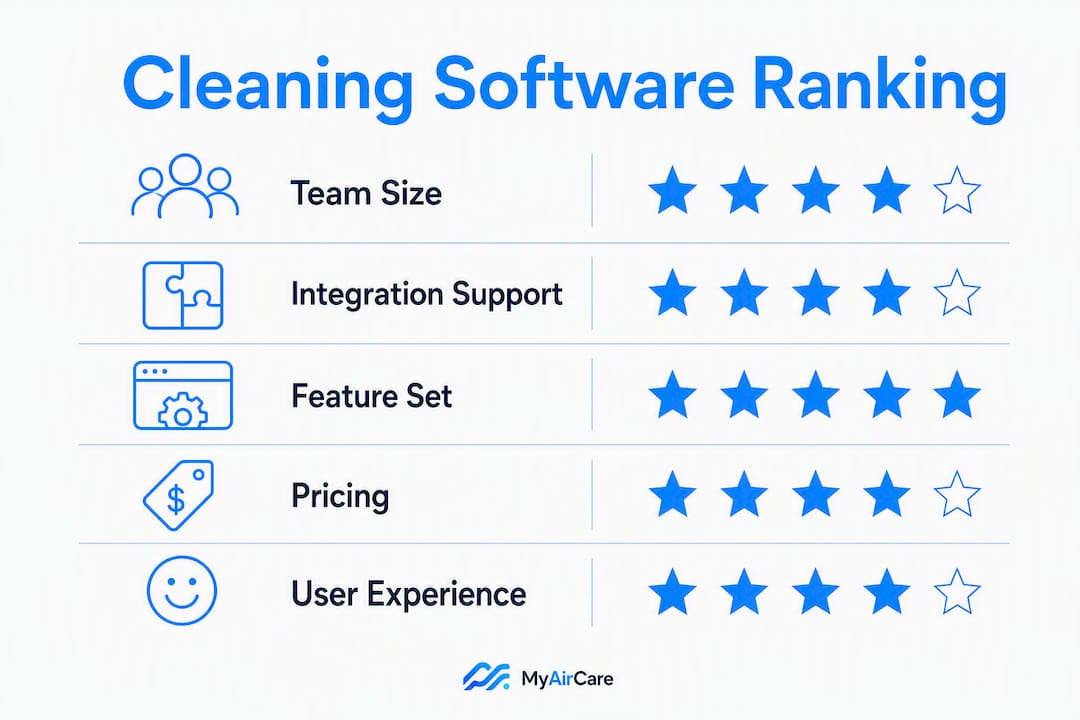
| Criterion | Weight | What was assessed |
|---|---|---|
| Fit for team size | High | Solo, small (2–5), medium (6–20) suitability |
| Scheduling & rostering | High | Recurring jobs, staff assignment, calendar sync |
| Invoicing & payments | High | GST-ready invoices, Stripe, Xero connection |
| Mobile usability | High | App quality, offline capability, field job management |
| Job QA / checklists | Medium | Custom forms, before/after photos, sign-off |
| Integrations | Medium | Xero, Stripe, CRM, calendar |
| Onboarding effort | Medium | Time to first job, training resources |
| Value for money | Medium | Cost per user vs. feature depth |
Platforms were excluded from the shortlist if they had no verifiable Australian availability, no Stripe or Xero support, or no mobile app suitable for field use. Pricing data is drawn from publicly listed vendor pages and may change; always confirm current rates during a trial or demo.
What features should a cleaning business not compromise on?
Scheduling and invoicing are the two functions where most cleaning businesses lose time. Beyond those, the features below separate a tool that genuinely fits a cleaning operation from a generic small-business app.
Must-have features:
- Scheduling and rostering — recurring job support, drag-and-drop calendar, staff assignment, and conflict detection
- GST-ready invoicing — tax invoices that meet ATO requirements, with ABN, GST amount, and supplier details
- Stripe or local payment processing — online payment collection at or after the job, not just bank transfer requests
- Xero integration — two-way sync to avoid double-entry and keep BAS preparation clean
- Mobile app for field staff — job details, checklists, and payment collection accessible without a laptop
- Customer self-booking — an online booking page that takes appointments without a phone call
- Automated SMS reminders — SMS reminders can reduce no-shows and late cancellations by up to 80% for cleaning businesses
- Job checklists and QA forms — structured sign-off on each job, with photo capture for disputes
Important but not always essential:
- Time tracking and GPS check-in for staff accountability
- Customer portal for booking history and invoices
- Route optimisation for multi-job days
Nice-to-have:
- API access for custom integrations
- Branded booking pages with your logo and service terms
- Tender or commercial opportunity listings
Pro Tip: Automated SMS reminders deliver the fastest operational return of any single feature. A reminder sent 24 hours before a job, and again two hours before, removes most no-shows without any manual follow-up. Test this workflow in the first week of any trial.
Detailed reviews: which platform suits your business?
MyAirCare
MyAirCare is the only platform on this list built specifically for Australian air-con cleaning businesses. It handles the full workflow from online booking to payment: customers book through a branded page, receive automated reminders, and pay via Stripe at checkout. Job records include before/after photo capture, which reduces scope disputes and supports repeat business. GST-ready invoices are generated automatically.
The platform suits sole traders and small teams equally. The free plan covers core bookings with a per-booking fee; the paid tier removes that fee and unlocks premium features including team calendar, advanced reminders, and mobile job tracking. Implementation typically takes one to two days for a sole trader setting up their first booking page.
Strengths: Niche fit for air-con workflows; Stripe payments built in; GST-ready invoices; branded booking pages; automated reminders; before/after photo records; Australian-built and supported.
Limitations: Designed specifically for air-con and niche cleaning, so general domestic or commercial cleaning businesses may find some workflow categories less relevant.
Integrations: Stripe (native), calendar sync. Xero export available.
Free trial: Free plan available; paid tier pricing listed on the MyAirCare pricing page.
Jobber
Jobber consolidates quoting, scheduling, and invoicing into one platform, which is its main advantage for small teams that currently use separate tools. It supports Xero and Stripe, has a well-reviewed mobile app, and includes a client portal where customers can approve quotes and view invoices. Jobber targets businesses planning to grow: the feature set scales from a single operator to a team of 20 or more without requiring a platform change.
The trade-off is cost. Jobber does not offer a free plan, and its entry-level tier limits some features. Teams that only need scheduling and invoicing may find it more than they need at the price point. Implementation typically takes three to seven days including staff training.
Strengths: Strong quoting-to-invoice workflow; Xero and Stripe support; client portal; scalable feature set.
Limitations: No free plan; cost increases with team size; some advanced features locked to higher tiers.
ServiceM8
ServiceM8 is an Australian-built field service platform with a free tier covering up to 20 jobs per month, making it one of the lowest-risk entry points for micro teams. Its mobile app is central to the workflow: staff receive job details, complete checklists, and collect signatures on-site. Xero and Stripe integrations are well-established and tested by a large Australian user base.
The platform is best suited to small teams of two to five. It is less suited to businesses that need detailed staff rostering or internal communication tools, as those functions are limited compared to dedicated workforce apps. Setup time is typically one to three days.
Strengths: Australian-built; free tier for micro teams; strong Xero and Stripe integration; mobile-first job management.
Limitations: Rostering and HR tools are limited; free tier is capped at 20 jobs per month.
Connecteam
Connecteam approaches cleaning business management from a workforce angle. Its strengths are staff scheduling, GPS clock-in, internal messaging, and HR document management. For a cleaning business where staff coordination is the primary pain point, it covers more ground than most field service tools.
The limitation is on the client-facing side. Connecteam does not offer a customer booking portal or native invoicing in the way Jobber or ServiceM8 do. It works best as a complement to an invoicing tool, or for businesses where the owner handles all client communication and needs the platform primarily for staff management. Pricing is in USD; the free plan covers up to ten users.
Strengths: Staff scheduling and GPS tracking; internal communication; HR tools; free plan for small teams.
Limitations: Limited client-facing features; no native invoicing; USD pricing adds currency uncertainty for AU buyers.
Tradify
Tradify is built for trades and service businesses that need job costing alongside scheduling. Its estimating and margin-tracking features make it useful for cleaning businesses that price jobs by scope rather than a flat rate. Xero and Stripe integrations are available. The platform is used by a number of Australian tradespeople and has local support.
It is less suited to businesses with a high volume of recurring residential jobs, where the job costing features add complexity without much benefit. Setup typically takes three to five days.
Strengths: Job costing and estimating; Xero and Stripe; Australian user base and support.
Limitations: Less suited to high-volume recurring residential work; job costing adds complexity for simple flat-rate businesses.
MaidCentral
MaidCentral is designed specifically for residential cleaning companies with recurring job schedules and client portals. It handles recurring bookings, customer communication, and staff rostering in a single platform. Pricing is not publicly listed; a demo is required.
The lack of transparent pricing is a practical barrier for small businesses comparing options quickly. It suits established residential cleaning companies with a stable client base rather than businesses in early growth.
ZenMaid
ZenMaid focuses on recurring bookings and simplified client communications for maid and house-cleaning services. Its booking and reminder tools are straightforward to set up, and Stripe is supported for payments. The platform is priced in USD, starting from approximately US$49 per month, and does not offer a free plan.
It suits small residential cleaning businesses that want a purpose-built tool without the complexity of a full field service platform. Time tracking and GPS features are limited compared to Jobber or Connecteam.
Housecall Pro
Housecall Pro markets a dedicated cleaning edition with automated SMS, a customer-facing booking portal, and a strong mobile experience. It supports Stripe and Xero, and its client communication features are among the most developed on this list. Pricing starts from approximately US$49 per month with no free plan.
The platform suits teams where the client experience is a priority, such as premium residential or commercial cleaning services. USD pricing and the absence of a free plan make it a higher-commitment entry point for Australian buyers.
How to choose the right cleaning software for your business
Work through this checklist before booking a demo or starting a trial.
- Define your team size now and in 12 months. Per-user pricing compounds quickly; a platform that costs AU$35/month for two users may cost AU$150/month for eight.
- List the integrations you cannot replace. If your accountant uses Xero, that integration is non-negotiable. Confirm it works in a trial, not just in the vendor's marketing copy.
- Identify your billing model. Flat-rate jobs, recurring subscriptions, and scope-based quotes each need different invoicing features. Check that the platform handles yours before committing.
- Assess your staff's mobile capability. A platform with a poor mobile app will not be adopted in the field. Test the app on the actual devices your staff use.
- Estimate your onboarding capacity. A solo operator can set up most platforms in a day or two. A team of ten needs structured training time; factor that into the decision.
- Check cancellation terms. Month-to-month contracts reduce risk. Annual contracts with no refund policy are a red flag for a first-time software buyer.
- Verify Australian payment support. Stripe merchant accounts for Australian businesses have specific setup requirements. Confirm the platform supports AU Stripe accounts, not just US ones.
- Ask about data residency. Some platforms store data on US or EU servers. For Australian businesses with client data obligations, this may matter.
- Test offline mode. If staff work in areas with poor mobile coverage, offline job access is a practical requirement, not a nice-to-have.
- Confirm support hours. A platform with US-only support hours means waiting until the afternoon for help with a morning issue.
Questions to ask vendors directly:
- Does your invoicing meet ATO tax invoice requirements, including GST line items and ABN display?
- Is your Xero integration two-way, and does it sync in real time or on a schedule?
- Which Stripe merchant regions do you support, and is Australia one of them?
- Can I create custom job forms and checklists without developer access?
- What is the per-user limit on my plan, and what happens if I exceed it?
- What are the cancellation and refund terms if I leave within the first 90 days?
- What are your support hours, and is there an Australian contact option?
- Does the mobile app work offline, and which features are available without a connection?
- Do you offer an API or Zapier integration for custom workflows?
- What onboarding or training resources are included in the plan?
Red flags to watch for:
- No publicly listed pricing and no trial option
- Mobile app reviews below 3.5 stars on the App Store or Google Play
- No Stripe or Xero support for Australian accounts
- Automatic annual renewal with no cancellation window
- Support only available by email with no stated response time
What should Australian cleaning businesses expect to pay?
Software costs vary significantly by team size and feature requirements. The table below shows typical monthly ranges based on publicly listed pricing across the platforms reviewed.
| Business size | Typical monthly cost | Notes |
|---|---|---|
| Solo / micro (1 user) | AU$0 – AU$35 | Free tiers available (ServiceM8, Connecteam, MyAirCare free plan) |
| Small (2–5 users) | AU$35 – AU$? | Most platforms price per user; Xero integration may add AU$15–$30/mo |
| Medium (6–20 users) | AU$120 – AU$ | Per-user costs compound; flat-rate plans become more cost-effective |
| Larger (20+ users) | AU$350 | Enterprise pricing or custom quotes typically required |
Example cost calculations:
A small team of four using Jobber at approximately AU$49/month for the entry tier, plus a Xero subscription at approximately AU$35/month, would spend around AU$84/month in software costs before SMS credits or payment processing fees. Stripe's standard Australian rate of 1.7% + AU$0.30 per transaction applies on top for online payments.
A medium team of ten using Connecteam's paid plan (priced in USD) plus a separate invoicing tool could spend AU$150–$250/month depending on exchange rates and the invoicing platform chosen.
Note on flat-rate vs. per-user pricing: Some platforms offer flat-rate unlimited-user plans, which can be cost-effective for larger teams. The trade-off is that flat-rate plans sometimes impose performance limits or feature restrictions at scale. Verify the specific limits before signing an annual contract.
Free tier limitations to watch for:
- ServiceM8's free tier caps at 20 jobs per month, which a busy sole trader can exceed in the first week.
- Connecteam's free plan covers up to ten users but limits some advanced scheduling features.
- MyAirCare's free plan charges a per-booking fee; the paid tier removes that fee and is more cost-effective once booking volume grows.
Integrations, payments, and compliance for Australian operators
Australian cleaning businesses have specific requirements that not all platforms meet out of the box. The three most important areas to verify before purchasing are Xero integration, Stripe merchant support, and GST invoicing.
Xero integration checklist:
- Confirm the integration is two-way (invoices created in the field service app appear in Xero automatically)
- Check whether the sync is real-time or scheduled (end-of-day syncs can cause reconciliation delays)
- Test the integration in a trial account with a real Xero sandbox before going live
- Verify that GST amounts are mapped correctly to the right Xero tax codes
Stripe for Australian merchants:
- Stripe supports Australian merchant accounts, but the platform you use must be configured to use AU Stripe, not a US account
- Standard Australian Stripe rates apply (1.7% + AU$0.30 per domestic card transaction at the time of writing; verify current rates on the Stripe Australia pricing page)
- Confirm that the platform passes the Stripe merchant country setting correctly, or payouts may default to USD
GST invoicing requirements:
Under ATO rules, a tax invoice for a supply of AU$82.50 or more (including GST) must include: the words "Tax Invoice", the supplier's name and ABN, the date, a description of the goods or services, the GST amount, and the total price. Verify that the platform generates invoices meeting all of these requirements before processing your first paid job.
Pro Tip: During any trial, create a test invoice, export it to Xero, and process a test Stripe payment end-to-end. This single workflow test will surface most integration problems before they affect a real client.
Other integrations worth checking:
- Calendar sync (Google Calendar or Outlook) for staff scheduling visibility
- SMS gateway support for automated reminders (some platforms use third-party SMS providers with separate costs)
- Zapier for connecting to tools not natively supported
For air-con cleaning businesses, calendar sync and appointment booking are particularly useful for managing multi-technician schedules across different suburbs.
How MyAirCare supports Australian air-con cleaning workflows
Air-con cleaning has workflow requirements that general field service platforms do not always address well. Jobs are typically booked by unit type (split system, ducted, cassette), require before/after photo documentation, and involve repeat customers on seasonal cycles. MyAirCare is built around these specifics.
Typical workflow supported by MyAirCare:
- Customer visits a branded booking page and selects their service type and preferred time
- Automated confirmation and reminder SMS are sent without manual follow-up
- Technician receives job details on the mobile app, completes the job, and captures before/after photos
- Stripe payment is collected on-site or at checkout; a GST-ready invoice is generated automatically
- Job record is stored with photos and payment confirmation for future reference
Before/after photo records on the job card reduce scope disputes and give customers visible proof of the service completed. This supports repeat bookings, particularly for seasonal filter cleans.
Feature highlights for Australian operators:
- Branded booking pages with service-term customisation
- Automated SMS reminders at configurable intervals before the job
- Stripe payments with GST-ready invoice generation
- Team calendar and staff collaboration for multi-technician businesses
- Mobile job tracking, rescheduling, and on-site payment collection
- Aircon Cleaning Tenders page for operators seeking larger commercial opportunities
"MyAirCare provides booking and management tools targeted at air-con cleaners in Australia, with automated reminders and a secure Stripe payment system." — MyAirCare
Trial checklist for MyAirCare prospects:
- Set up a branded booking page and test the customer booking flow end-to-end
- Configure automated SMS reminders and send a test reminder to your own number
- Process a test Stripe payment and verify the GST invoice generated
- Add a second team member and test the shared calendar view
- Complete a test job on the mobile app, including before/after photo capture
- Review the job record and confirm all details are stored correctly
Implementation for a sole trader typically takes one to two days. A small team of two to five can expect three to five days including staff onboarding. MyAirCare's booking page design guidance covers how to set up a page that converts visitors into confirmed bookings.
Key takeaways
For most Australian cleaning businesses, the right software comes down to three factors: whether it handles GST invoicing correctly, whether Stripe and Xero are genuinely supported for Australian accounts, and whether the mobile app is usable in the field.
| Point | Details |
|---|---|
| Verify AU integrations first | Test Xero sync and Stripe AU merchant support in a trial before committing to any platform. |
| SMS reminders cut no-shows | Automated SMS reminders can reduce no-shows and late cancellations by up to 80%, making them the highest-ROI automation for small teams. |
| Match pricing model to team size | Per-user pricing compounds quickly; a platform costing AU$35/month for two users may cost AU$150/month for eight. |
| Run a 30 day pilot | Measure admin time saved, bookings per staff hour, and online payment uptake to confirm ROI before a full rollout. |
| MyAirCare for air-con operators | MyAirCare is purpose-built for Australian air-con cleaners, with Stripe payments, GST-ready invoices, and automated reminders in one platform. |
What would work best for a small cleaning business
The most common mistake when choosing cleaning business management tools is selecting a platform based on its feature list rather than its fit for the actual workflow. A platform with 50 features that are 80% relevant is less useful than one with 20 features that are 100% relevant.
For a small Australian cleaning business, the trial sequence that makes the most sense is: start with the platform that most closely matches the specific service type. Air-con cleaners should trial MyAirCare first, given its direct fit. General residential cleaners should trial ServiceM8 or ZenMaid. Businesses with five or more staff where rostering is the primary pain point should trial Connecteam alongside a dedicated invoicing tool.
In a 30-day trial, the workflows worth testing are: booking a job end-to-end, invoicing a client, syncing to Xero, and collecting a Stripe payment. If any of those four steps requires a workaround, that is a signal the platform is not the right fit. Involve at least one field staff member in the trial from day one; a platform that the owner can use but staff cannot adopt will not deliver the expected time savings.
Success after 30 days looks like: fewer phone calls to book jobs, at least one invoice paid online without a follow-up, and a Xero reconciliation that took less time than before the software was in place.
MyAirCare gives air-con cleaning businesses a faster path to online bookings
Running an air-con cleaning business without a dedicated booking system means handling calls, chasing payments, and sending reminders manually. MyAirCare removes those steps. Customers book online through a branded page, automated reminders go out without any manual action, and Stripe handles payment at checkout with a GST-ready invoice generated automatically.

The platform is built specifically for Australian air-con cleaners, which means the workflows, invoicing, and payment setup reflect how the business actually operates, not how a generic field service tool assumes it does. The free plan covers core bookings; the paid tier, detailed on the MyAirCare pricing page, removes per-booking fees and unlocks team scheduling, advanced reminders, and mobile job tracking. Operators looking for larger commercial work can also access the Aircon Cleaning Tenders page for tender opportunities.
To get started, visit myaircare.com.au, set up a booking page, and run through the trial checklist in the section above.
Useful sources and next steps
The sources below were used in preparing this article and are useful starting points for further research and trial setup.
- MyAirCare pricing page — plan details and subscription options
- Aircon Cleaning Tenders — MyAirCare — commercial tender opportunities for growing operators
- Booking page design for air-con cleaning businesses — practical guide to setting up a converting booking page
- Finding quality clients for your air-con cleaning business — operational guidance on lead generation and client retention
- The 6 Best Cleaning Business Software — Connecteam — independent comparison covering Connecteam, Jobber, ZenMaid, ServiceM8, Housecall Pro, and MaidCentral
- Jobber reviews — Capterra — verified user reviews for Jobber
- Jobber reviews — G2 — additional user feedback and feature ratings for Jobber
Suggested next steps:
Note: Automated reminders and a simple customer self-booking flow typically deliver the fastest operational return for residential and niche cleaning providers. Prioritise testing those two features in the first week of any trial.