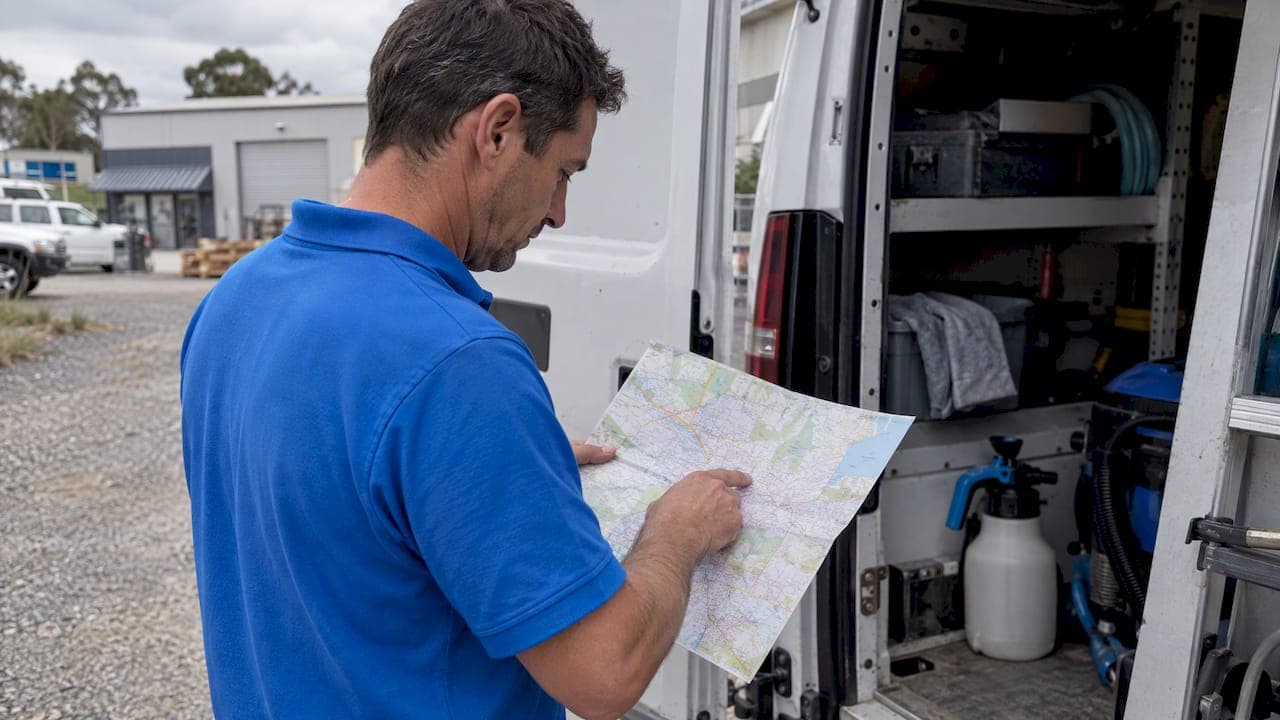
For most small service fleets, constrained route optimisation paired with a simple daily dispatch workflow cuts drive time and raises visits per day. We recommend encoding your actual business rules, then running that constrained plan through a short morning routine rather than sequencing jobs by instinct. Start today by listing every job on the board, then setting time windows, service durations and which technicians are actually available.
TL;DR:
- Use simple rules for repeat jobs; choose constrained optimisation for several technicians handling 15 to 30 daily jobs, and dynamic routing for frequent urgent requests.
- Encode certifications, safety equipment, legal hours, breaks, and vehicle limits as hard constraints; relax preferences such as preferred technicians only when capacity is tight.
- For delays or cancellations, reroute only the affected vehicle, cap route changes, and notify customers only when ETA shifts exceed your chosen threshold.
- Prioritise fixed appointments, urgent jobs, and jobs constrained by access before proximity; a nearby flexible booking should not displace a fixed visit.
- Pilot one vehicle or suburb, review drive time, daily jobs, punctual arrivals, failed visits, and overtime weekly, changing one rule at a time.
Table of Contents
- Practical route planning approaches and which fits your operation
- Step by step: prepare, optimise, publish, monitor
- Business rules and constraints to encode for realistic routes
- Matching technicians to jobs: skills, workload and rostering
- Dynamic routing: when to reroute without causing chaos
- Tools and integrations: options and a technical checklist
- Key KPIs to track and how to use them
- Prioritising job sequencing beyond location
- Selecting tools and equipment per job when planning routes
- Estimating cost and time savings from route planning
- Choosing a route planning approach for air conditioning cleaning businesses
- Handling variability in job duration and unexpected delays
- Starting small and learning fast
- How MyAirCare fits into a cleaner route planning workflow
- FAQ
- Sources
Practical route planning approaches and which fits your operation
Several approaches cover most service businesses, and the right one depends on fleet size and how often the day changes after the morning starts.
- Manual sequencing: a dispatcher orders jobs by eye or gut feel, workable for a small number of vehicles with stable routes.
- Rule-based heuristics: simple logic (nearest job next, group by postcode) that scales to a handful of vehicles without needing software.
- Constrained optimisation: a solver assigns and sequences jobs against encoded rules, such as time windows and vehicle capacity, suited to larger fleets or complex scheduling.
- Dynamic routing: the system recalculates automatically as traffic, cancellations or urgent jobs shift through the day, recommended once volume makes manual rechecks impractical.
A small operation with repeat jobs rarely needs more than rule-based heuristics. Once you are juggling 15 to 30 jobs a day across several technicians with mixed skills, constrained optimisation starts paying for the setup time. Dynamic routing adds the most value when your business absorbs same-day urgent requests, since static routes handle predictable days but break down the moment one job runs long or a customer cancels.
Step by step: prepare, optimise, publish, monitor
Build this into a repeatable morning sequence rather than solving routing problems fresh every day.
- Validate the day's data first. Check every address resolves correctly, confirm customer contact numbers, and flag any job with an unusual or longer-than-standard service duration.
- Encode your constraints. Enter time windows, vehicle or tool limits, mandatory breaks and any firm customer appointment slots before you sequence anything.
- Run the optimisation or cluster manually. Let the solver sequence jobs by area and constraint, or group by suburb if you are working from heuristics.
- Sanity-check with local knowledge. A route that looks efficient on a map can fail in a gated estate with restricted access or a street with no parking during busy morning hours; adjust before publishing.
- Publish to mobile job lists. Send the finalised route to each technician's device and trigger customer ETA notifications.
- Monitor exceptions through the day. When a job overruns or a customer cancels, re-optimise only the affected vehicle rather than reshuffling the whole fleet.
This sequence mirrors a broader pattern worth understanding: dispatch and scheduling decisions are related but distinct disciplines, and separating them inside your daily routine is one of the more reliable ways contractors cut failed visits.
Pro Tip: Build a brief buffer check into step one: a single missing phone number or wrong address early in the day causes far more disruption than it costs to catch it before publishing routes.
A short buffer habit here also sets up the scheduling cushion discussed later, and it costs almost nothing to run once it is part of the morning checklist, as outlined in this short guide to scheduling buffer time.
Business rules and constraints to encode for realistic routes
Optimisation only produces usable routes when the constraints you feed it reflect how your business actually operates, not an idealised version of it.
- Hard constraints: certifications required for certain job types, safety equipment needs, and legal working-hour limits that cannot be exceeded.
- Soft constraints: a customer's preferred technician, a preference for morning slots, or a dispatcher's usual grouping by suburb.
- Buffer minutes: extra time between jobs to absorb parking delays, building access or a longer-than-expected conversation on site.
- Realistic travel times: drive-time estimates that account for peak traffic and access delays, not straight-line distance.
Advanced routing research combining traffic-aware optimisation with real-time dispatch has reported meaningful reductions in operational cost and congestion exposure in tested urban delivery scenarios, a pattern that applies directly to service fleets working across congested suburbs.
Relaxing a soft constraint, such as a preferred technician, can lift utilisation on a busy day. Relaxing a hard constraint, such as a certification requirement, risks a failed visit or a compliance issue and should not be treated as a lever for squeezing in one more job.
Matching technicians to jobs: skills, workload and rostering
Routing efficiency depends as much on who you send as on the sequence you send them in.
- Capture technician attributes: skills, certifications and an honest speed factor for each job type, not just availability.
- Include travel time in workload: a technician's daily load should count drive time alongside job time, not just the hours on site.
- Respect rest and overtime limits: build maximum daily hours and mandatory breaks into the assignment logic rather than adjusting after the fact.
- Use skill-aware assignment: matching the right technician to a job on the first pass reduces re-scheduling and repeat visits.
Technician skill heterogeneity is one of the clearer efficiency drivers in field service: matching service requirements to technician capability while accounting for travel and rest helps prevent burnout and raises utilisation rather than treating every technician as interchangeable.
Pro Tip: Track a rolling speed factor per technician per job type over time before trusting it in your rules; a single bad day will skew the number otherwise.
For a practical breakdown of rest rules and travel-time limits specific to field teams, this guide to scheduling technicians without burnout is a useful reference point.
Dynamic routing: when to reroute without causing chaos
Static, start-of-day routes work until something changes, and something changes most days. Researchers studying urban delivery routing advise shifting from static, manually planned schedules to dynamic routing, where systems continuously recalibrate using live traffic and job progress rather than relying on a fixed morning plan.
- Core data inputs: live traffic conditions, real-time job status, cancellations and urgent incoming requests.
- Reroute policy: re-optimise only the affected vehicle within a limited time horizon, not the entire fleet.
- Notification threshold: only alert a customer when the ETA shift exceeds a set number of minutes, to avoid noise.
- Minimum reoptimise interval: cap how often a route can change to avoid technicians bouncing between conflicting instructions.
Studies on traffic-aware dynamic routing report significant reductions in operational cost and congestion exposure when systems recalculate against live conditions rather than fixed plans, which is the strongest argument for investing in dynamic capability once your volume justifies it.
The guardrail that matters most operationally is restraint: constant rerouting erodes technician familiarity with their patch and confuses customers who were told one time and then another. Reoptimise the vehicle that is actually affected, and leave the rest of the fleet alone.
Tools and integrations: options and a technical checklist
A few broad categories cover most route planning needs: entry-level route planners for simple sequencing, field service or dispatch platforms that combine scheduling with job management, and route optimisation APIs for teams building custom systems.
- Geocoding accuracy: confirm the tool resolves regional and rural addresses reliably, since this is a common failure point.
- Calendar sync: routes should update automatically when a booking changes, not require manual re-entry.
- Mobile job lists: technicians need routes and job details on their device, not a printed sheet.
- Real-time performance: check how the system handles updates mid-shift, not just its morning planning speed.
Google's Route Optimization API supports multi-vehicle route generation with constraints such as time windows, vehicle capacity and driver work hours, and is a sensible technical route when you need custom logic that a packaged platform does not offer. For most small operators, a packaged dispatch platform remains the simpler starting point; a comparison of field service apps is a useful place to weigh the options.
Key KPIs to track and how to use them
A small, consistent KPI set tells you more than a dashboard full of metrics nobody checks.
- Total drive time and jobs per vehicle per day, tracked weekly to catch drift.
- On-time arrival rate and first-time fix rate, the two numbers most tied to customer satisfaction.
- Failed visits and overtime hours, which usually flag a constraint that needs adjusting.
Change one rule at a time, ideally on one vehicle or one area, and compare a week of results against the prior week before rolling the change fleet-wide. A weekly review of these numbers is usually enough to catch a buffer that is too tight or a service duration estimate that has drifted from reality.
Prioritising job sequencing beyond location
Proximity is the easiest sequencing input, but it is rarely the only one that matters. Appointment urgency should outrank distance: a job booked for a fixed morning slot takes precedence over a nearby job with flexible timing, even if the detour costs a few extra minutes.
Client priority matters too. A commercial contract with a service-level commitment, or a customer flagged for a repeat issue, often needs to be slotted ahead of a routine booking that happens to sit closer to the previous stop. Job type also plays a role: a job that depends on daylight, building access hours or another trade finishing first has a narrower window than a straightforward residential visit, and that window should take priority over route efficiency alone.
A practical sequencing order looks like this: fixed appointment times first, then urgent or flagged jobs, then jobs with access or timing dependencies, and only then does proximity decide the order among what remains. Treating location as the final sort rather than the first one avoids the common trap of a route that looks tight on a map but misses every customer's actual expectation.

Selecting tools and equipment per job when planning routes
Routing a technician to the right place at the right time is only half the job if they arrive without the correct equipment. Build equipment requirements into the job record itself, not into a separate checklist a technician has to remember.
Each job type should carry a standard kit list: the tools, parts and safety equipment it typically requires, flagged against the booking before the route is even sequenced. Jobs with non-standard requirements, such as a larger unit, an unusual access situation or a specific part ordered in advance, should be flagged clearly enough that the route planner (human or software) can either sequence that job later in the day, after a stock pickup, or assign it to a technician already carrying the right kit.
This matters most where technicians are not interchangeable. A technician without a required certification or specific tool cannot complete a job even if they are the closest available option, which is why equipment and skill checks need to sit alongside, not after, the location-based sequencing logic.
Estimating cost and time savings from route planning
The easiest way to estimate the value of better route planning is to work from your own numbers rather than an industry average, since fleet size, job density and current inefficiency vary too much for a single figure to apply. Start by establishing your current baseline: average drive time per technician per day, jobs completed per day, and the rate of failed or rescheduled visits.
From there, a simple worked example illustrates the logic: say a technician currently completes several jobs a day with substantial total drive time. If better sequencing and tighter constraints cut drive time, that technician has more time available, potentially enough to fit in another job on many days. Across a team, that could potentially mean more jobs without adding headcount or vehicles.
The time cost of setting up constrained optimisation is mostly front-loaded: encoding time windows, technician skills and service durations takes longer the first week than it does once the data is clean and routines are established. Weigh that setup time against the ongoing cost of failed visits, overtime and underused technician hours, since those are the costs route planning is actually solving for.
Choosing a route planning approach for air conditioning cleaning businesses
Air conditioning cleaning has a few traits that shape which approach makes sense. Jobs tend to be shorter and more standardised than general trades work, which makes rule-based sequencing viable for longer before a business needs full constrained optimisation. Seasonal demand spikes, particularly before summer, mean the volume that justifies investing in routing tools can arrive suddenly rather than gradually.
Booking data quality matters more in this trade than the routing engine itself. A cleaning job with an incomplete address, no confirmed access instructions or an unclear unit count causes more failed visits than a slightly suboptimal route sequence. For that reason, the first investment worth making is usually in clean booking intake, not in a more sophisticated optimisation engine.
Once booking data is reliable, the choice comes down to scale: a sole operator or two-person team gets most of the benefit from a simple scheduling and dispatch tool with time windows and mobile job lists, while a team running multiple vehicles across several suburbs benefits from constrained optimisation that can balance technician skills against job density.
Handling variability in job duration and unexpected delays
Service durations are estimates, not guarantees, and a routing system that treats them as fixed will drift out of sync with reality within a day or two. Building in buffer minutes between jobs is the simplest defence, absorbing the normal variation in access time, customer conversations and parking without cascading delay through the rest of the route.
For job types with historically high variability, such as a first-time visit to an unfamiliar property, widen the estimated duration rather than relying on the standard figure. When a delay does occur mid-route, the priority is containment: re-optimise only the affected technician's remaining stops rather than reshuffling the whole day, and notify only the customers whose ETA has shifted past a meaningful threshold.
Treat repeated overruns on a specific job type as a signal to adjust the standard duration estimate rather than a one-off to absorb with buffers indefinitely. A monthly review of actual versus estimated durations, cross-referenced against the KPI set covered earlier, is usually enough to keep service time estimates realistic.
Starting small and learning fast
We think the biggest rollout mistake is optimising the whole fleet before trusting the rules behind it. Start with one vehicle or a single suburb, let technicians sanity-check suggested routes against what they know about access and traffic, and treat the system as an operational partner rather than an authority to follow blindly. Revisit the rules monthly; the constraints that felt right at first rarely still fit after the business has changed.
— Lewis
How MyAirCare fits into a cleaner route planning workflow
Clean, accurate booking data is the foundation every routing approach in this guide depends on, and that is the problem we built MyAirCare to solve for air conditioning cleaning businesses. Our platform captures service details and contact information directly at booking, so dispatchers start the day with fewer gaps to chase down.

- Job details are captured at the point of booking, reducing the morning validation work covered earlier in this guide.
- Mobile job lists give technicians their schedule and job notes on-site, supporting the publish-and-monitor steps of a daily routing workflow.
- Automated SMS reminders cut down on no-shows and last-minute cancellations that otherwise force a mid-day reroute.
- Secure payments through Stripe close out each job without separate admin, keeping the day's data clean for tomorrow's planning.
For businesses chasing more incoming work to route, pairing clean booking data with lead capture tools, such as an AI voice agent for after-hours calls or a website chat widget for booking enquiries, keeps the job pipeline feeding into the same clean workflow rather than arriving as scattered phone messages.
We offer a Free plan to get started, and MyAirCare Pro at $199 per month for businesses ready to unlock the full set of features. Check pricing and plan details or see the platform to start a free account today.
FAQ
Is there a free route planner I can use for deliveries?
Several entry-level route planning tools offer free tiers suited to small delivery volumes, typically with limits on stops or vehicles. A directory of route planning software is a useful starting point for comparing free and paid options by feature set.
What are the responsibilities of a route planner?
A route planner, whether a person or a system, sequences jobs against constraints such as time windows, technician skills and vehicle capacity, then adjusts that sequence as the day changes. The role also includes validating job data each morning and monitoring exceptions like delays or cancellations through the shift.
What is the best route planner for sales reps?
Sales rep routing prioritises appointment-based scheduling and travel-time minimisation between meetings rather than job-duration variability, so the right tool depends on calendar integration and territory mapping features. Reviewing options in a route planning software directory against those specific needs is more useful than a single universal recommendation.
Can AI do route optimisation?
Yes, route optimisation APIs and algorithmic solvers already handle multi-vehicle routing with real-world constraints such as time windows and driver hours. Google's Route Optimization API is one practical example, and research into hybrid and neural solvers continues to improve how these systems scale for real-time, large-scale routing problems.
Sources
For readers building custom routing logic or wanting the research behind these recommendations, the open-source RouteOpt solver and Google's Route Optimization API documentation are solid technical starting points, alongside the dynamic routing research cited throughout this guide.
- Researchgate
- RouteOpt: An Open-Source Modular Exact Solver for Vehicle Routing Problems | INFORMS Journal on Computing
- Optimizing urban last mile delivery efficiency through dynamic vehicle routing heuristics and traffic flow analysis | Scientific Reports