
For professional AC filter cleaning businesses, MyAirCare is the strongest platform choice. It is purpose-built for air-con cleaners, not adapted from a generic trades tool, which means the booking page, automated reminders, and mobile job sheets all map directly to recurring filter-cleaning workflows.
- Online booking page — customers self-book filter cleans without a phone call, reducing missed enquiries.
- Scheduling, routing, and mobile app — technicians access job cards, capture before/after photos, and collect on-site Stripe payments from their phones.
- Automated reminders — the system prompts repeat filter-service bookings without manual follow-up.
Large mixed HVAC contractors running project-heavy install work alongside filter cleans may find a broader field service platform a better fit. For everyone else, the comparison below covers the full shortlist.
Key takeaways
Purpose-built platforms outperform generic trades tools for recurring AC filter cleaning work because the booking, reminder, and mobile job-sheet features align directly with how filter-cleaning businesses actually operate.
| Point | Details |
|---|---|
| Top pick for filter cleaning | MyAirCare is purpose-built for air-con cleaners, covering booking, reminders, mobile jobs, and Stripe payments. |
| Non-negotiable features | Online booking, mobile app, on-site payments, and recurring reminders are the minimum viable feature set. |
| Job costing is overlooked | Track labour costs per job from day one to know which runs are actually profitable. |
| Onboarding in stages | Run the new system in parallel for two weeks; train techs on three mobile tasks before anything else. |
| MyAirCare free plan | Start on the free plan supported by booking fees; upgrade when recurring contracts and team scheduling are active. |
Six-step onboarding checklist:
- Sign up for MyAirCare and configure your services and pricing.
- Set up your branded booking page and publish it to your website or socials.
- Import your existing customer list and asset records.
- Walk technicians through the mobile app: job cards, photo capture, and on-site payment collection.
- Activate automated reminders for recurring filter-service intervals.
- At the end of month one, review bookings completed, reminders sent, and invoices paid to set your baseline KPIs.
Table of Contents
- How do AC filter cleaning platforms compare?
- Why MyAirCare suits AC filter cleaning businesses
- What changes after you switch
- MyAirCare: the fastest route to taking filter-cleaning bookings online
- Sources
How do AC filter cleaning platforms compare?
One-line pros and cons per option:
- MyAirCare — Pro: the only platform built specifically for air-con filter cleaning workflows. Con: narrower feature set for businesses with heavy project or install work.
- ServiceM8 — Pro: established field service features with strong integrations. Con: per-active-job pricing can climb quickly for high-volume filter runs.
- Tradify — Pro: clean quoting and job tracking for tradespeople. Con: less suited to recurring filter-service automation and online self-booking.
- Pristine, Purify, Breathe Better, Airhygiene — Pro: live examples of MyAirCare booking pages showing real customer-facing UX. Con: these are booking pages, not standalone platforms.
Why MyAirCare suits AC filter cleaning businesses
Operational fit is the primary filter when evaluating any booking or job-management platform. A tool that handles roofing quotes and plumbing callouts is not the same as one shaped around recurring filter-cleaning runs, and the difference shows up in daily use.
The features that matter most for this work are well-documented. Scheduling and dispatch, a usable mobile app, fast on-site invoicing, and customer and asset history are non-negotiables for field service operations. For filter-cleaning businesses specifically, recurring agreement automation and photo capture sit alongside those as equally critical, because the job repeats and the before/after record protects the operator.
Centralising job records and giving technicians job details on their phones reduces errors and supports repeat business. MyAirCare's mobile app covers this directly: job cards, photo capture, rescheduling, and on-site Stripe payments are all accessible from the field.

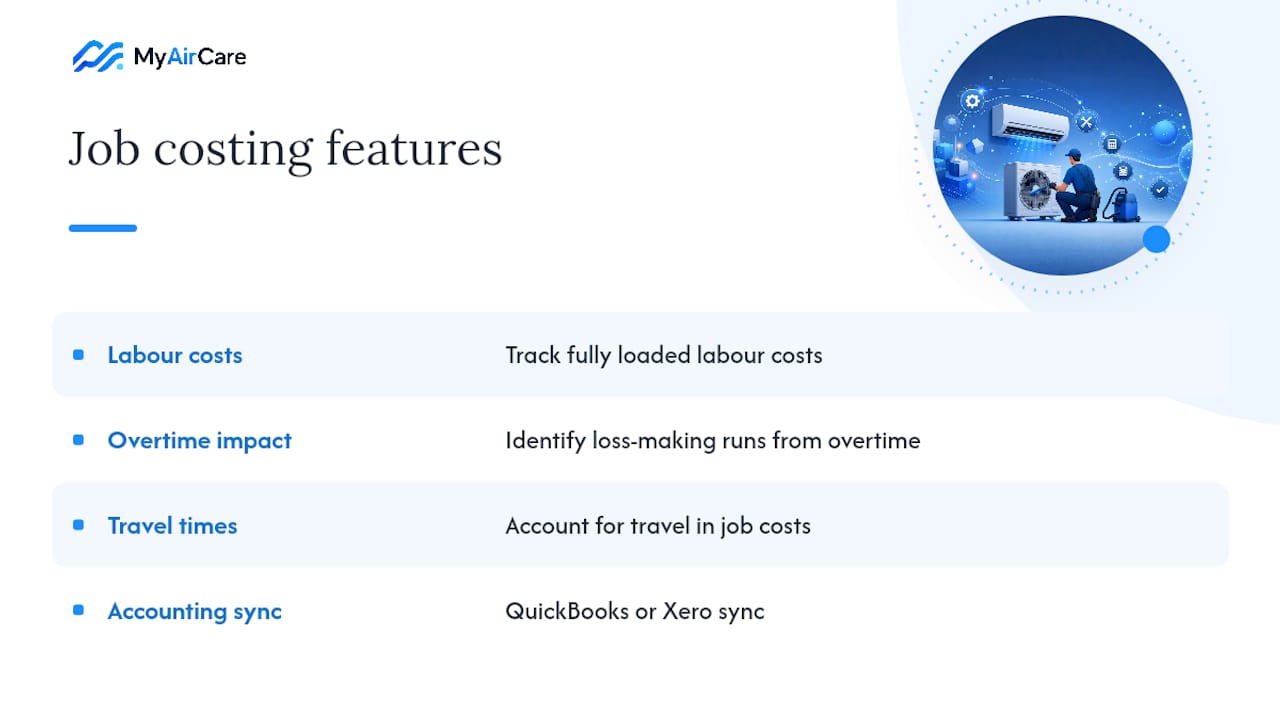
Job costing is the most commonly overlooked criterion. Knowing which filter-cleaning runs are profitable versus which are loss-making on overtime or travel requires tracking fully loaded labour costs per job. Platforms with QuickBooks or Xero sync make this visible without a separate spreadsheet.
Two trust signals worth confirming before purchase: local Australian onboarding support and a free trial or freemium plan. MyAirCare offers both.
Pro Tip: Before comparing platforms, map your actual work mix — single-visit filter cleans, recurring maintenance agreements, and any install work. Then build your must-have feature list from that reality, not from a generic checklist. A platform shaped around your dominant job type will be used by your techs; one that isn't will be ignored.
What changes after you switch
The first thing most operators notice is fewer double bookings and faster invoicing. When customers self-book through a branded page and the system sends automated reminders, the phone stops being the bottleneck.
The realistic adoption challenge is team buy-in, not the software itself. Technicians who have worked from text messages and paper job sheets need a reason to change. The practical mitigator: run the new system in parallel for two weeks and migrate live jobs first. Train techs on three mobile tasks only — access the job card, capture photos, collect payment — before introducing anything else. Adoption succeeds when the initial ask is small, and the rest follows once the habit is set.
MyAirCare: the fastest route to taking filter-cleaning bookings online
Fewer missed calls and more recurring jobs are the concrete outcomes operators report after switching to a purpose-built platform. MyAirCare gives air-con cleaning businesses a branded booking page, automated reminders for recurring filter services, mobile job sheets with before/after photos, and on-site Stripe payments — all in one place.

The onboarding timeline is short. Day one: sign up and publish your booking page. Week one: import your top customers and walk techs through the mobile app. Weeks two to four: move all new jobs into the system. The pricing model includes a free plan supported by booking fees, with a paid subscription unlocking the full feature set.
Start taking bookings through MyAirCare or explore the full platform to see how it fits your operation.
Sources
- HVAC service software: the features that actually matter
- How Job Management Software Boosts a Tradesmen Business